

This article will guide you through adding a Firefox Profile to Upload Facebook v5 so you can use it as effectively as possible
Add a new account in the software
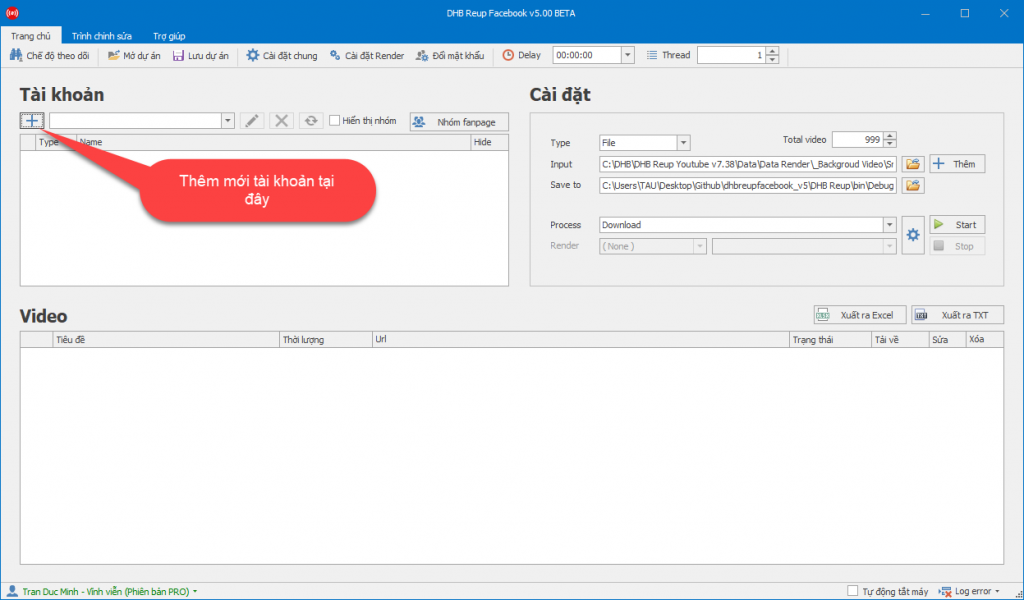
First, in the software interface, click the button to add a new account
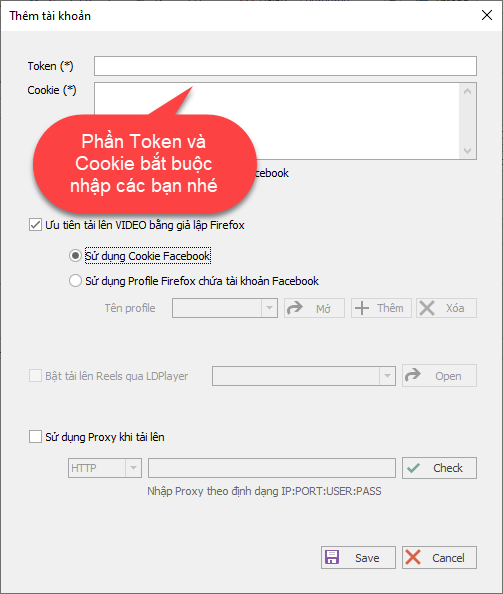
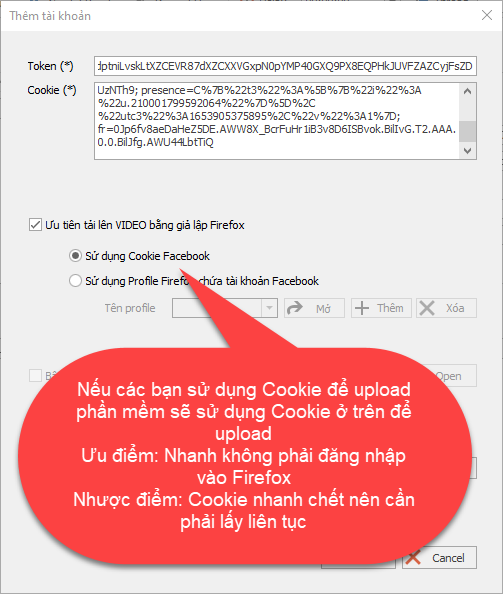
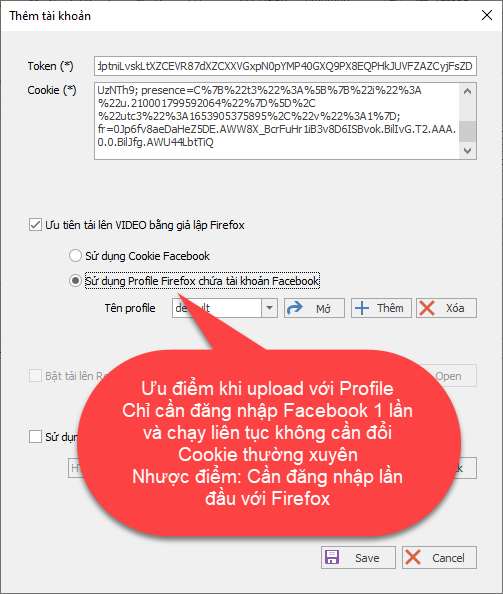
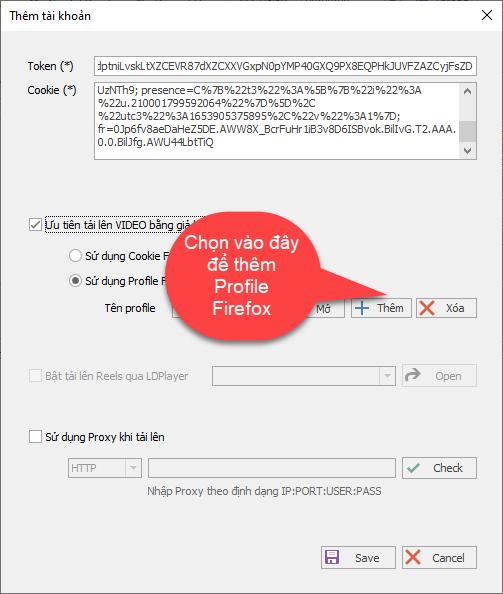
Guide to Adding a Firefox Profile
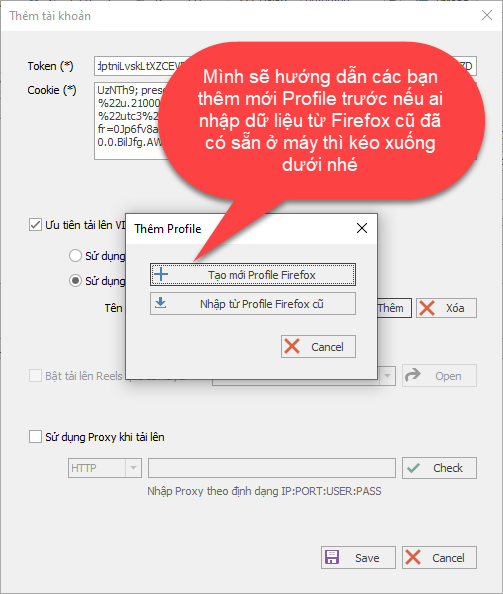
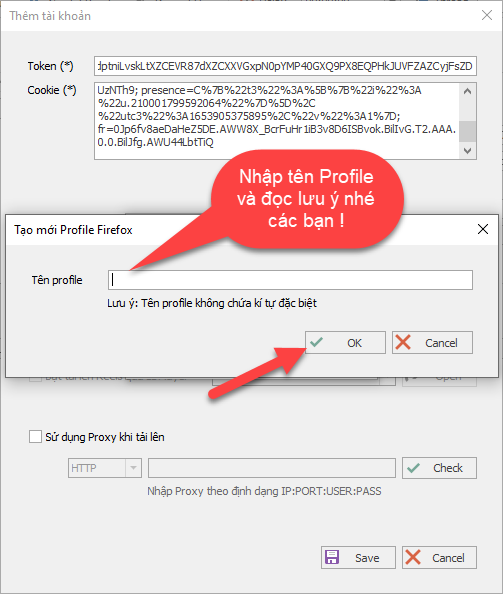
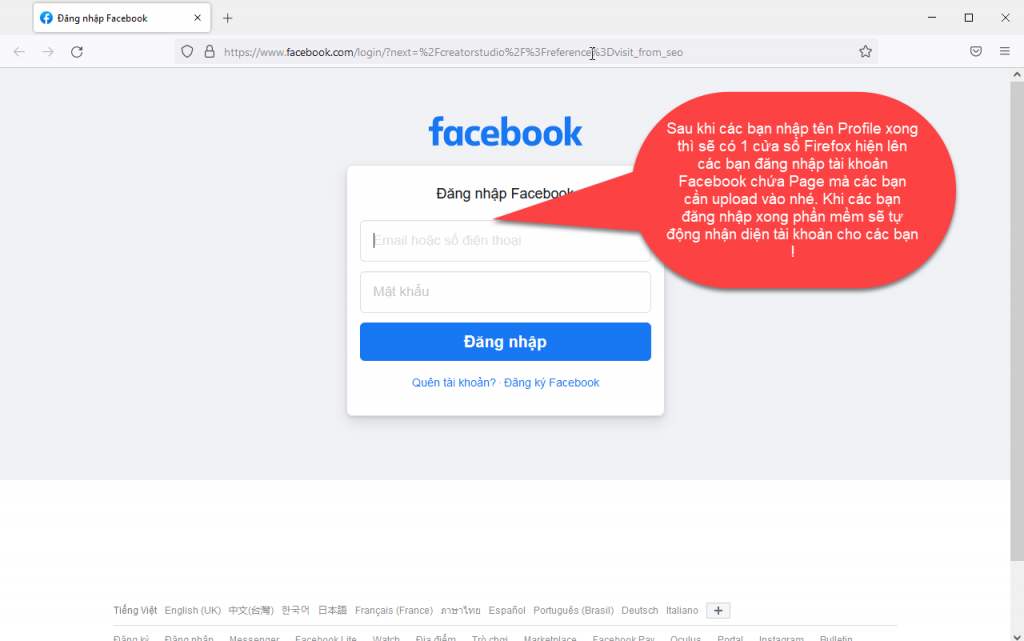
Step 1: Create a new Firefox Profile
In this step, I will show you how to add a new Profile first. If you choose to import existing data from Firefox on your computer, please scroll down to the next step !!!
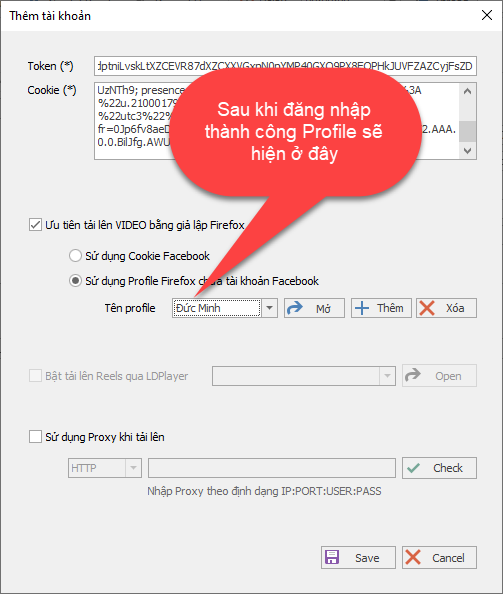
Step 2: Import an existing Firefox Profile without logging in again
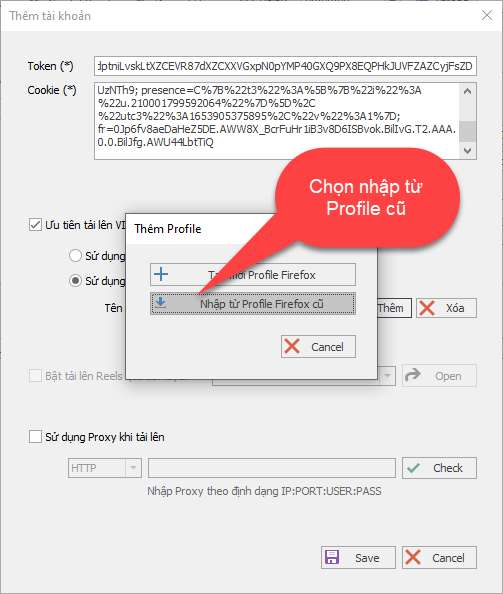
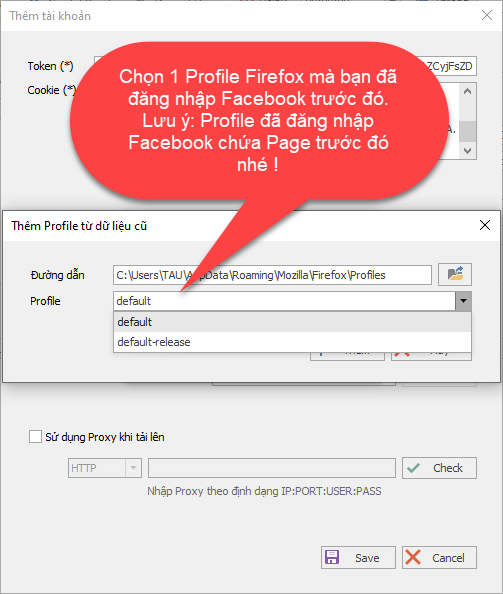
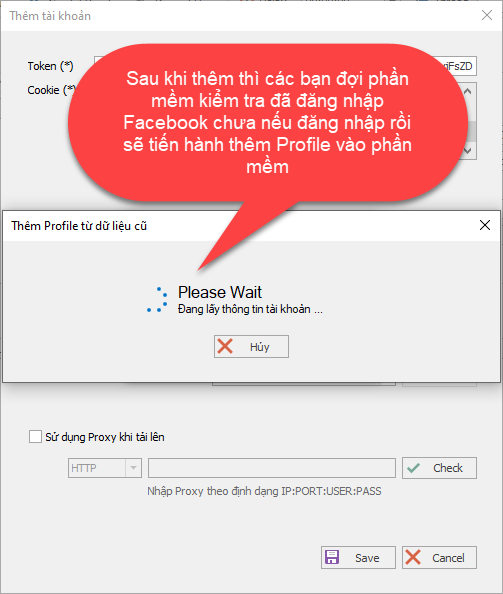
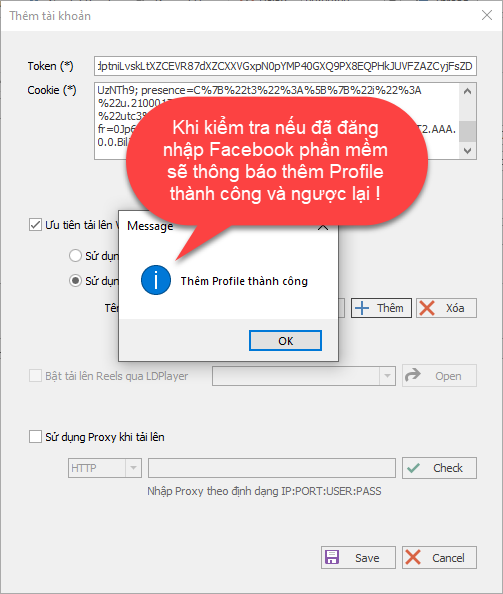
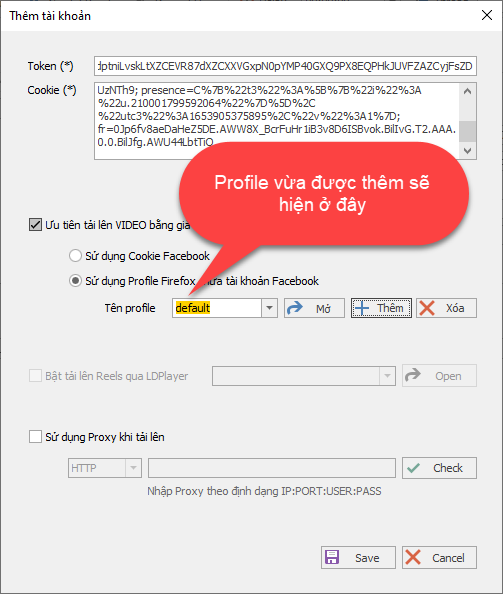
After you have added the Profile to the software, check whether the Token and Cookie sections are correct, then click Save so the software can scan Pages and Groups !!!
Wish you success !!!
For any questions, please contact us via our website and fanpage
https://dhbtools.com/
http://m.me/dhbtools
https://www.facebook.com/dhbtools