DHB Upload Youtube: Software for uploading videos to YouTube
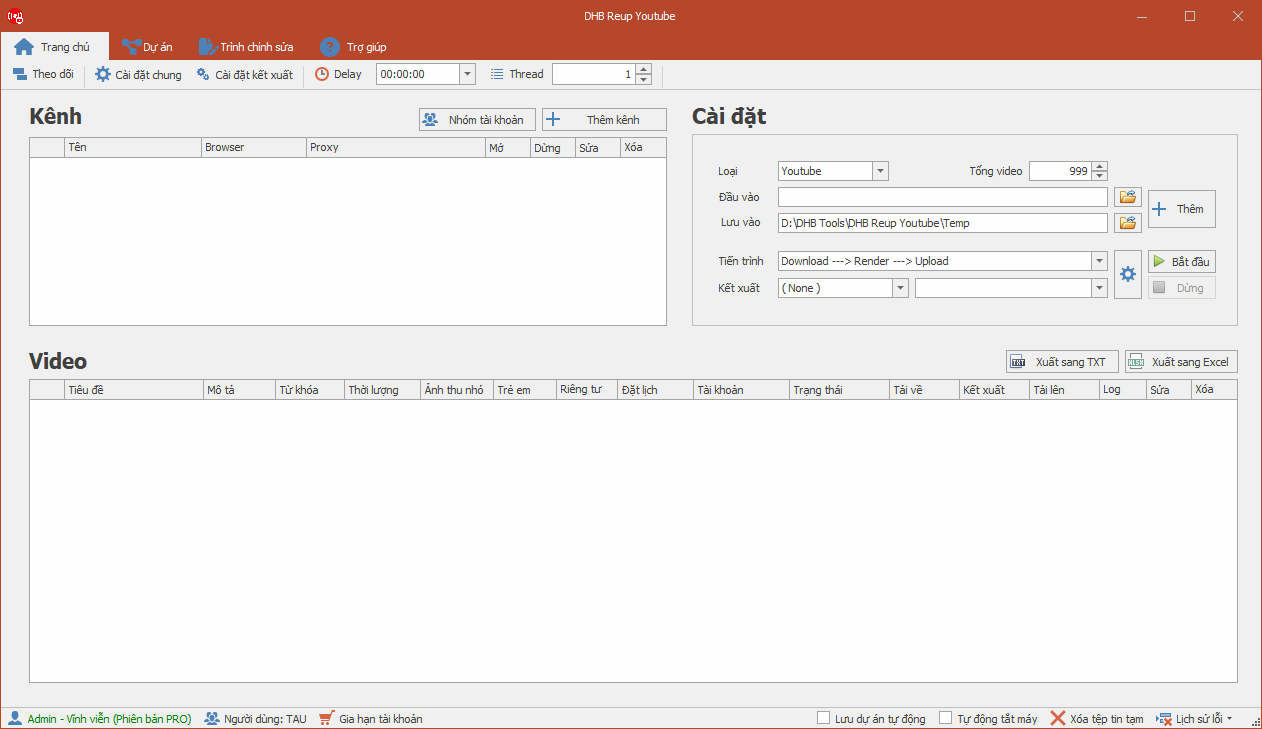
DHB Upload Youtube helps you manage your video library, write titles, descriptions and thumbnails, schedule posts, and track publishing status — all in one place.
Optimize titles, descriptions, keywords, thumbnails, and publishing schedules.
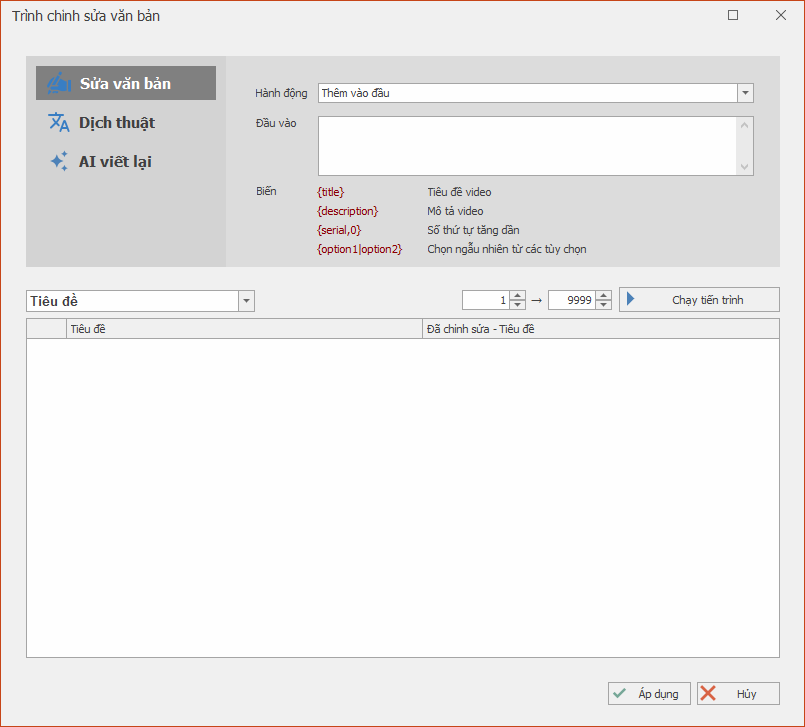
Edit titles, descriptions, and keywords
Translate content with AI
Auto-edit thumbnails
Evenly space out posting times
Optimize SEO keywords with AI
05
Upload videos
Automatically publish videos to YouTube with multiple work profiles
Chrome / Firefox / GPM / GoLogin
Multi-threaded posting, publish now or schedule
Track upload status
Automatically open/close profiles along the workflow
Post from pre-saved projects
06
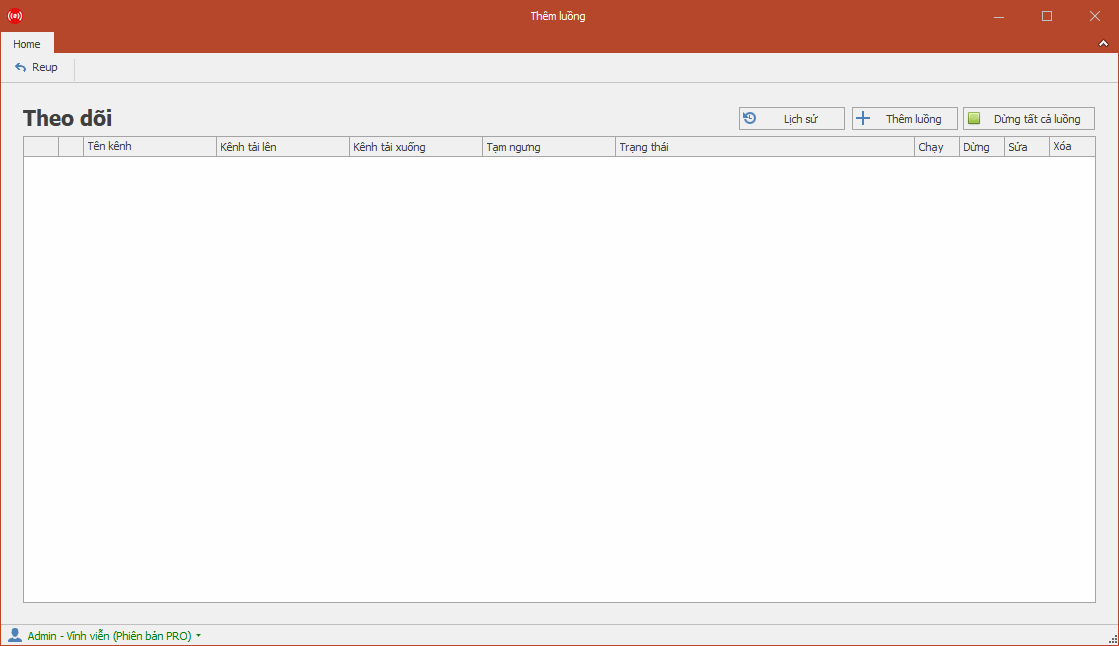
Track progress
Check processing status, publishing schedules, and results in a centralized dashboard.
Track your channels at the same time
Manage scheduling centrally
Auto-publish based on configuration
Edit titles / descriptions using templates
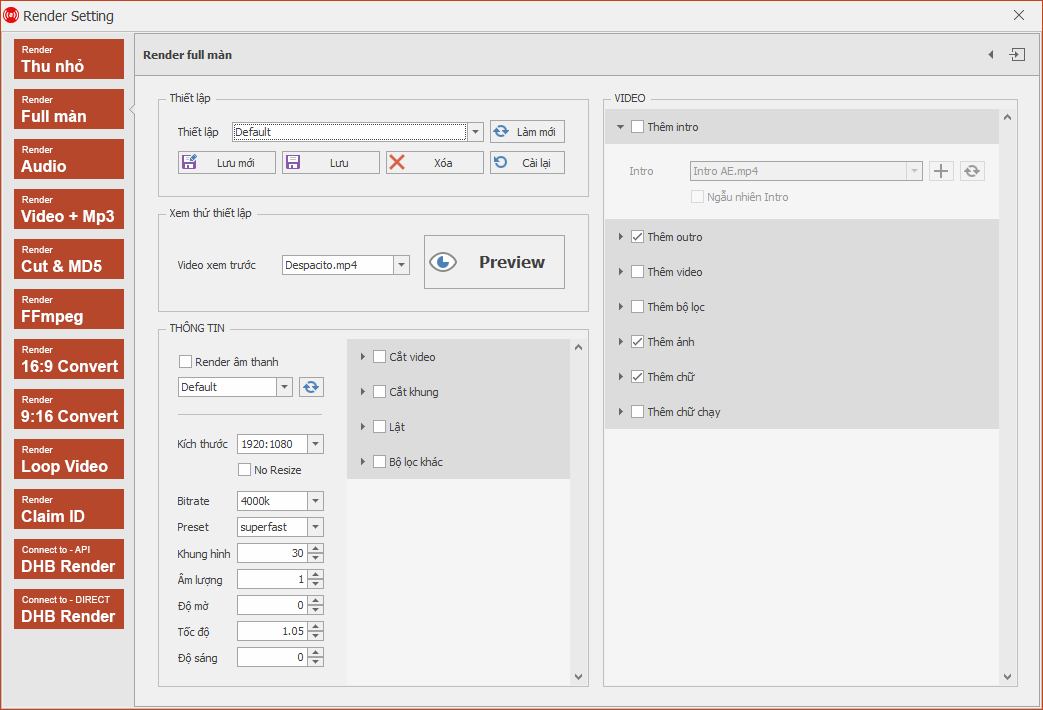
Render before publishing
Features to prepare and publish videos
Focused on managing videos, post metadata, thumbnails, publishing schedules, and processing status in an easy-to-control dashboard.
Post YouTube Shorts and vertical videos
DHB Upload YouTube has a dedicated mode for Shorts and vertical videos. Since 15 October 2024, YouTube accepts Shorts up to 3 minutes long in a vertical or square frame.
A dedicated posting mode for Shorts and vertical videos.
Shorts up to 3 minutes, vertical or square.
Pricing
Pick a plan and start fast
Tính năng chung chỉ hiển thị một lần. Thẻ bên dưới tập trung vào thời hạn, giá và mức tiết kiệm.
Standard
Pro
Standard / 1 month
250.000₫
250.000₫ per month
Standard / 3 months
600.000₫
200.000₫ per monthSave 20%
Most popular
Standard / Lifetime
1.400.000₫
vs. 2 years of monthly billingSave 77%
Pro / 1 month
300.000₫
300.000₫ per month
Pro / 3 months
700.000₫
≈ 233.000₫ per monthSave 22%
Pro / Lifetime
1.800.000₫
vs. 2 years of monthly billingSave 75%
Pricing
Compare plans
Features
Standard
Pro
1. Input sources
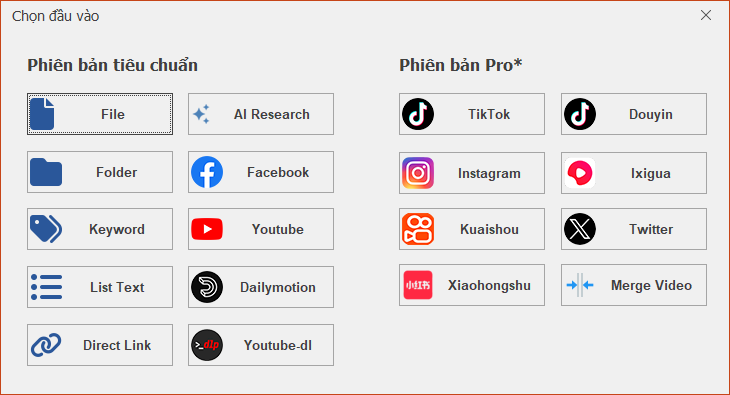
Add videos from files, folders, or a link list
Supports popular sources like YouTube, Facebook and direct links
Download from TikTok, Douyin, Ixigua, Kuaishou, Xiaohongshu, Instagram, X
2. Prepare & organize
Manage multiple channels and accounts easily
Save projects and resume work anytime
3. Merge & build video
Render videos with multiple layouts and custom parameters
Customize video processing with FFmpeg config
Merge multiple videos into one complete piece
Advanced render preset (with background music)
4. Editing & AI
Edit titles, descriptions and keywords in bulk
Translate and optimize titles and descriptions in a few clicks
Edit thumbnails and status in one place
AI-assisted SEO optimization for videos
5. Upload videos
Schedule batch publishing with balanced post timing
While using DHB Tools to download YouTube videos, you may run into this fairly common issue. It is usually not caused by broken software, but is often related to the browser and system access permissions.
Install Mozilla F
Lấy cookie YouTube trên Chrome bằng F12: mở Network, tải lại trang, chép dòng cookie của www.youtube.com rồi dán vào ô Thêm kênh từ Cookie của DHB Upload.
Guide to transferring logged-in Firefox profiles across different machines without logging in again, working similarly to Firefox Protable, for use with Upload Youtube V8.
In previous versions, for
Guide to adding a Profile for Upload Youtube V8 software to upload
In previous versions, you had to complete steps such as creating a Profile through the Run dialog, logging in first, and so on. In this version,
Hello everyone, this guide will show you how to get a link and add it to DHB Upload to download and upload.
Step 1: Copy the TikTok user link. Example: https://www.tiktok.com/@kienreview90
YouTube has recently added short video viewing to its platform. In this guide, I’ll show you how to bulk upload short videos to your YouTube channel with DHB Upload Youtube. Step 1: Add
Updates
8.17913/05/2026Latest
8.17913/05/2026Latest
DHB Upload Youtube v8.179
PerfImproved source-video processing
8.17810/05/2026
8.17810/05/2026
DHB Upload Youtube v8.178
PerfImproved source-video processing
PerfImproved source-video processing
PerfImproved channel tracking
8.17721/04/2026
8.17721/04/2026
DHB Upload Youtube v8.177
PerfImproved Socks5 proxy support
8.17628/03/2026
8.17628/03/2026
DHB Upload Youtube v8.176
PerfImproved source-video processing
PerfImproved source-video processing
FAQ
Frequently asked questions about DHB Upload Youtube
Can't find your question?Ask our support team in chat.
DHB Upload Youtube is a Windows tool that automatically uploads videos to YouTube Studio through a browser, for your own content or content you have the right to use. It helps you manage videos by project, edit and render with FFmpeg, bulk-edit titles, descriptions and keywords, then upload with multiple threads to many channels, immediately or on a schedule.
See the price table on this page. The software has two plans, Standard and Pro, each with different durations.
The Pro plan adds sources such as TikTok, Douyin, Ixigua, Kuaishou, Xiaohongshu, Instagram and Twitter/X, plus Merge Video and an advanced render preset with background-music processing. If you pick these on the Standard plan, the software will suggest upgrading to Pro.
The software runs on Windows and needs an Internet connection and an active DHB Tools account. FFmpeg is built in, and a machine with an Nvidia or AMD card renders faster but this is optional. If you use an antidetect browser, you need to install it yourself and enter its token in Settings.
No, the software uploads by operating YouTube Studio through a browser and does not use the YouTube Data API, so you do not need an API key or quota to upload. Because it runs on the real web interface, the channel must already be logged in through a cookie or a browser profile.
Add a channel, add the videos to upload, edit each video's title and description, choose whether to render, check your settings, then press start. The software runs by itself so you can do other work meanwhile. An API key and Token are only needed when taking videos from YouTube or Facebook sources.
There are three ways to add a channel: with a cookie, with an account and password, or with a Firefox profile, and pasting a cookie is the recommended one. The product page also lists support for Firefox or Chrome Portable, GoLogin and GPMLogin.
Log in to YouTube on Chrome, press F12, open the Network tab, press F5, select the www.youtube.com row of type document and copy the cookie value from Request Headers. In the software, click Thêm kênh, enter the exact channel name, tick Thêm kênh từ Cookie, paste into the Cookie box, click Check then Lưu.
Because if the channel name is wrong, the software will not work. Enter the name exactly as it appears on YouTube.
Yes, in version V8. Open the software's install folder, copy the logged-in profile from the Data, Profile folder on the old computer and paste it into the Profile folder on the new one, then add the channel and use it as usual.
A cookie usually stops working when you have logged out of the browser, changed your password, or Google asks you to sign in again. Log in again, get a new cookie and do not log out afterwards; it is best to use a separate Chrome profile for that channel.
Yes, the software supports Shorts and vertical video. The video needs a vertical 9:16 or square 1:1 frame and a length of up to 3 minutes; if your video is landscape, use the software's 9:16 render, then choose the Shorts / vertical video mode in settings.
Create a Group with the Add Group button, click Edit to choose the channels in it, then when you click Add Video, pick the group name in the Account field. The video will be uploaded to every channel in that group.
Yes. The software uploads with multiple threads, lets you upload immediately or on a schedule, can spread upload times evenly and saves your project settings. Visibility options are Public, Private, Unlisted and Public Premiere.
The software has FFmpeg built in to join and edit videos, normalize aspect ratio, add a background layer, intro and outro, replace audio and customize FFmpeg commands. Rendering is optional, so you choose whether to render for each run.
Yes, the software bulk-edits titles, descriptions, keywords and thumbnails, and translates and optimizes SEO with AI through ChatGPT, DeepSeek, Gemini and Google Translate. You need to provide your own API key for the AI provider you choose.
Yes, the software automatically turns monetization on or off and sets the made-for-kids declaration when uploading. Whether your channel is eligible for monetization is decided by YouTube.
Monitor automatically watches the source channels you enter and processes and uploads new videos using your rules, including the upload channel, render settings, scan interval, thumbnail and title, description and tag edits. Use it only for your own content or content you have the right to use.
Put one source channel per line and use channel links only, not playlist links; monitor few channels at once for better performance. For Time Delay, the author recommends a scan interval above 30 minutes, and suggests turning on Auto Delete and Hide Firefox when running on a VPS to avoid filling the disk.
Yes, the software can assign proxies to individual channels. You need to supply your own proxies, and stable ones are best to avoid errors when opening the browser and uploading.
A cookie works like a login to your Google account without a password, so do not send it to anyone and hide the value in screenshots you send for support. If you suspect it leaked, change your Google password and sign out unfamiliar devices in your account's Security section.
This error is usually caused by more than one Firefox installed, Firefox not being the English version, or an incorrect profile or channel name in the software. Remove extra copies and keep only the latest Firefox, switch Firefox to English and recheck the profile and channel name.
Common causes are a software version that does not match your PC, the source video's codec, low RAM, incorrect render settings, or a full drive holding the Output folder. Try another video if only one file fails, check free RAM in Task Manager, review your render settings and check the Output drive.
Check whether your PC runs 32-bit Windows, since the software only runs on 64-bit machines, free up disk space, and run the software as Administrator so it can write to the Output folder.
For YouTube links, the usual cause is a wrong API Key or an exhausted quota; recheck it, and you can enter several API keys, one per line. For Facebook links, it is usually a wrong or expired Token, so recheck it or create a new one.
This is usually because the browser is not logged in to YouTube, is in incognito mode, or DHB Tools is not running as Administrator. Install Firefox Developer Edition, log in to YouTube without incognito mode, then close the software and reopen it with Run as administrator.
See the price table on this page to choose the Pro plan. If you are on Standard and pick a Pro feature, the software will suggest upgrading.