

First, to upload Reels, your DHB software account must be on the Pro plan. If you need to upload Reels videos to a Page but are using a regular account, you can upgrade here. Please follow the steps I guide you through below.
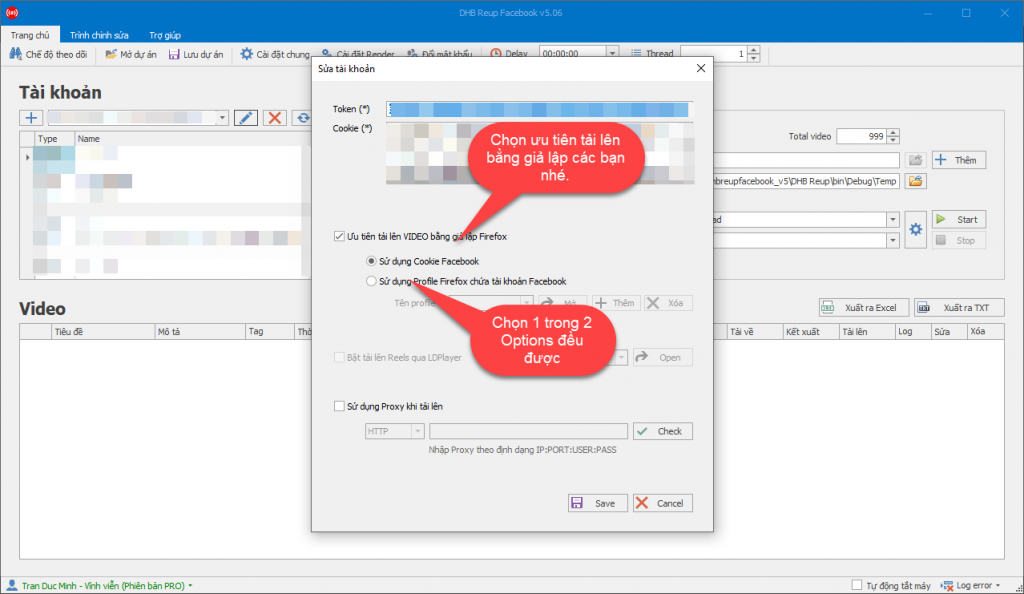
Step 1: In account settings, select Upload using the Firefox browser.
In the video table, choose to upload as Reels (the default is Post).
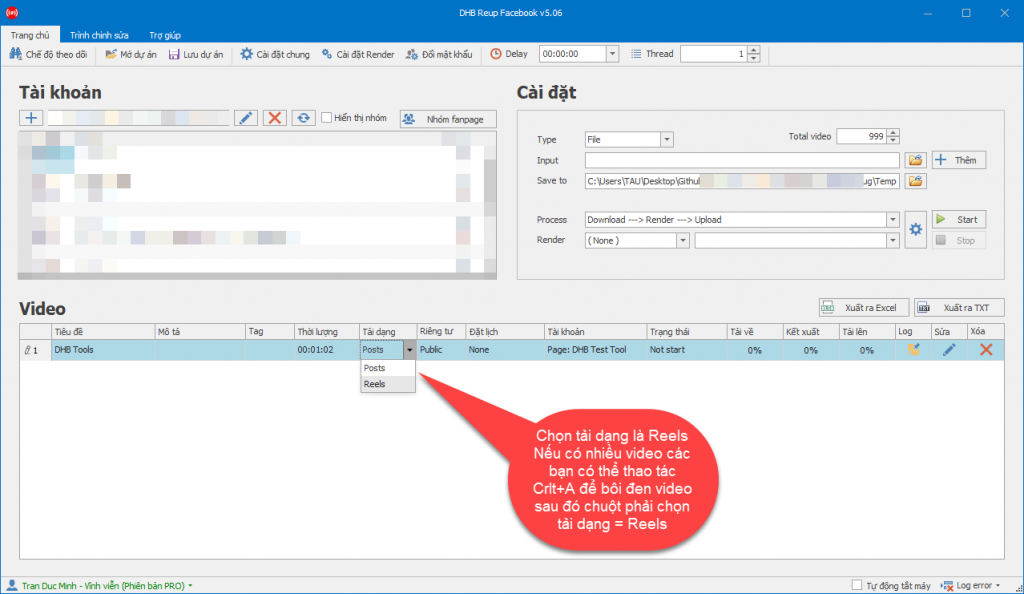
That’s it—you have completed the setup steps for uploading Reels. You can now click the Start button to begin the Upload.
Wishing you success!!!
If you have any questions, please contact us via our website and fanpage
https://dhbtools.com/
http://m.me/dhbtools
https://www.facebook.com/dhbtools