How to Use DHB Youtube Manager
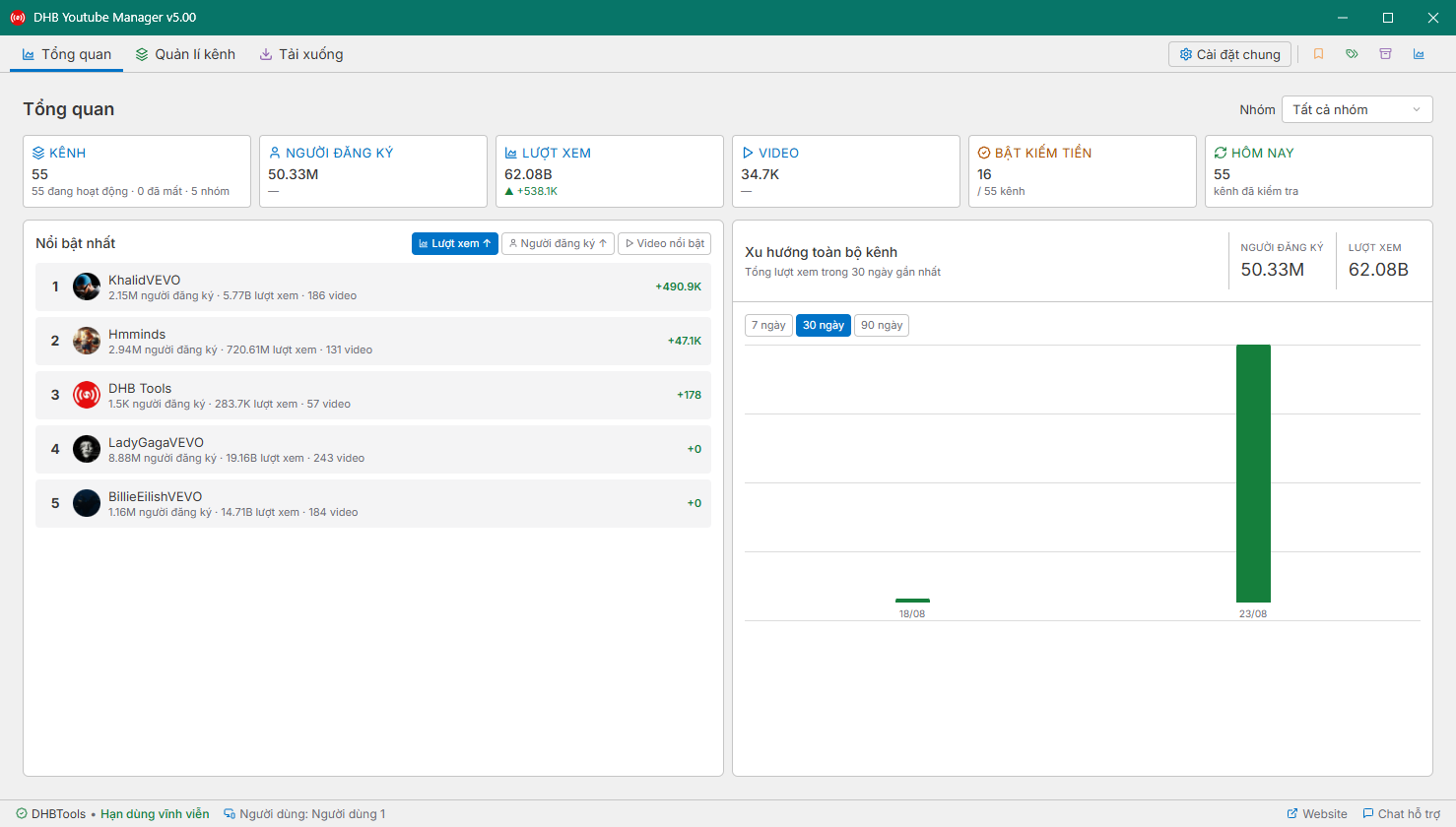
In this article, I’ll guide you through how to use DHB Youtube Manager v4.04 (the latest version at the moment. Later versions will work in a similar way). First, run the DHB Youtube Ma
Read more →Software for managing YouTube channels and videos
Built on the official YouTube Data API, so it's light, stable, and needs no manual login. Track your own channels from a single dashboard while staying efficient with quota.

Connect, analyze, and perform bulk actions across all channels.
Track your channels from one place.
Edit information in bulk.
View channel metrics.
Filter comments & manage content.
Update, delete, set privacy, tag.


Common features show once. Cards below focus on duration, price and savings.
| Features | Included |
|---|---|
| Basic features | |
| Manage work in a centralized dashboard | |
| Prepare data, metadata, and processing schedules clearly | |
| Track each task's status across the workflow | |
| Quick activation after payment | |
| Free updates throughout the plan period | |
| Advanced features | |
| Extends the product's advanced capabilities | |
| Fits more frequent operational needs | |
| Prioritizes long-term, stable workflows | |
In this article, I’ll guide you through how to use DHB Youtube Manager v4.04 (the latest version at the moment. Later versions will work in a similar way). First, run the DHB Youtube Ma
Read more →The 10 most recent releases of DHB Youtube Manager.
Short, clear answers focused on what users usually ask before buying or deploying.
The DHB Tools suite covers the whole workflow: create & render content, multi-platform upload, livestream and multi-channel management.

Helps you prepare videos, write metadata, schedule posts, and upload to YouTube.

Helps you prepare videos, write captions, schedule posts, and publish to Facebook (Profile, Fanpage, Group, Reels).

Helps you prepare content, write captions, schedule posts, and publish to Instagram & Threads.

Helps you prepare videos, write captions and hashtags, schedule posts, and upload to TikTok.

Helps you prepare posts and media, write captions, schedule posts, and publish to X/Twitter.

Professional multi-stream livestreaming, real-time FFmpeg rendering, no device lock.
Create an account, pick the right tool and go live in minutes.
Hotline and fanpage are always ready for fast support.