

To add a collaborator, your Page upload interface must allow you to enter a Tag!
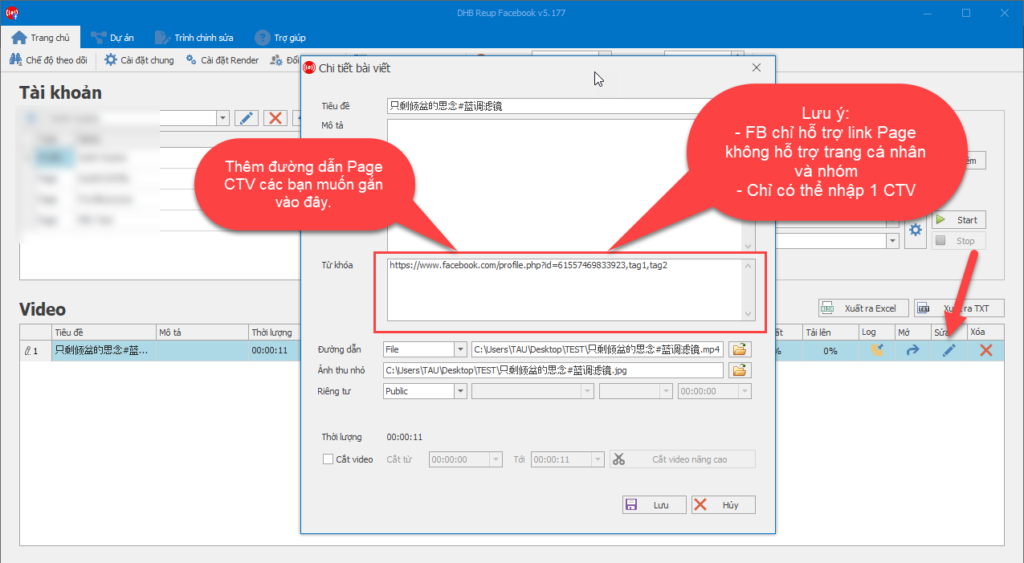
First, add the collaborator Page URL to the Tag field of the video you want to upload.
Note: Each video can only add 1 collaborator Page. If there is more than 1, the software will automatically skip the remaining URLs.
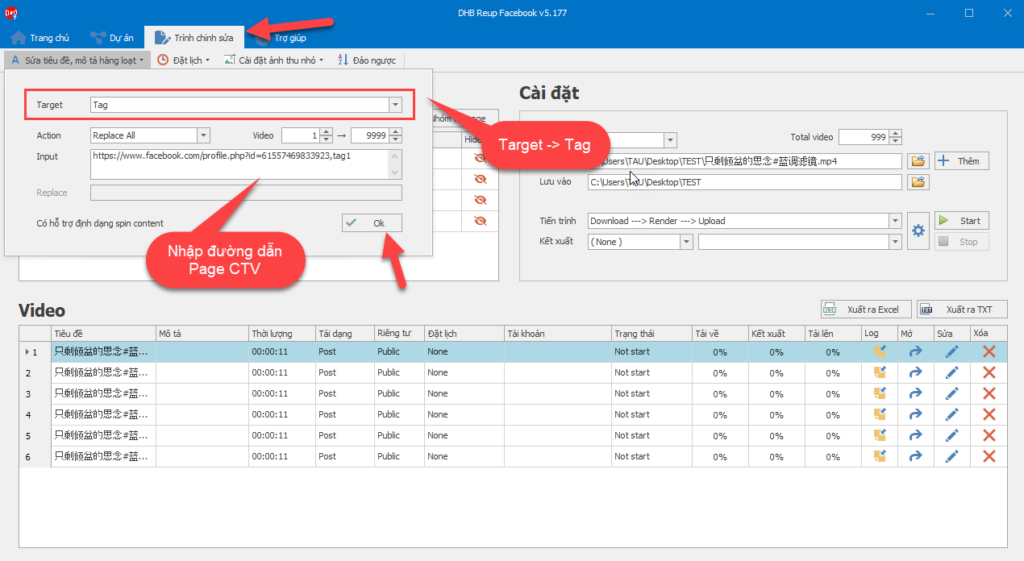
Use the bulk edit feature if you want to add collaborators to multiple videos at once.
To better understand Actions in the editor, please see here.
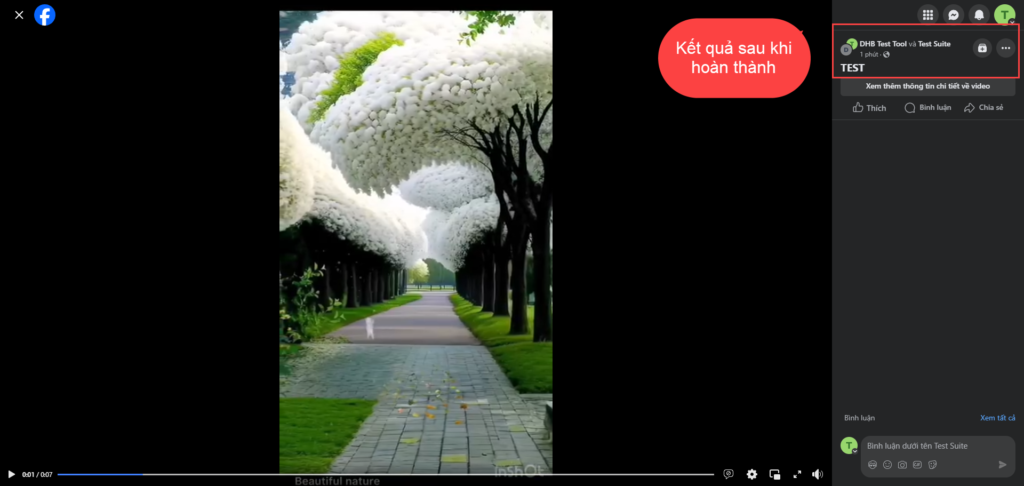
After editing is complete, you can proceed with posting as usual. Once finished, the collaborator only needs to wait and accept the collaboration invitation to complete the process.
If you have any questions, please contact us via our website and Fanpage
https://dhbtools.com/
http://m.me/dhbtools
https://www.facebook.com/dhbtools