
How to Connect DHB Upload with DHB Render
Connecting the API between DHB Upload software and DHB Render helps DHB Upload users easily use DHB Render video rendering templates directly inside DHB Upload software.
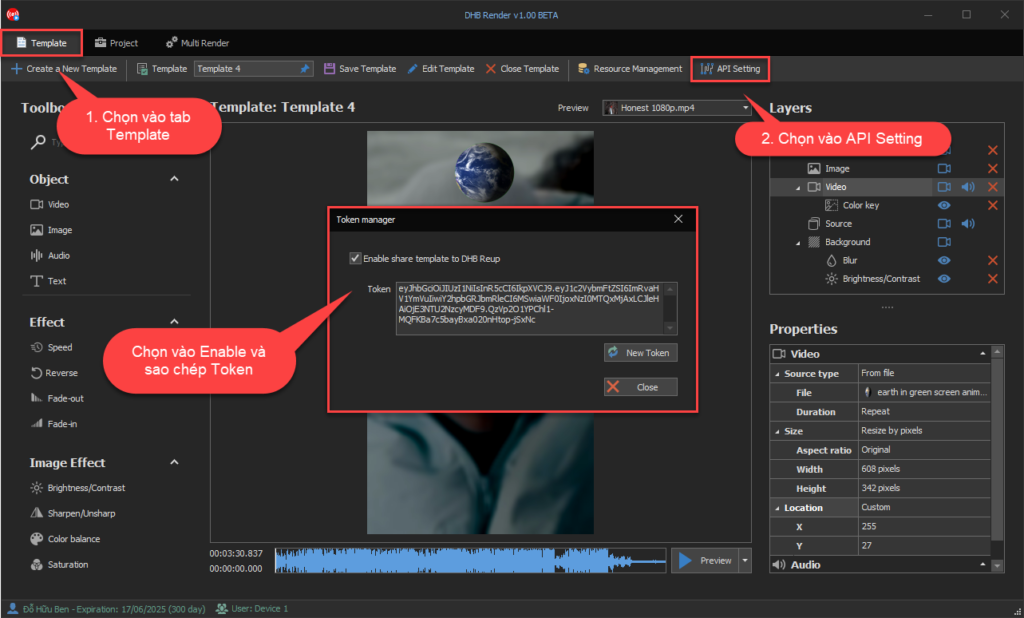
1. Get the Token in the DHB Render tool
Select the Template. Then select API Setting as shown in the image
Check 'Enable share template to DHB Upload'. The software will automatically display the Token
2. Connect DHB Upload with DHB Render
Here I’ll use DHB Upload Tiktok software as an example. Other DHB Upload software for Youtube, Facebook, Instagram, etc. works the same way
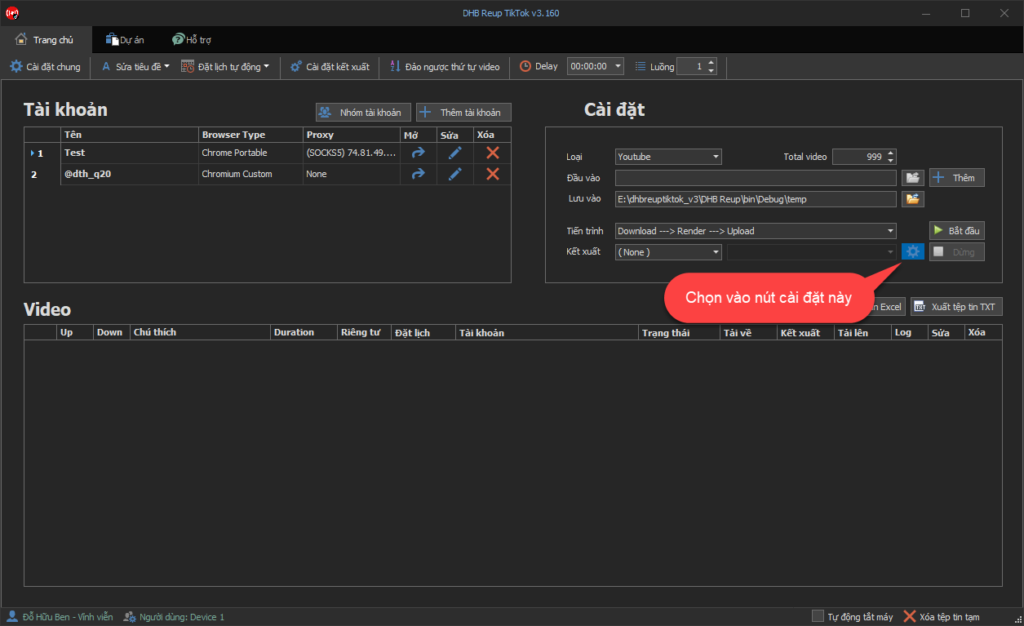
Select the render settings button in the Upload software
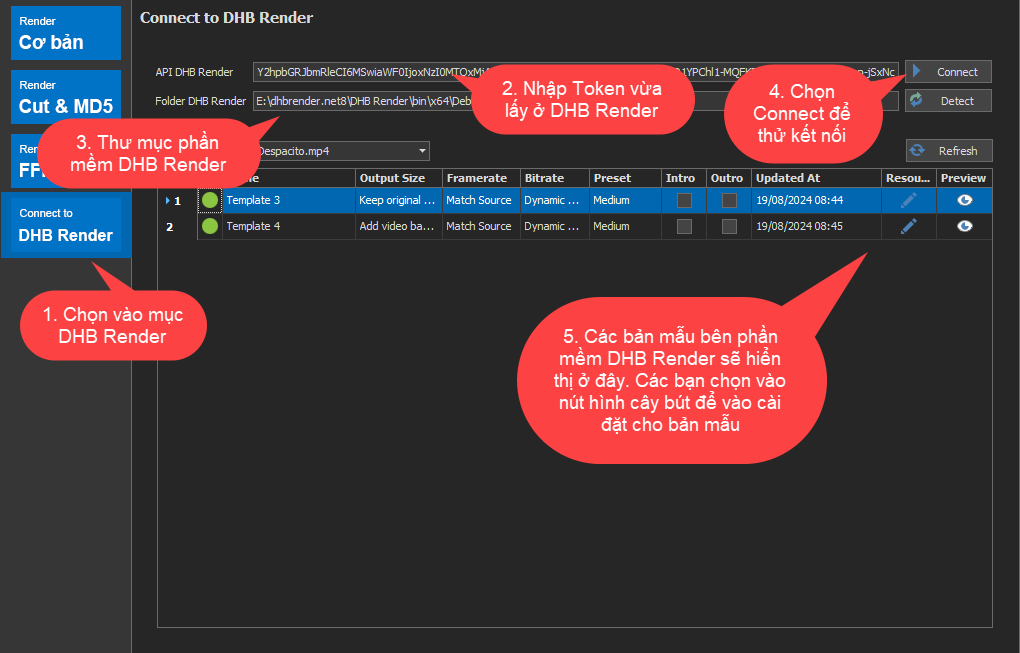
Select Connect To DHB Render
Enter the Token you just obtained from DHB Render software
Click Connect to test the connection
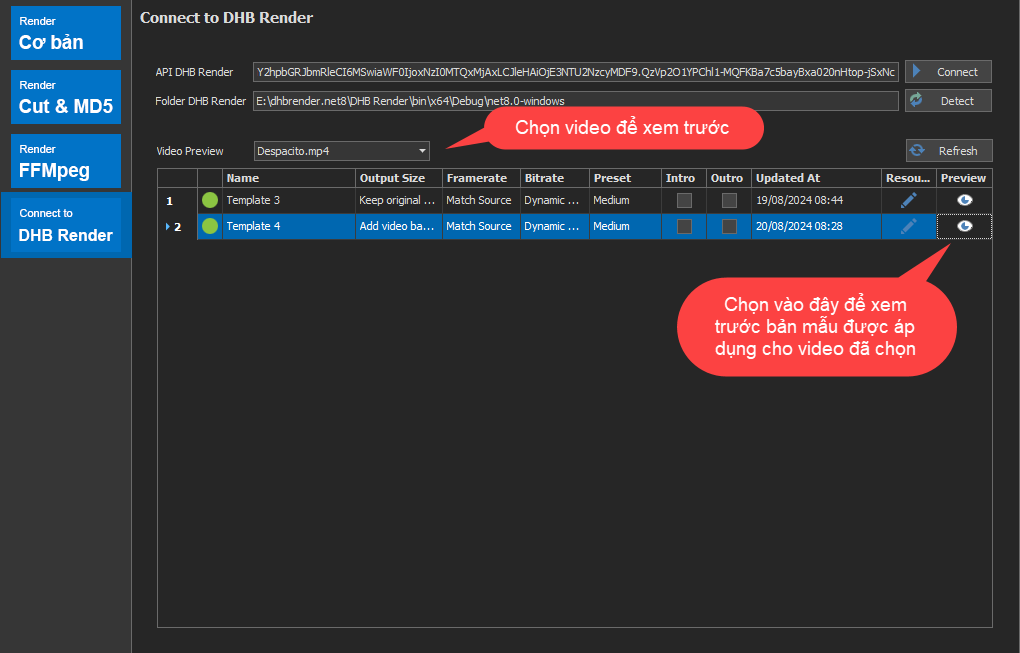
Enter the DHB Render software folder. You can open DHB Render software, then click Detect so the software can fetch it automatically
The templates from DHB Render software will be displayed. You can select the Resource button, the pencil icon, to edit them
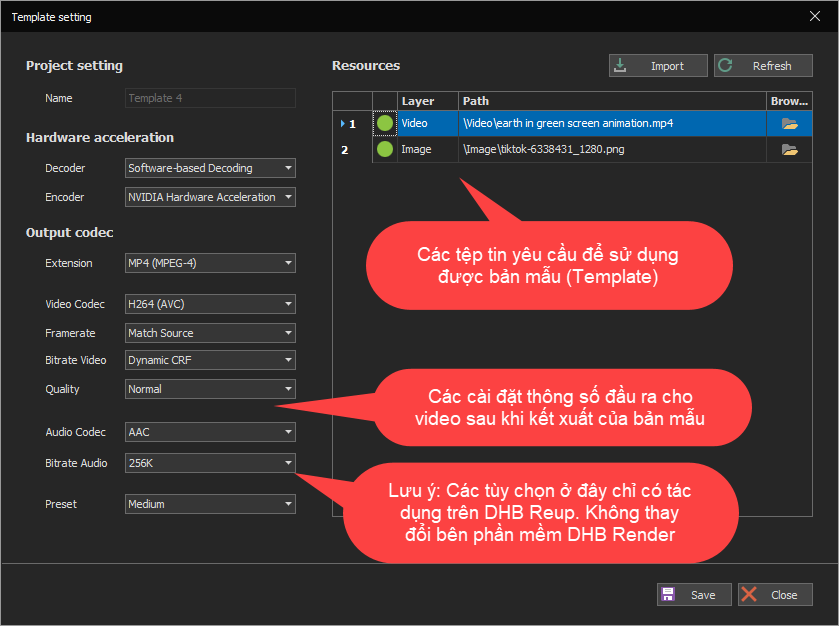
The Resource panel contains the assets that DHB Upload software needs to run the Template
If DHB Upload software and DHB Render are on the same computer, the software will automatically detect the assets
Configure the parameters for the template, then click Save to save them
The parameters edited in DHB Upload software only apply within DHB Upload. They will not overwrite DHB Render software
Select a video to preview with the template, then click the Preview button. If the preview works, it is ready to use
3. Select a DHB Render template on the main interface
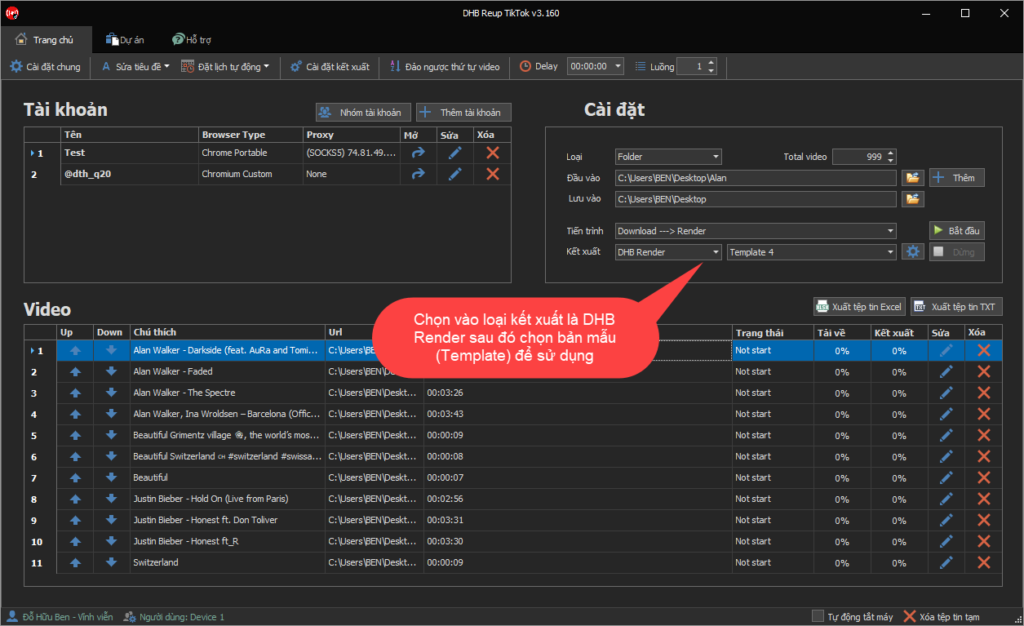
On the main interface, select the render type as DHB Render and choose the template you want to use.
Wish you success !
If you need support or have any questions, please contact me through the Fanpage https://facebook.com/dhbtools .
Bình luận
Chưa có bình luận nào. Hãy là người đầu tiên!
Hướng dẫn tạo phụ đề, thuyết minh tự động cho Video bằng DHB Render
Trong bài viết này mình sẽ hướng dẫn bạn từng bước để thiết lập các tính năng, cài đặt API hoặc model AI, và sử dụng các bộ lọc có sẵn trong DHB Render để tạo, chỉnh sửa và tùy chỉnh phụ đề, dịch phụ
Read more →
Hướng dẫn sử dụng chức năng Resource trong DHB Render
Resource là chức năng giúp bạn có thể lấy ngẫu nhiên nguồn cho video, ảnh, âm thanh cho các phần tử trong bản mẫu Khi thêm các phẩn tử video, ảnh, âm thanh nếu thêm từ File thì khi sử dụng bản
Read more →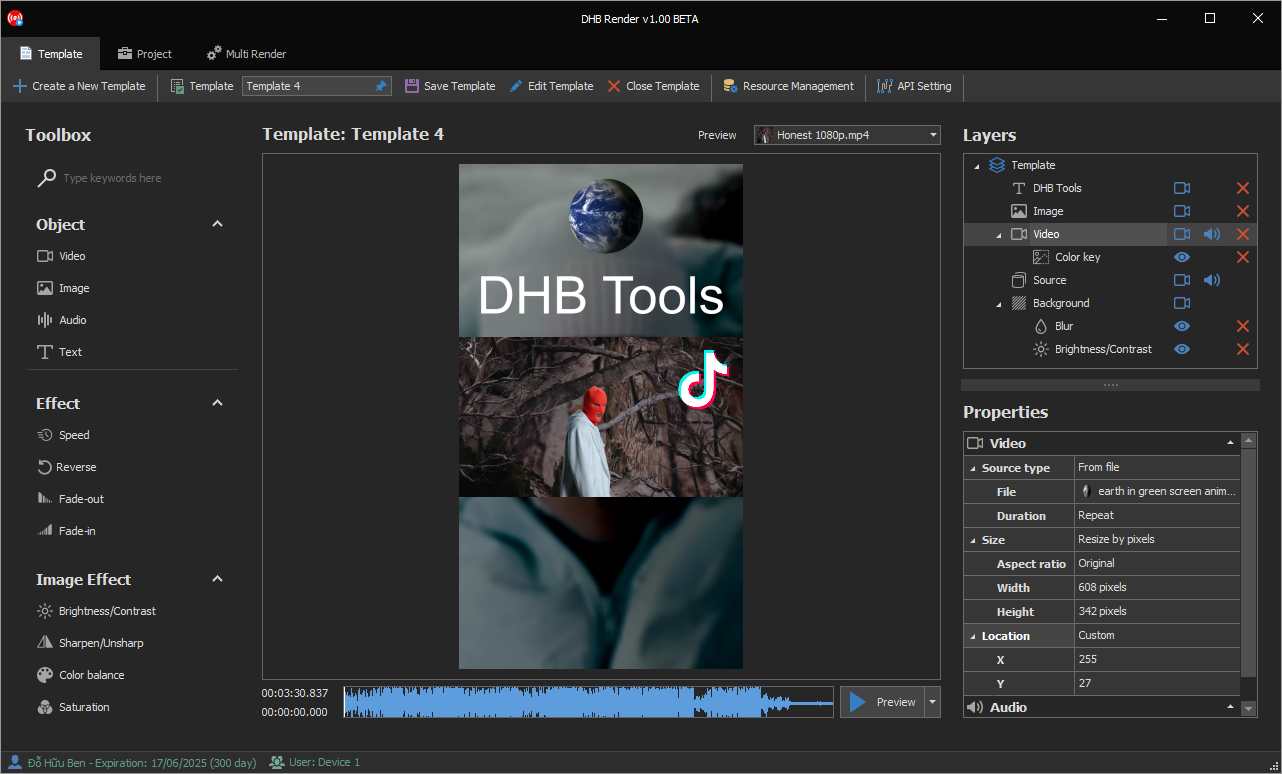
Hướng dẫn sử dụng phần mềm DHB Render
DHB Render là giải pháp mạnh mẽ giúp bạn tạo ra các bản mẫu video (template) và kết xuất hàng loạt video một cách nhanh chóng. Với giao diện trực quan và các tính năng đa dạng, DHB Render hỗ trợ bạn
Read more →
Hướng dẫn sử dụng Render ClaimID phần mềm Upload Youtube
Để sử dụng được chức năng này tài khoản của các bạn phải là tài khoản Pro.Sau đây là các bước cài đặt Render và chạy. Sau khi giao diện kết xuất được mở. Chọn Render ClaimID. Bạn có thể thê
Read more →