

You can now choose from multiple browsers when using DHB Upload TikTok, without switching back and forth between ticks.
Below is a step-by-step guide to adding an account.
Step 1: Install the browser
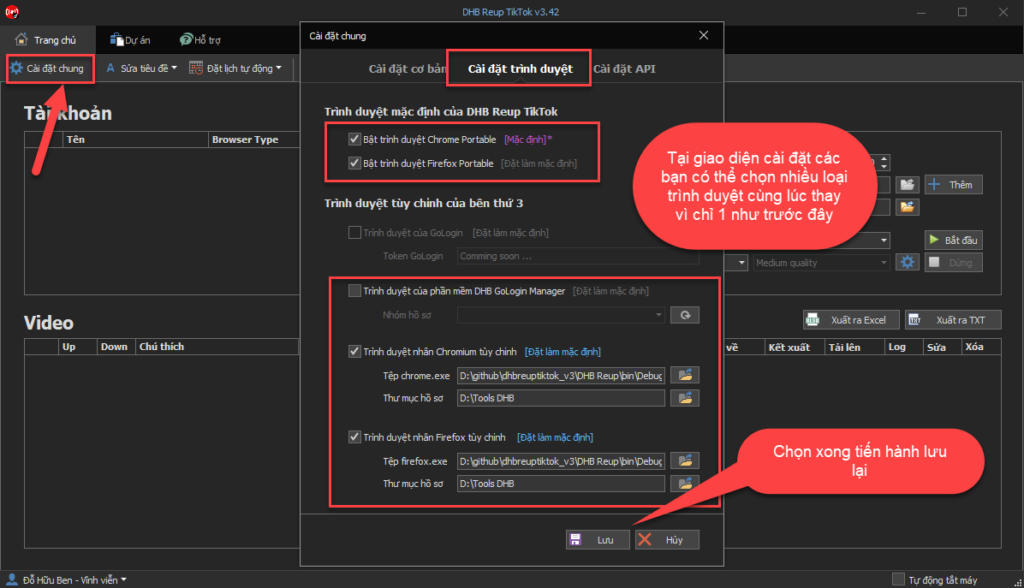
Step 2: Select the browser and add a Profile
After installing the browser, we will start adding the account.
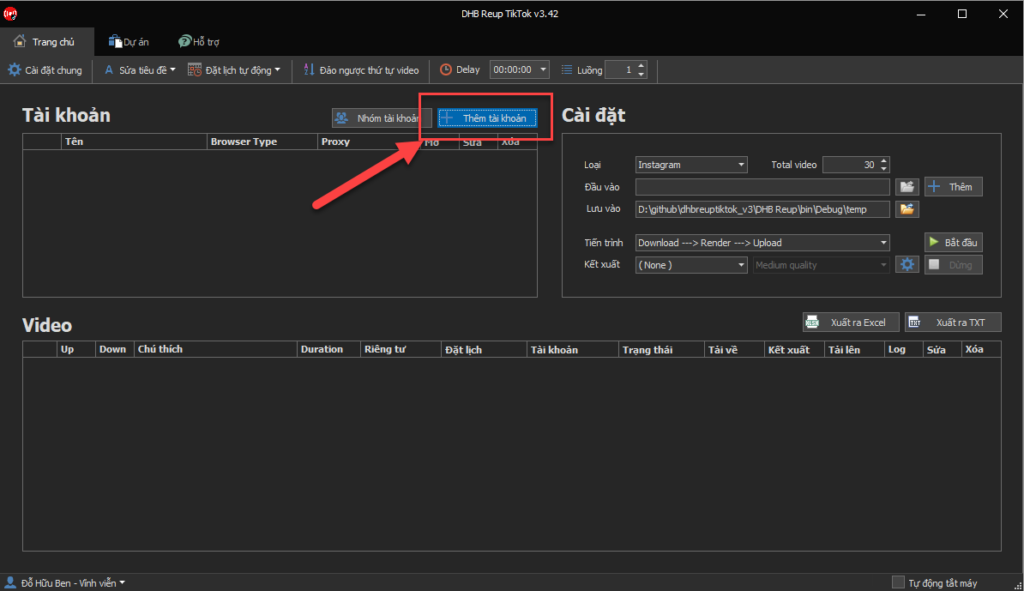
In the add account panel, select the browser and add a Profile.
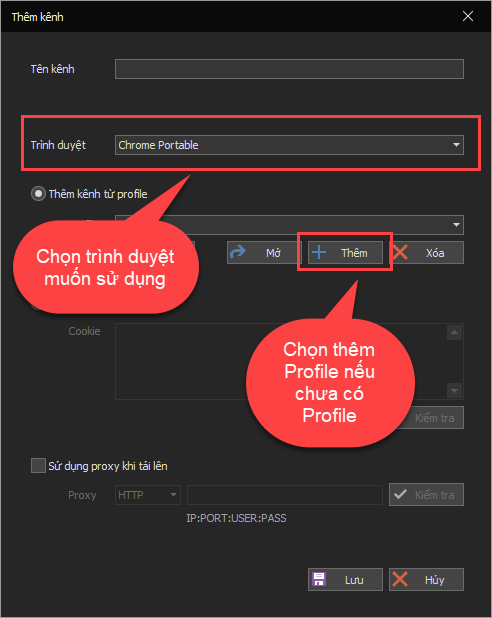
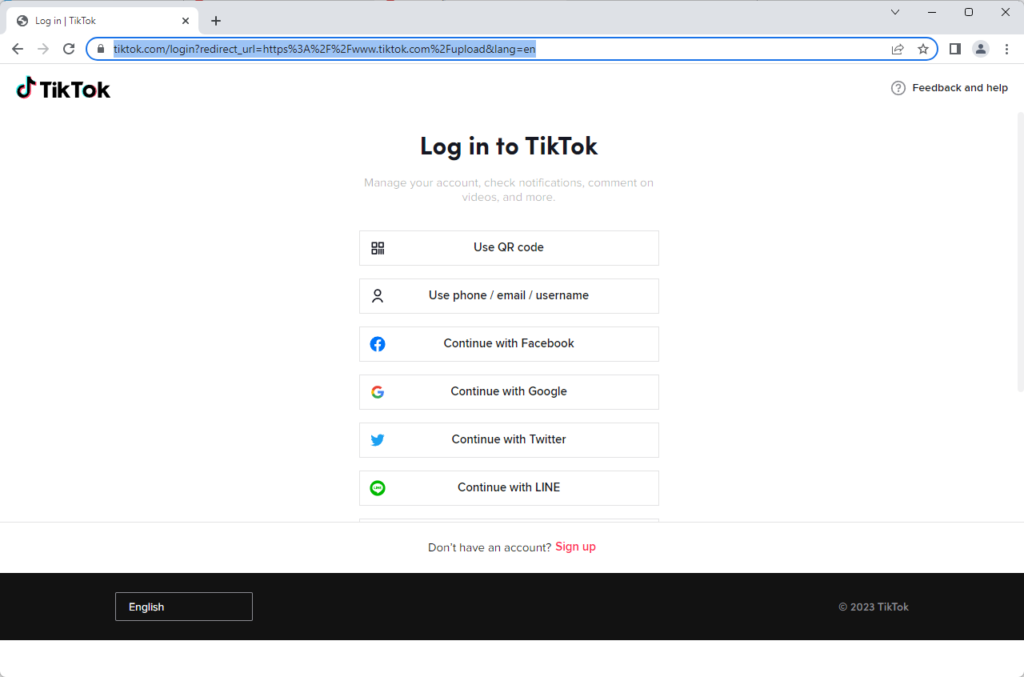
Step 3: Log in to your TikTok account
After you finish entering the information, the browser name will appear so you can log in to your Tiktok account. Once login is successful, the software will automatically scan the account and notify you whether it succeeded or failed.
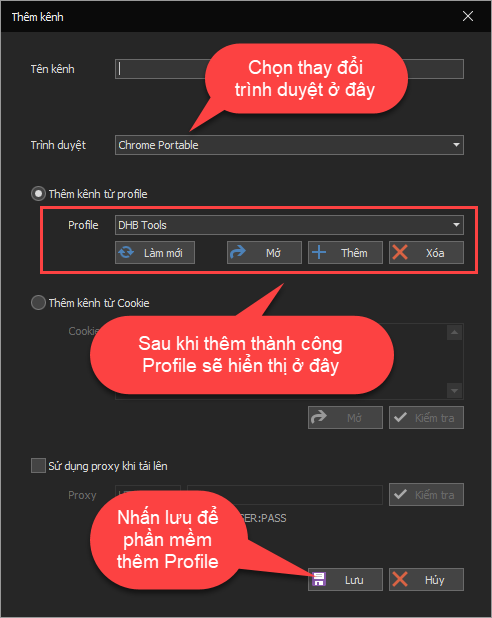
After being added successfully, the channels will be displayed in the account panel.
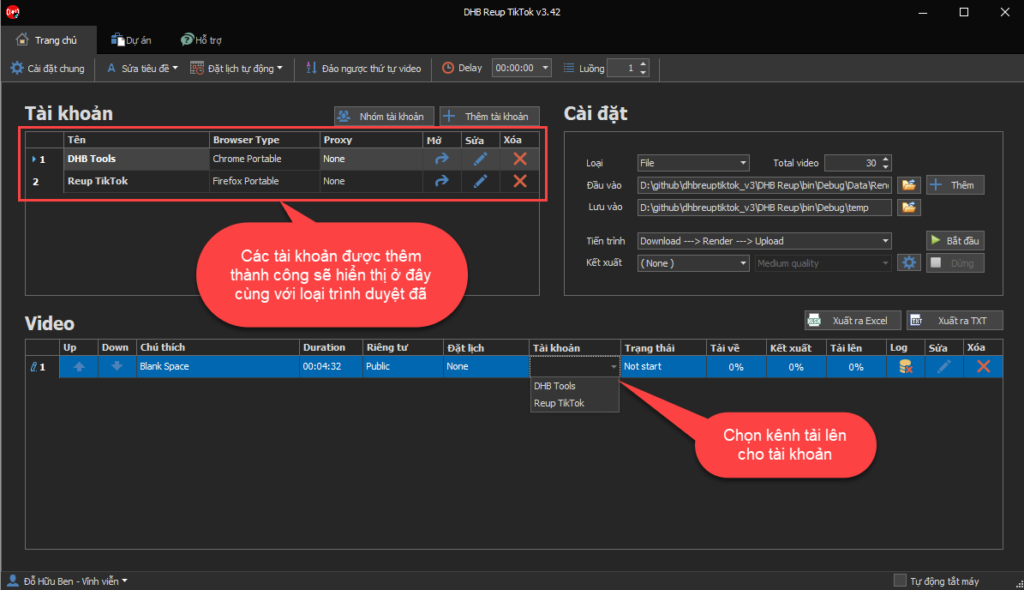
That completes the steps for adding an account. You can now select accounts for videos to Upload.
If you have any questions, please contact us through our website and fanpage.
https://dhbtools.com/
http://m.me/dhbtools
https://www.facebook.com/dhbtools