

This article will guide you through adding a TikTok channel to the software for uploading.
Please follow the steps shown in the images !!!
Step 1: Select Add account
On the software interface, select Add account
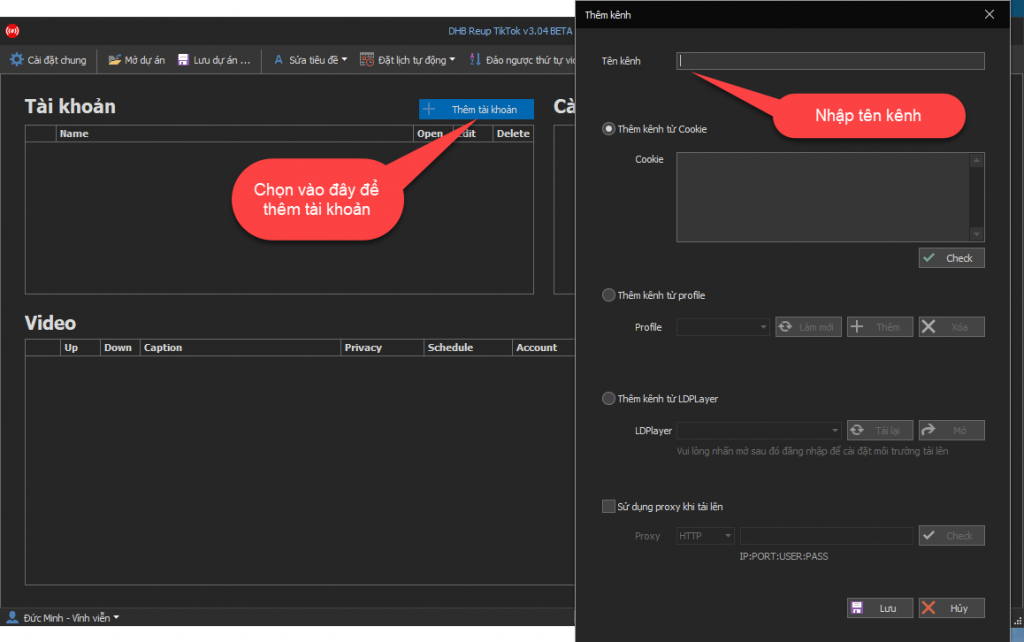
Step 2: Add an account with a Profile
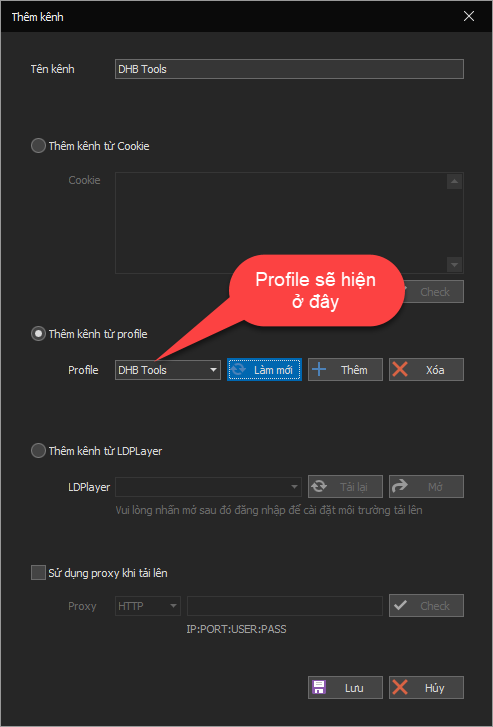
Guide to adding an account with a Profile. If you already have a Firefox Profile that is logged in, please see Step 3. If you want to add an account with cookies, see the guide here.
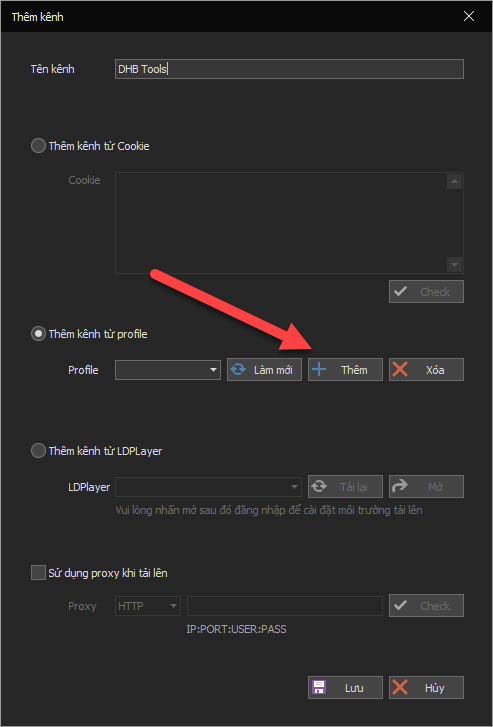
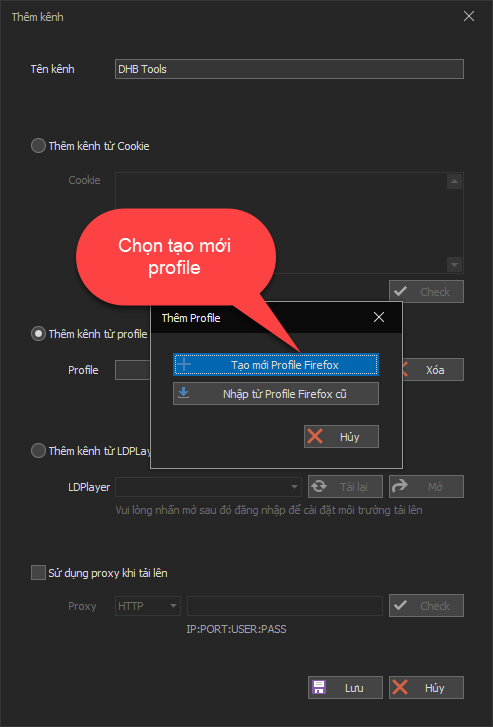
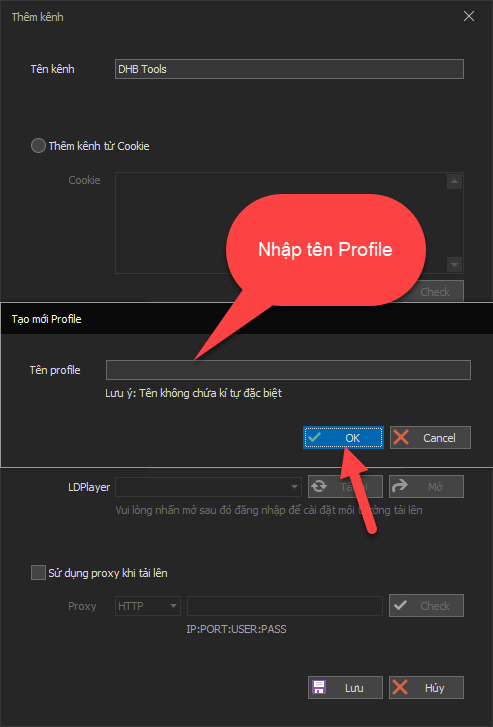
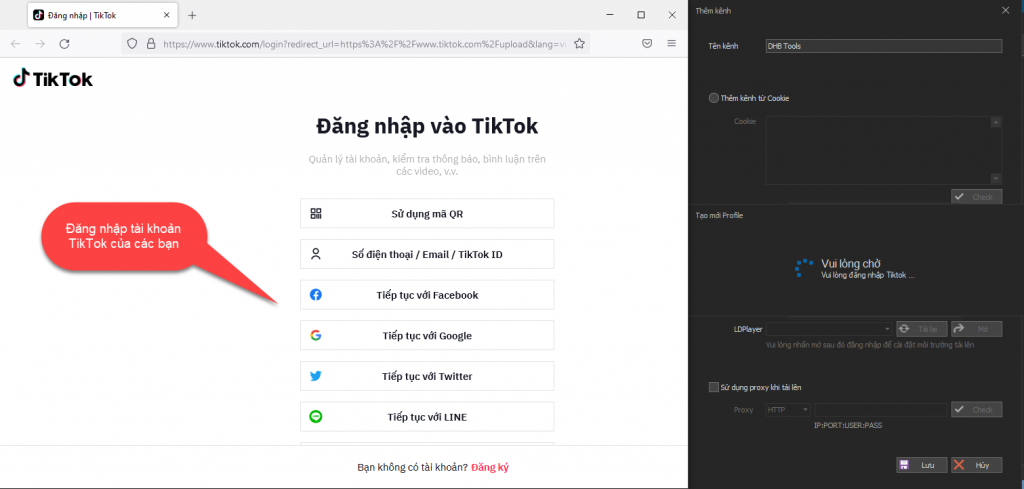
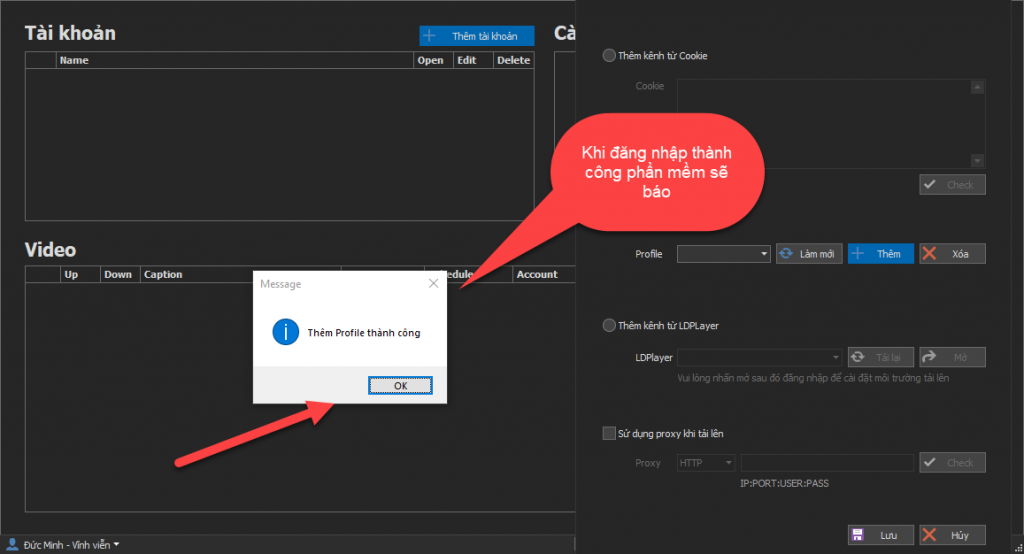
After you finish entering the information, the browser name will appear so you can log in to your TikTok account. Once login is successful, the software will automatically scan the account and notify you whether it succeeded or failed.
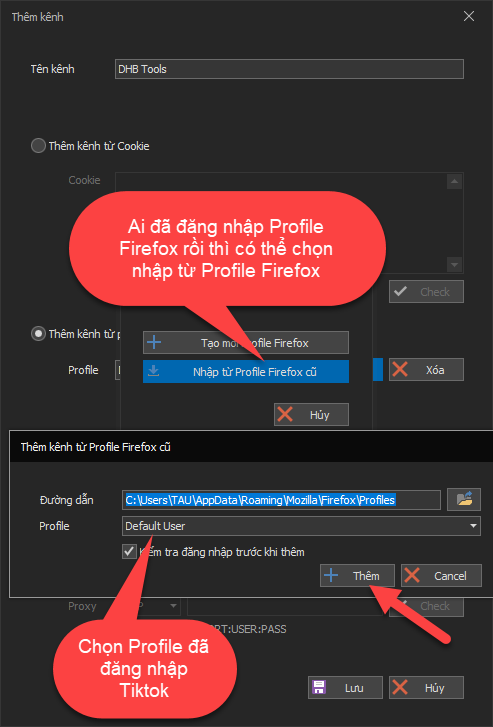
Step 3: Add an account with an old Firefox Profile logged in to TikTok
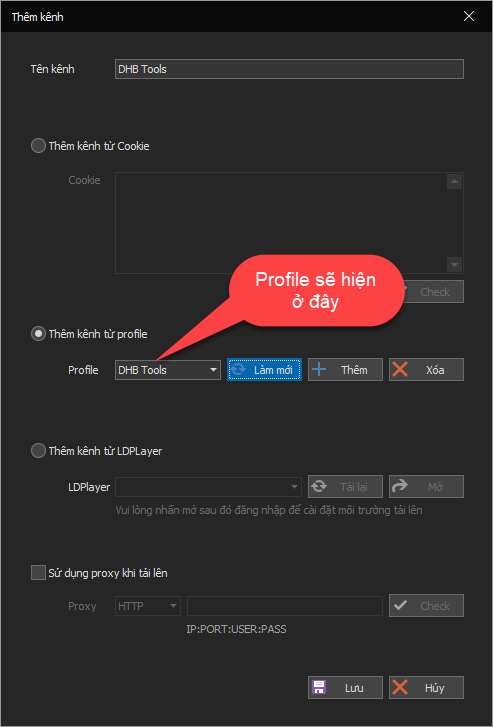
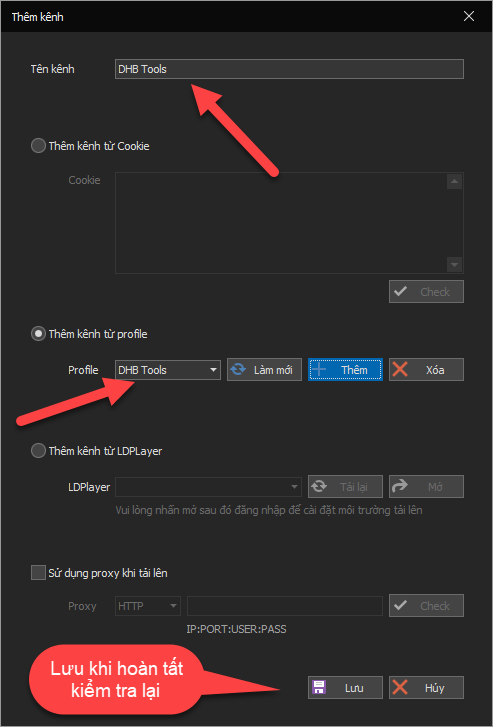
Step 4: Save after adding is complete
Good luck !!!
If you have any questions, please contact us via our website and fanpage
https://dhbtools.com/
http://m.me/dhbtools
https://www.facebook.com/dhbtools