
How to Use DHB Upload TikTok
Hello everyone, in this article I’ll show you how to log in to TikTok to use DHB Upload TikTok. DHB Upload TikTok is software that helps you upload videos to TikTok, so you can create TikTok channels extremely quickly. The software supports cutting and selecting specific highlight clips, with an intuitive interface that is very easy to use. It also supports downloading for upload from TikTok and Douyin without a watermark <3
1. Log in to add videos to the project
First, on your phone, download TikTok and "Sign up for TikTok with your phone number" nhé!
After you have successfully logged in on your phone, log in on your computer!
To log in on your computer:
Create a Firefox Profile
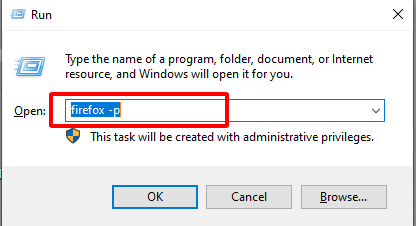
- To create a Firefox Profile, open RUN => type "firefox -p" then create a profile as shown below.
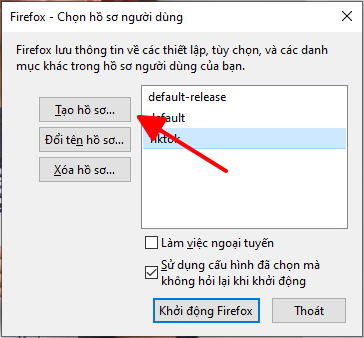
Click create profile
Then enter a name and click Finish!
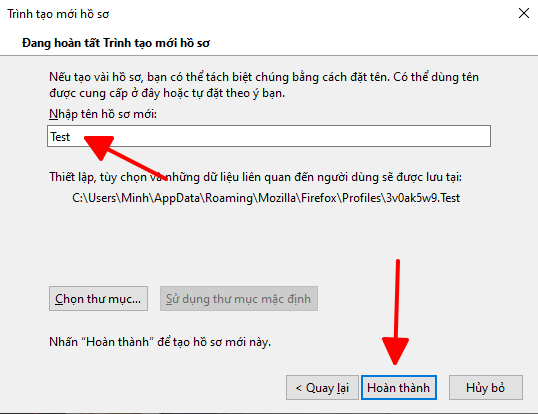
Name the profile, then click Finish
Once it has been created, select the profile you just created and open it! As shown below.
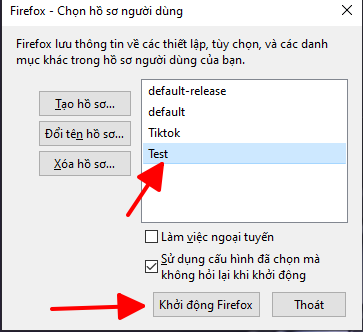
Select profile > start
Log in to TikTok on the Firefox Profile
After opening the Profile, go to the link below to log in to TikTok!
Link: https://www.tiktok.com/login/?redirect_url=https%3A%2F%2Fwww.tiktok.com%2Fupload&lang=vi-VN
Then log in with the account you already have on your phone!
2. Log in to add videos to the project (Douyin)
To download Douyin and log in to Douyin, please follow this article! ^^
Article link: https://dhbtools.com/huong-dan/huong-dan-tai-va-dang-ky-tai-khoan-douyin-tiktok-trung-quoc/ .
3. Add the Profile to the tool
Click Add Account in the tools, as shown below.
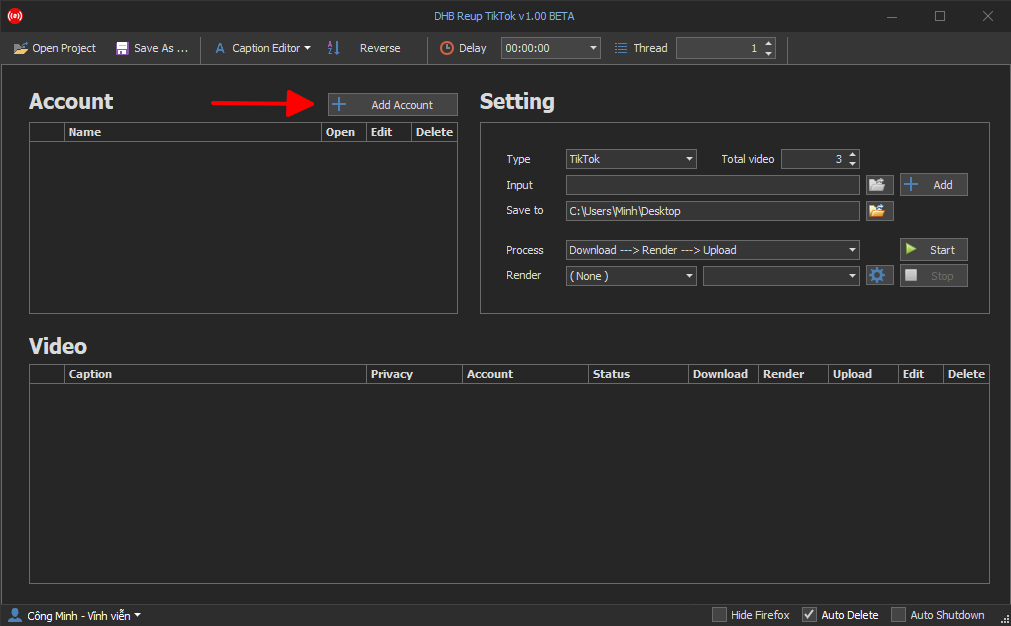
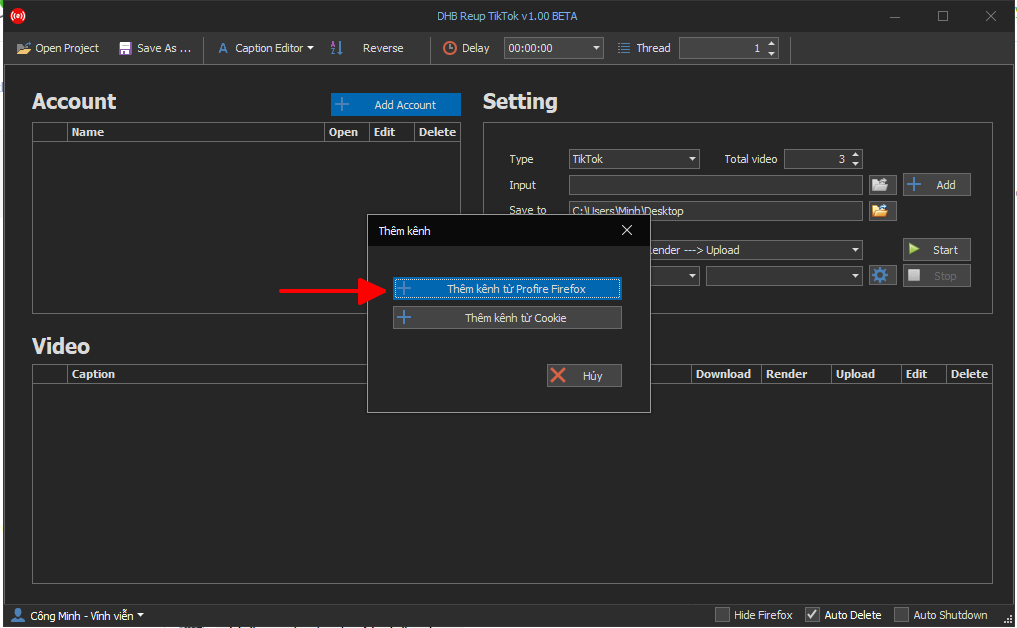
Then select "Add channel from Profile" as shown below.
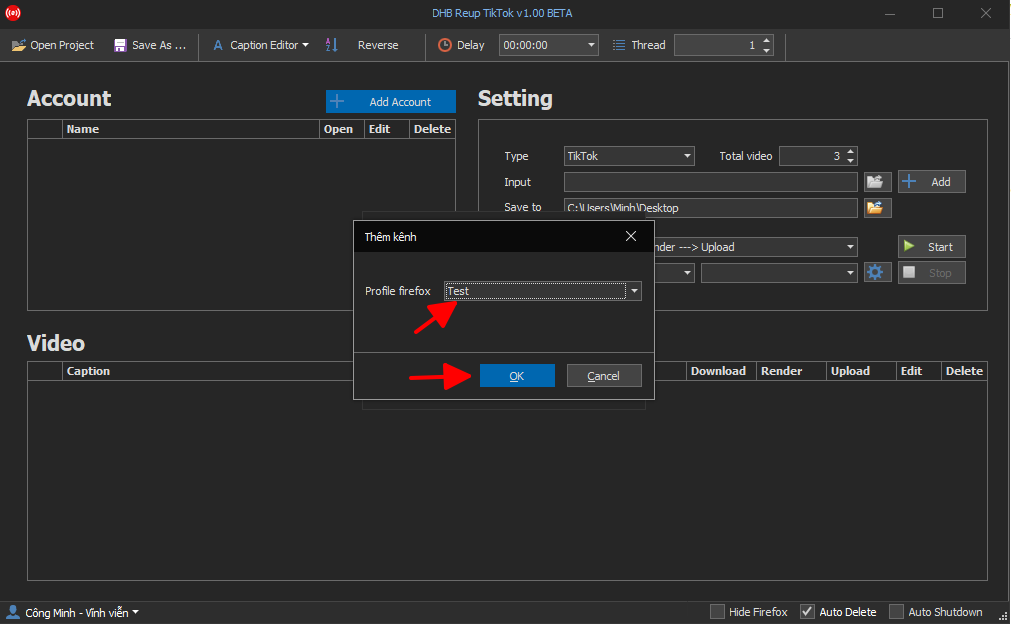
Select the Profile you just created as shown below. Then click OK!
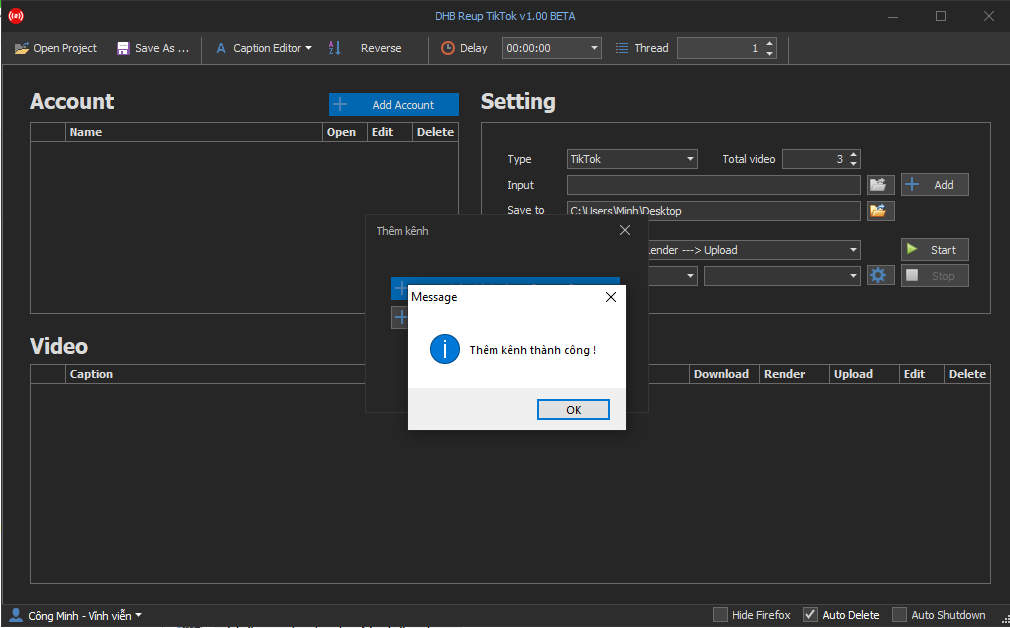
A notification will appear when it has been added successfully!
The Profile name will appear in the Account table!
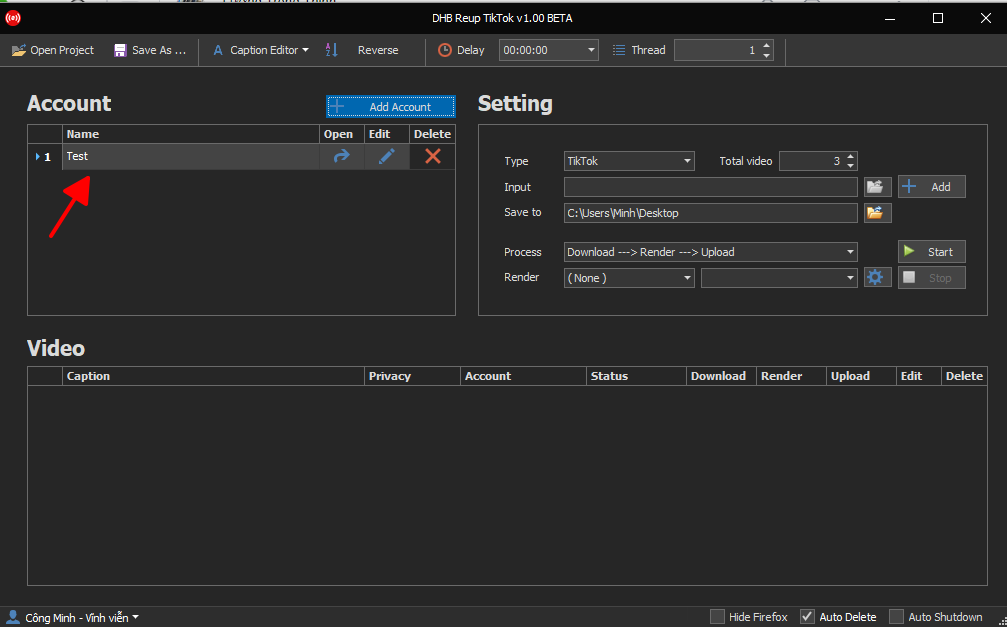
4. Video Upload Guide
After you have successfully added the profile, the next step is to upload videos. Select the source path where you want to add videos, such as TikTok, Douyin, and so on, as shown below.
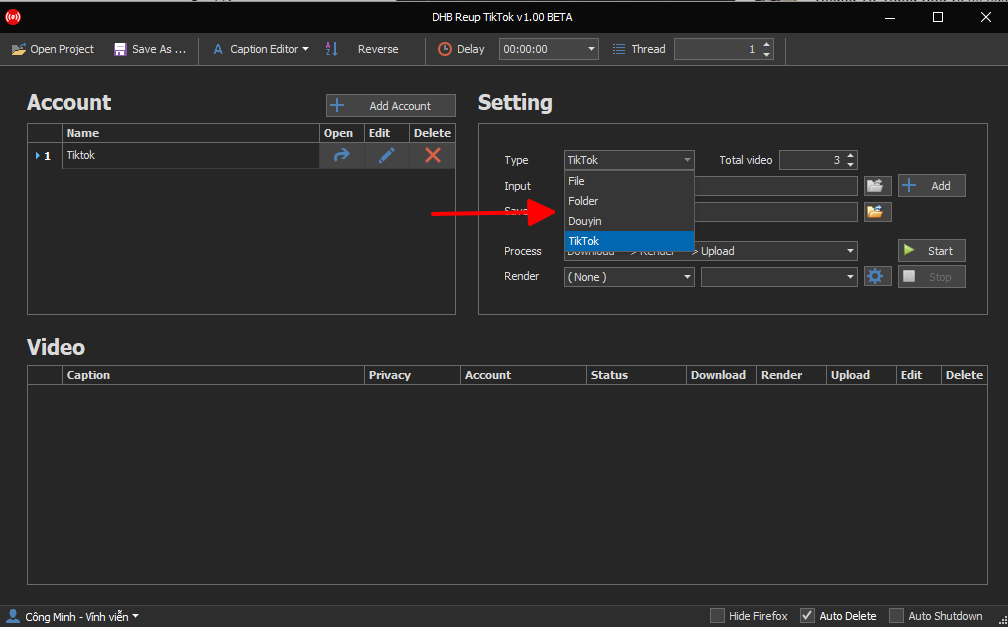
Select the video path
I’ll choose TikTok videos here. The tools support getting videos from a user or from a video link.
I’ll use a user link. Paste it into the "Input" section, then click "Add" next to it. The total video field is the number of videos you want to get from the user link.
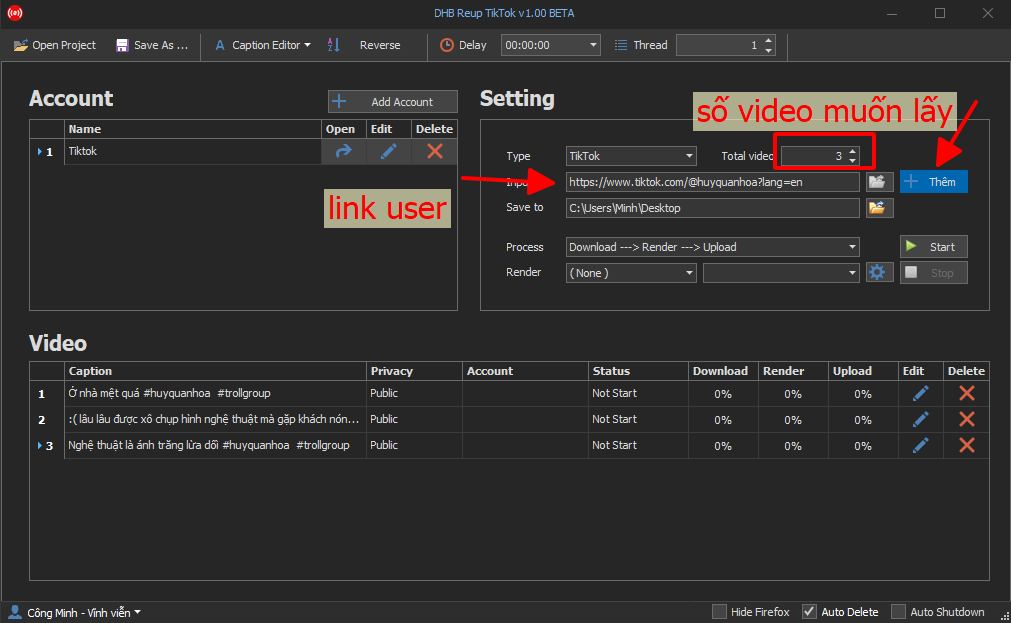
The number of videos you want to get will be in the Video.
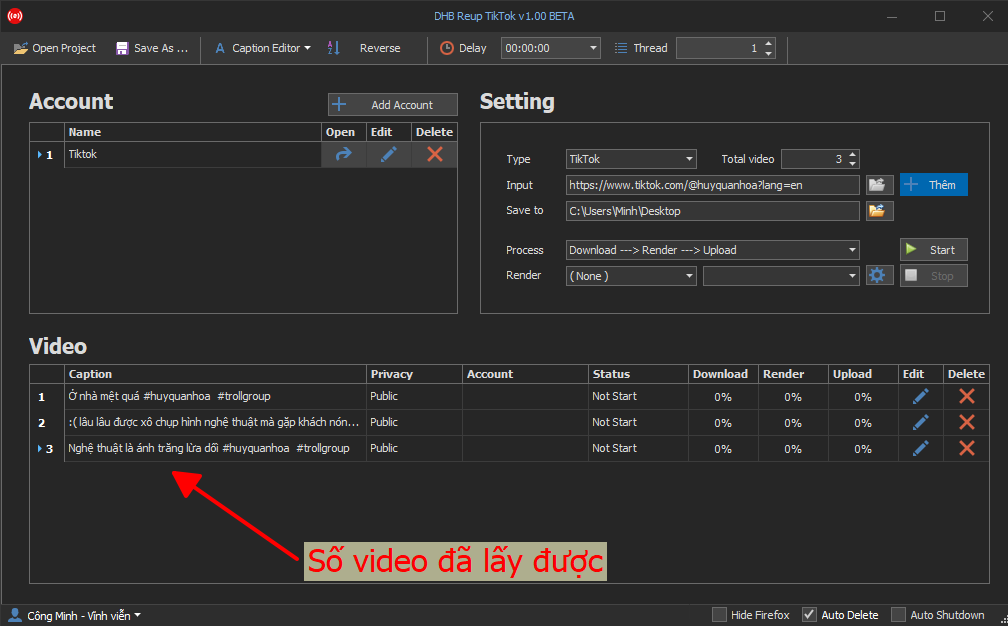
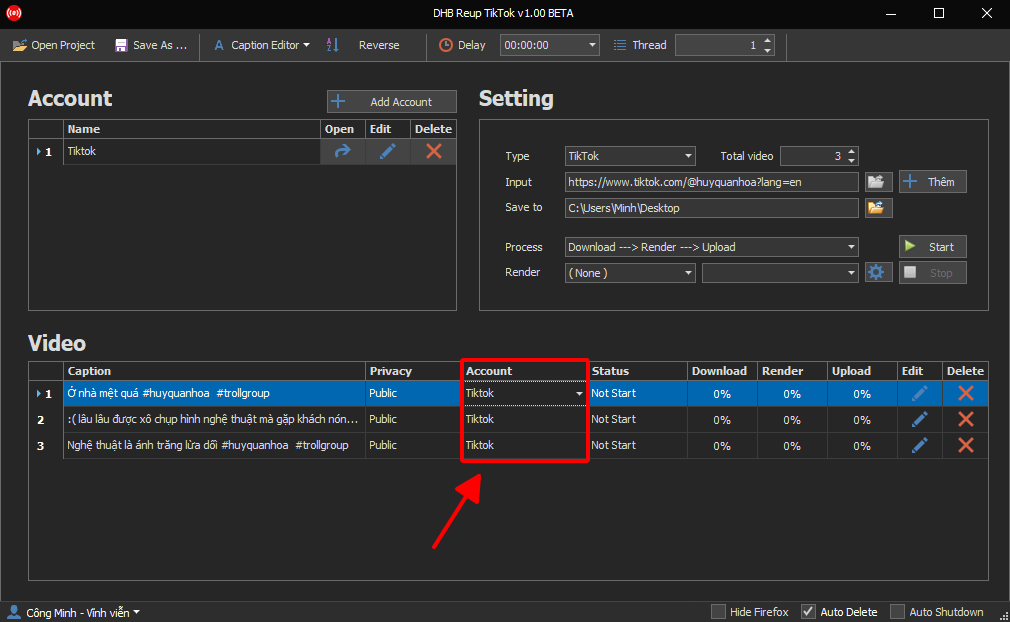
Then select the upload account, which is the account you created.
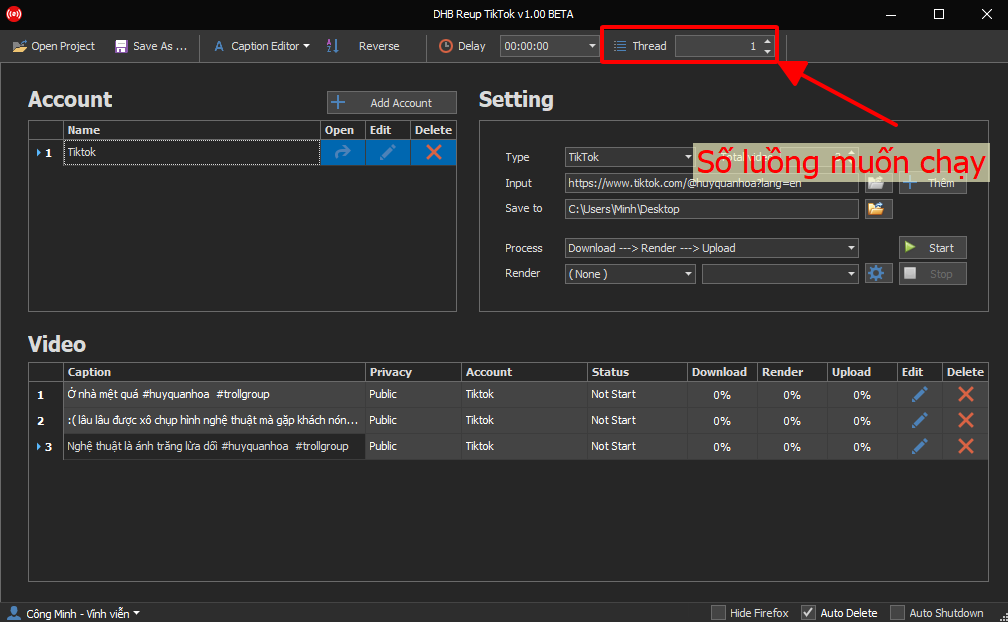
Then choose the number of threads you want to run in the "Thread" section!
Then click "Start".
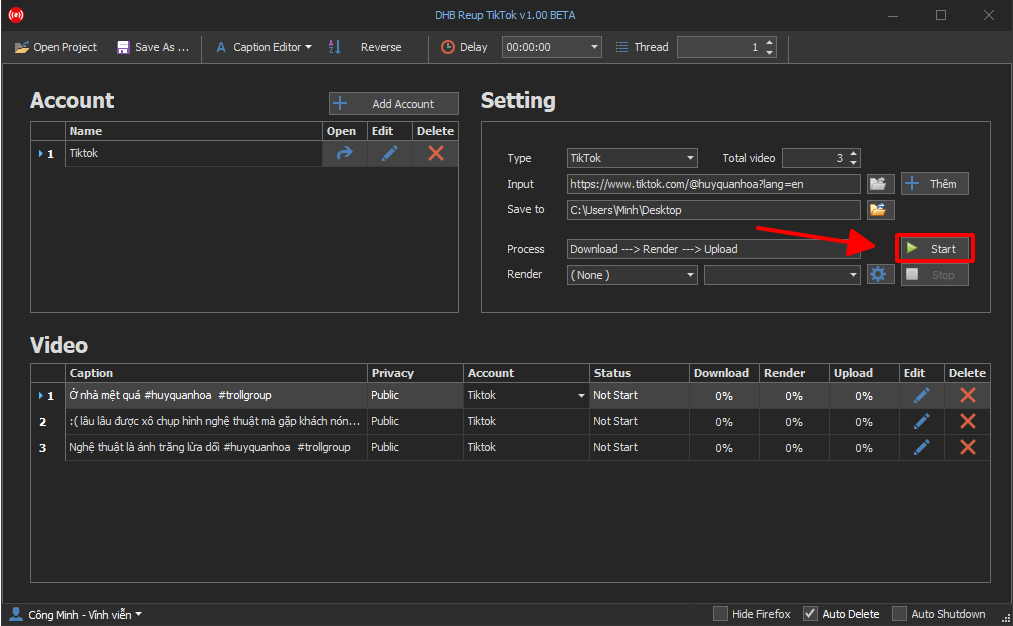
That’s it, the video is now being uploaded!
If you have any questions, please contact: https://www.facebook.com/dhbtools/ . Wish you success!
Bình luận
Chưa có bình luận nào. Hãy là người đầu tiên!

Hướng Dẫn Chi Tiết Chức Năng Theo Dõi Kênh – Phần Mềm DHB Upload TikTok
Chức năng Theo dõi kênh cho phép bạn thêm các luồng theo dõi (monitor channels), tự động quét nội dung mới từ các nền tảng (YouTube, TikTok, Facebook) và đăng theo cấu hình bạn đặt sẵn.
Read more →
Hướng dẫn lấy Cookie TikTok
Vui lòng không bỏ qua các bước, chữ và ảnh nội dung bài viết hướng dẫn! Bước 1: Mở trình duyệt đã đăng nhập sẵn tài khoản TikTok. Nếu chưa có hãy tạo tài khoản Tại trang chủ nhấn chuột phải và chọn Inspect hoặc F12 để vào Dev Tools
Read more →
Hướng dẫn thêm API Captcha vào DHB Upload TikTok
Hiện tại phần mềm đã hỗ trợ HMCaptcha,AchiCaptcha và tương lai sẽ hỗ trợ thêm nhiều dịch vụ API Captcha từ bên thứ 3 khác để các bạn có thể tùy chỉnh và đa dạng hơn. Lưu
Read more →
Hướng dẫn gắn giỏ hàng khi tải lên video với DHB Upload TikTok
Hiện tại TikTok đã hỗ trợ gắn giỏ hàng cho sản phẩm được tải lên qua website. Bài viết này sẽ hướng dẫn các bạn các bước setup để gắn giỏ hàng cho video. Lưu ý: Hiện tại, nếu đăng video có gắn sản
Read more →