In this article, I’ll show you how to livestream on Youtube. For other platforms that use a stream key, you can follow the same steps.
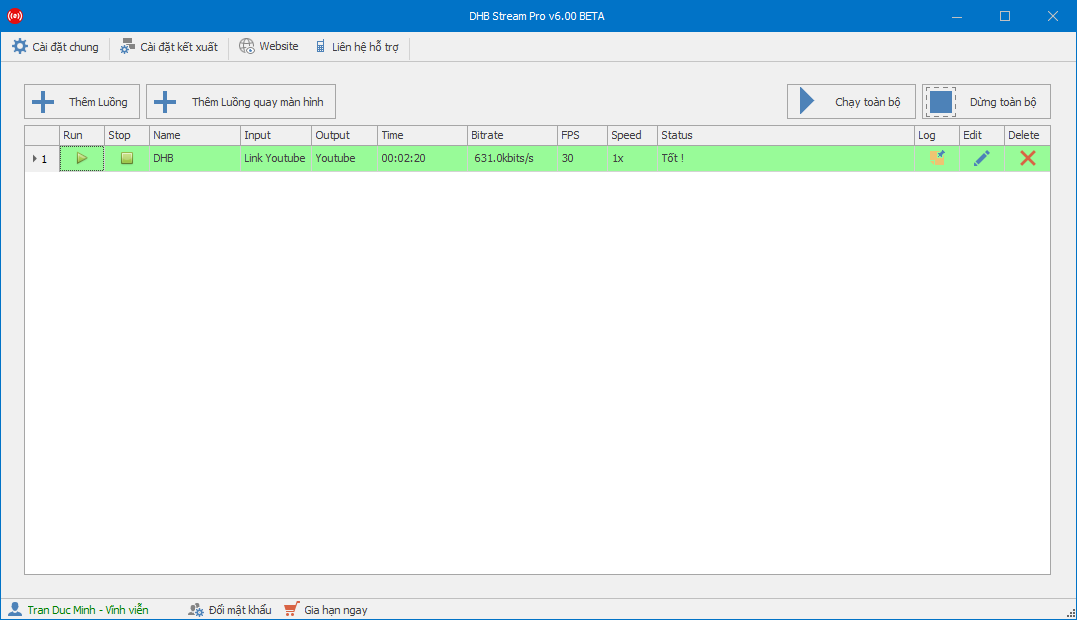
Step 1: Add a stream to start Live
- Create a Live stream and get the stream key


Step 2: Start live streaming and check the stream

After clicking Run and the stream turns green, check your channel to see whether the stream is online. If it is, your live stream is successful.


Wishing you success !!!
If you have any questions, please contact us through our website & fanpage
https://dhbtools.com/
http://m.me/dhbtools
https://www.facebook.com/dhbtools