
How to Use DHB Stream Pro
In this article, I’ll guide you through using DHB Stream Pro Version 5, the latest version currently available. Later versions work in a similar way. DHB Stream Pro is software for livestreaming videos to Youtube, Facebook, Twitch, and more from sources such as File, Folder, Facebook, Youtube, Dailymotion, or from a txt file containing source links.
Step 1: Create a new stream
First, to use DHB Stream Pro, you need to create a stream. You can create live streams from different sources or create a screen recording stream.
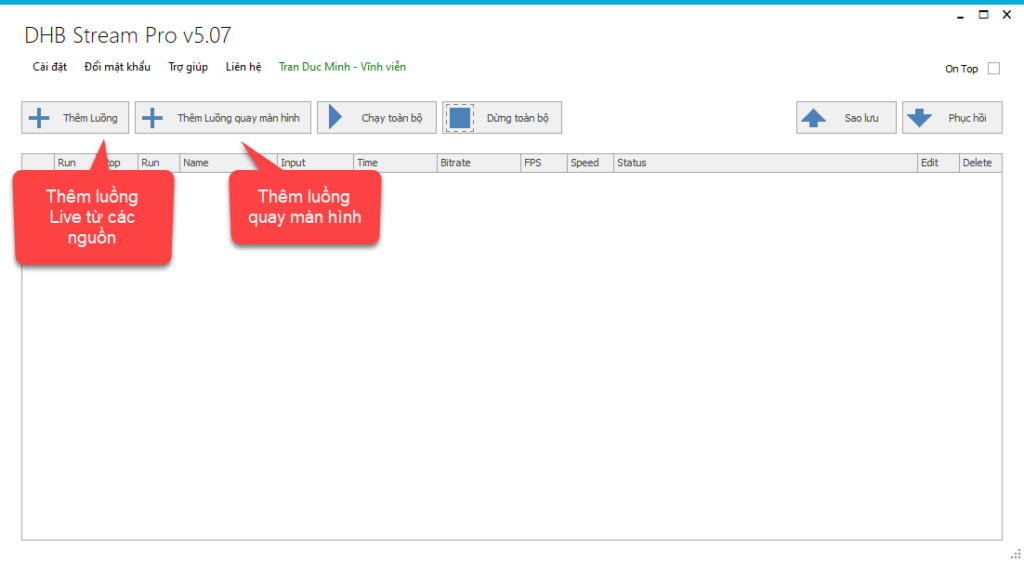
Step 2: Enter the stream details
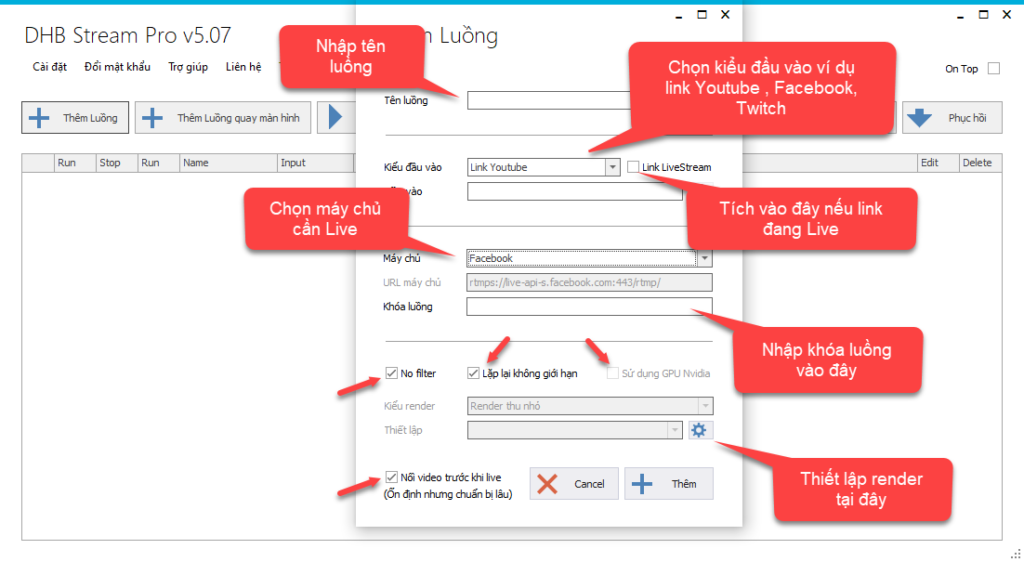
The tool will display the add-stream window as shown below.
- Stream name: enter a stream name to distinguish it from other streams.
- Input type: choose the correct input type for the video. For example, for a Facebook link, paste the Facebook link; for a Youtube link, paste the Youtube link. Other input types work the same way.
- Server: choose the server you want to live stream to, such as Youtube, Facebook, or Other (server URL), then enter the stream key.
- No Filter: check this option and the tool will livestream the original file directly without rendering, making it extremely lightweight. If you are using a low-spec VPS, you must enable this option.
- Loop Infinitive: check this if you want the livestream to repeat without limits.
- Use GPU Nvidia: check this to Render using the GPU. Only enable it if your machine uses an Nvidia graphics card.
- Check the option to merge files before going live to improve stability, but note that preparation will take longer.
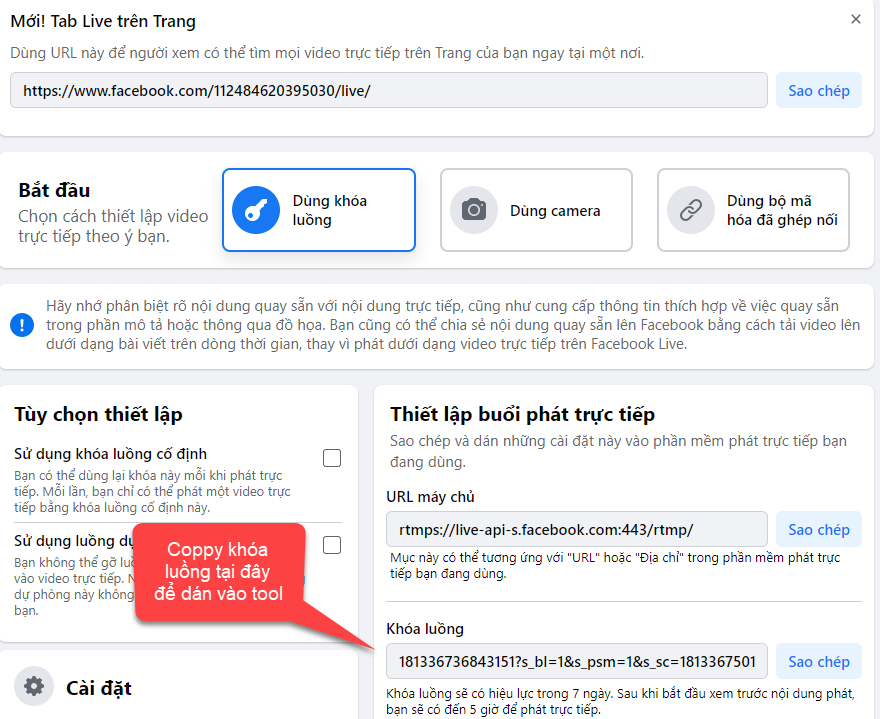
Here, I will livestream to Facebook, so I will copy the stream key from the place I want to go live and paste it into the stream key field.
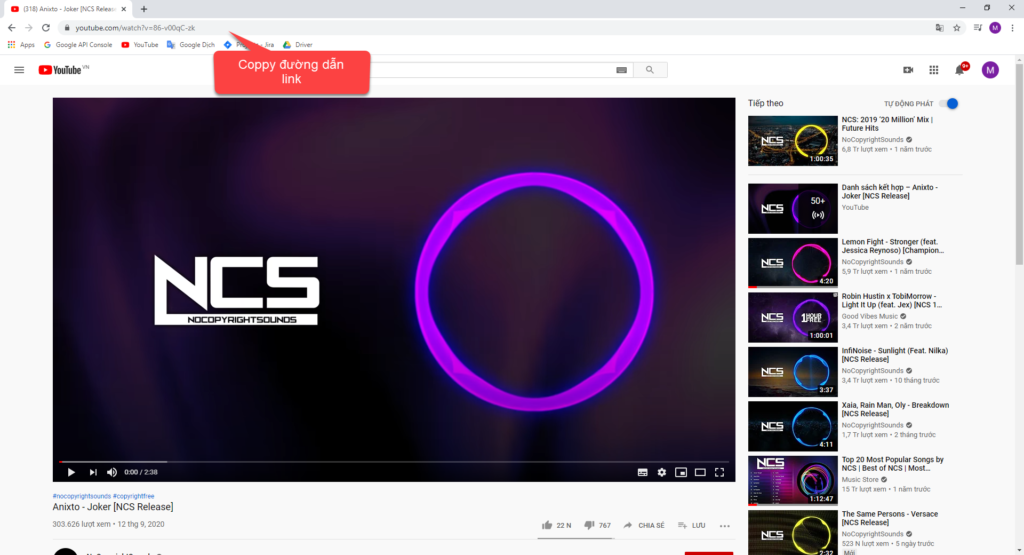
I will use this video on Youtube to livestream.
Step 3: Start and stop the stream
- After entering the stream, click the Play button to start. To stop, click the Stop button.
- When running multiple streams at the same time, you can click Run All to start all streams.
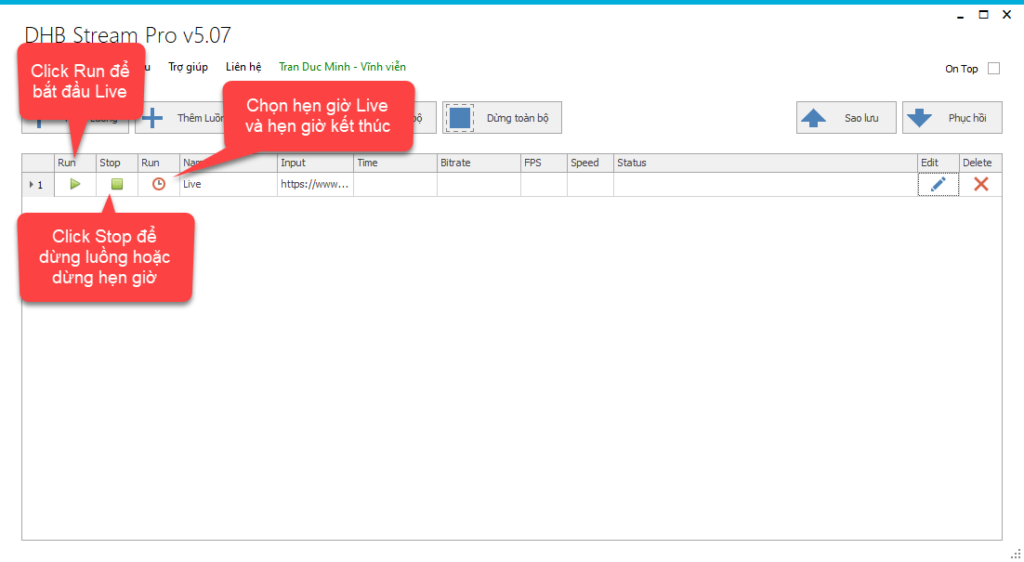
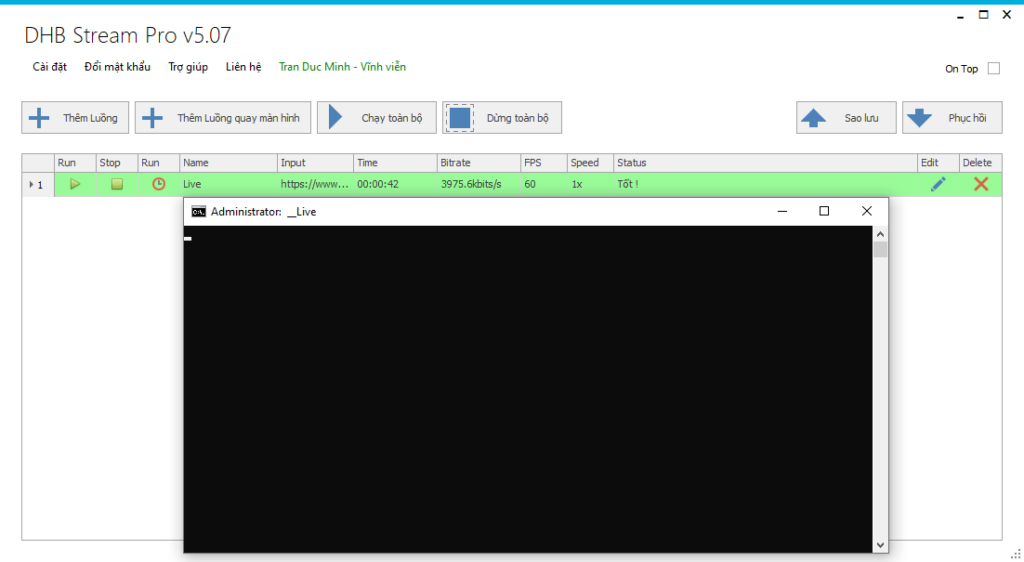
When running, a CMD command window will appear. Note that you must not close this CMD window. If you click the stream Stop button but the livestream does not stop, you can close the CMD window with the same stream name to stop that stream.
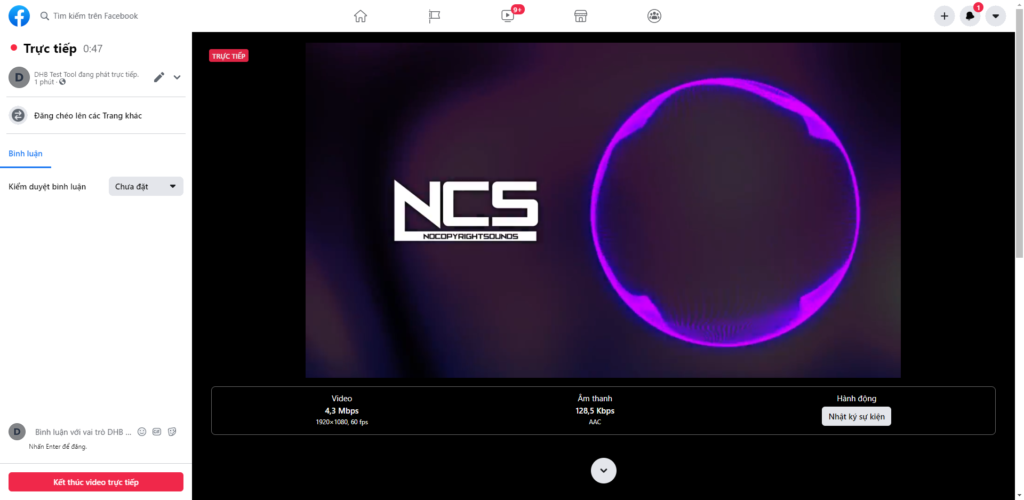
And here is the successful running result.
If you have any questions, you can contact me via Page:
Wishing you success!
Bình luận
Chưa có bình luận nào. Hãy là người đầu tiên!
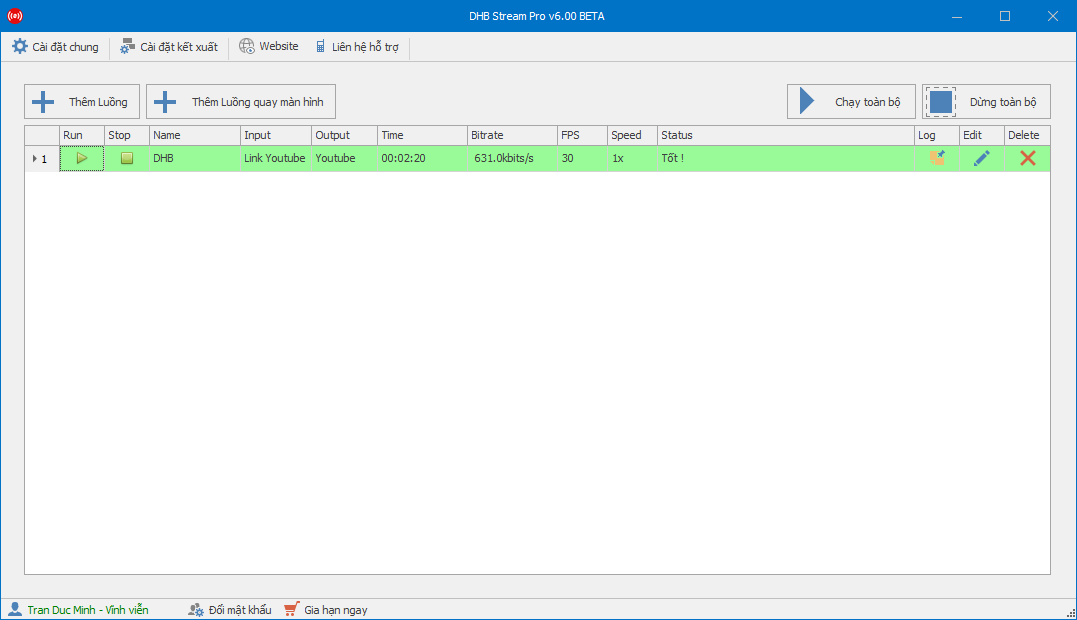
Hướng dẫn sử dụng phần mềm DHB Stream Pro V6
Trong bài viết này mình sẽ hướng dẫn Live với nền tảng Youtube. Các nền tảng khác có khóa luồng thì các bạn làm tương tự nhé. Bước 1: Thực hiện thêm luồng để bắt đầu Live- Tạo luồng Live và lấy kh
Read more →
Hướng dẫn Livestream đa luồng Youtube với DHB Stream Pro
Như các bạn đã biết hiện nay chúng ta không thể live nhiều luồng với nền tảng Youtube bằng cách cũ nên bài này mình sẽ hướng dẫn các bạn tạo nhiều luồng live Youtube, lưu ý bài viết này dành cho các
Read more →
Hướng dẫn Livestream shopee với video có sẵn bằng DHB Stream Pro
hướng dẫn livestream shopee
Read more →
DHB Stream Pro - Hướng dẫn sử dụng chức năng quay màn hình
Xin chào tất cả các bạn! Bài viết này sẽ hướng dẫn các bạn sử dụng chức năng quay màn hình trong tool DHB Stream Pro Trước tiên để quay màn hình các bác cần cài phần mềm "Screen-recorder-devices.e
Read more →