
How to Multistream on YouTube with DHB Stream Pro
As you may know, we can no longer livestream multiple streams on YouTube using the old method, so in this guide I’ll show you how to create multiple YouTube live streams. Please note that this article is for users who are not familiar with the process yet; if you already know how, feel free to skip it.
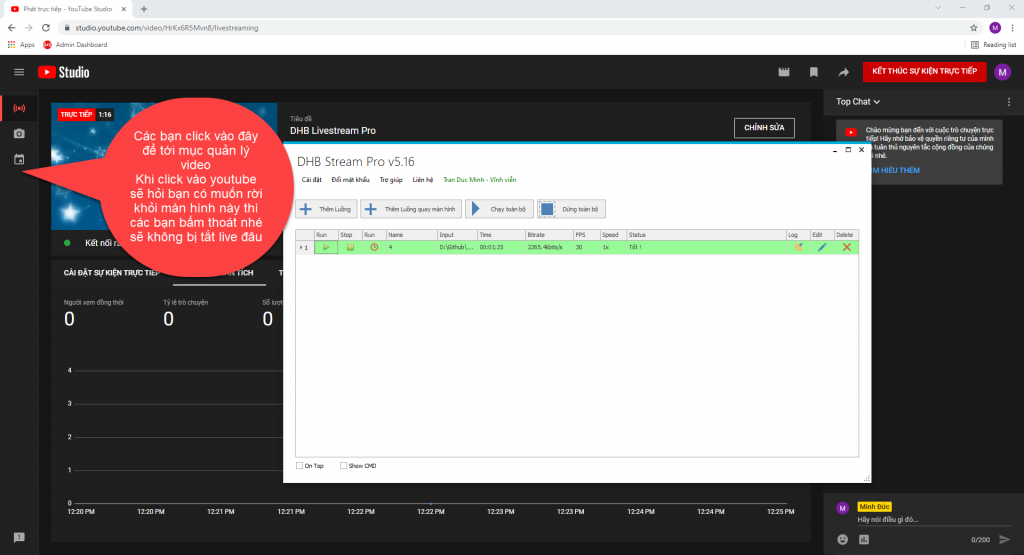
Step 1: Go to stream management
Once you already have one stream running, as I do here, go to the stream management section.
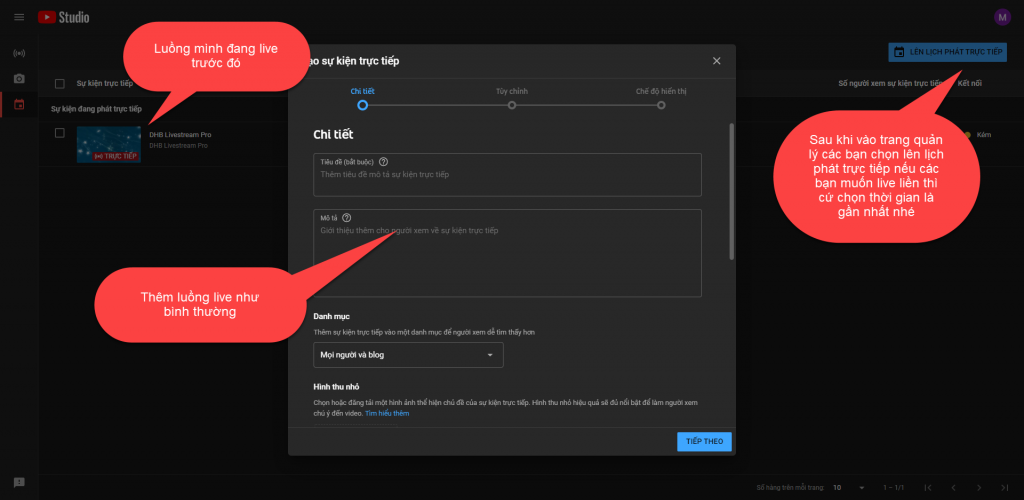
Step 2: Schedule a new stream
After reaching the stream management section, schedule a new stream.
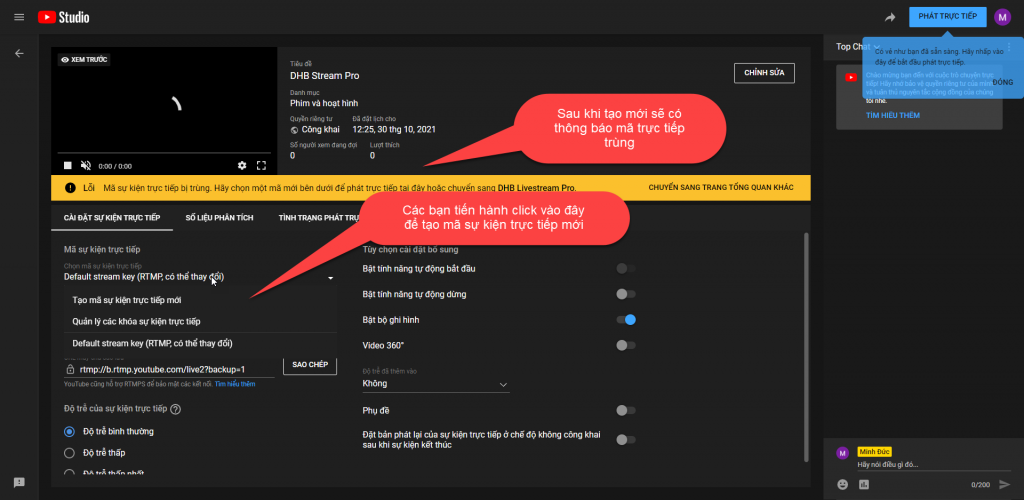
Step 3: Create a new live code
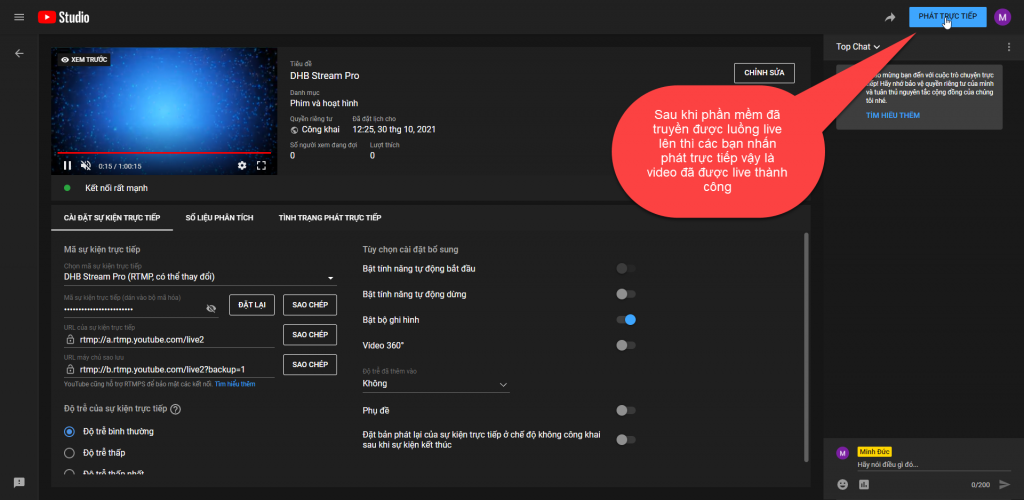
Once it has been created, you will be redirected back to the live screen as in step 1, then create a new live code.
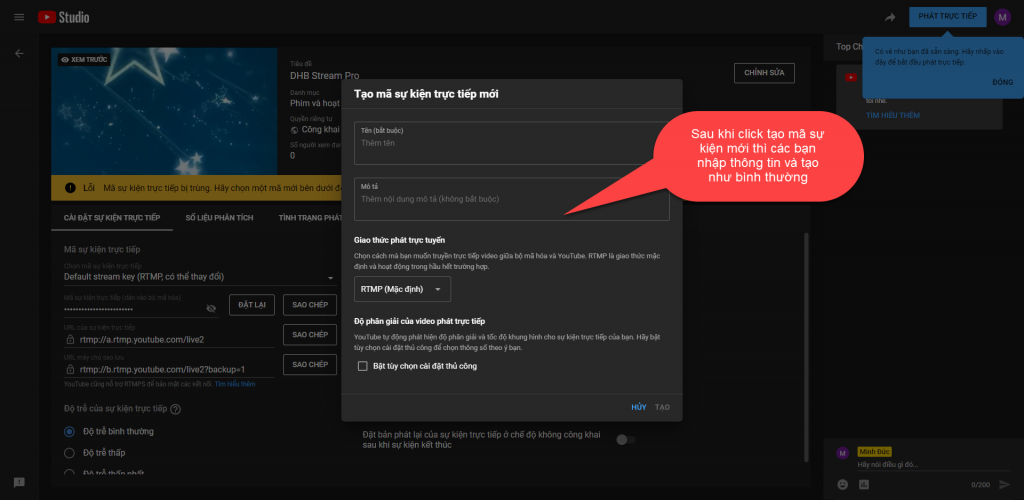
Step 4: Copy the stream key into the tool and start livestreaming
After creating it, copy the stream key into the tool and start livestreaming.
And here is the result.
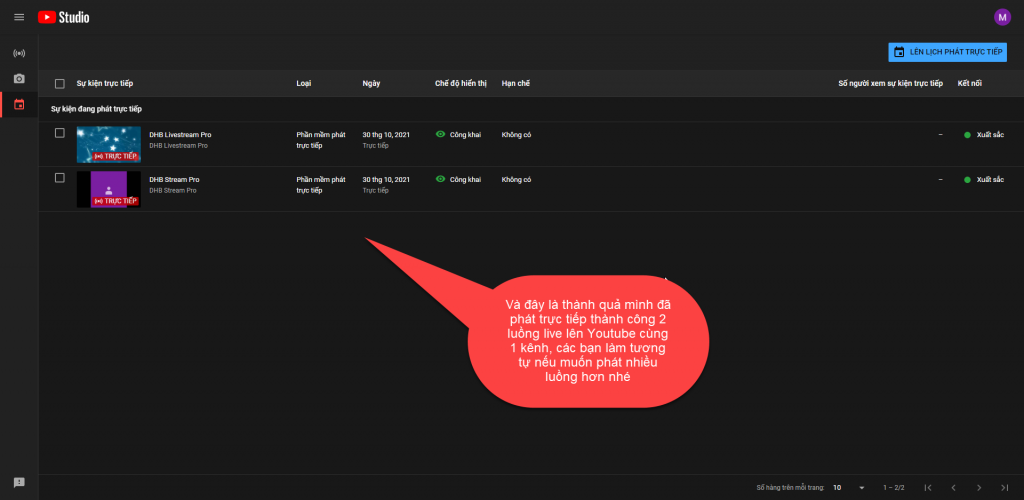
Wishing you success!!!
If you have any questions, please contact us through our website and fanpage.
https://dhbtools.com/
http://m.me/dhbtools
https://www.facebook.com/dhbtools
Bình luận
Chưa có bình luận nào. Hãy là người đầu tiên!
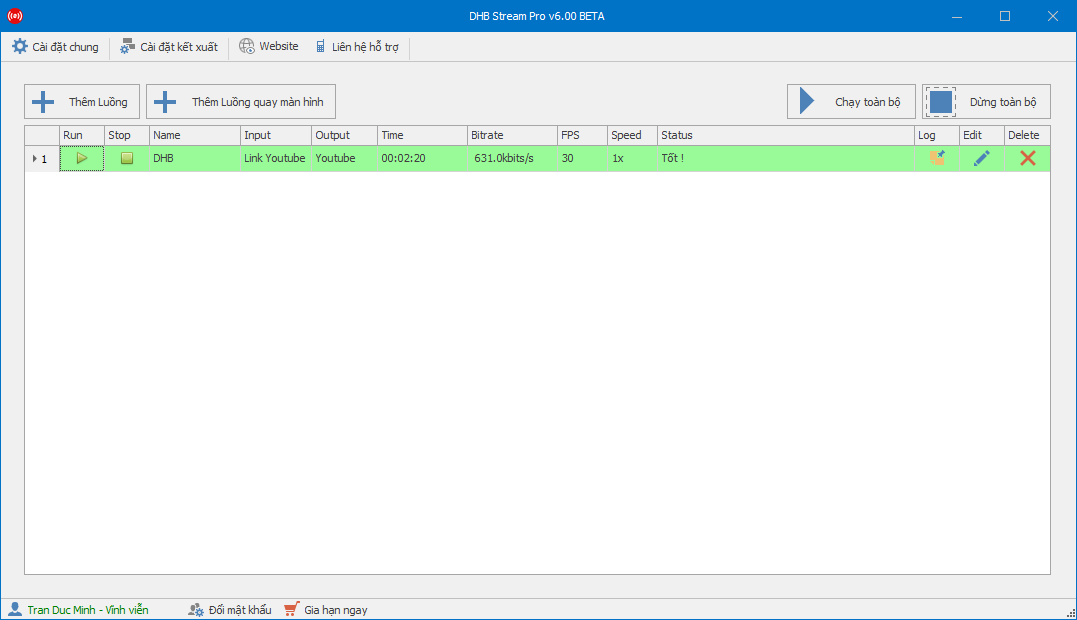
Hướng dẫn sử dụng phần mềm DHB Stream Pro V6
Trong bài viết này mình sẽ hướng dẫn Live với nền tảng Youtube. Các nền tảng khác có khóa luồng thì các bạn làm tương tự nhé. Bước 1: Thực hiện thêm luồng để bắt đầu Live- Tạo luồng Live và lấy kh
Read more →
Hướng dẫn Livestream shopee với video có sẵn bằng DHB Stream Pro
hướng dẫn livestream shopee
Read more →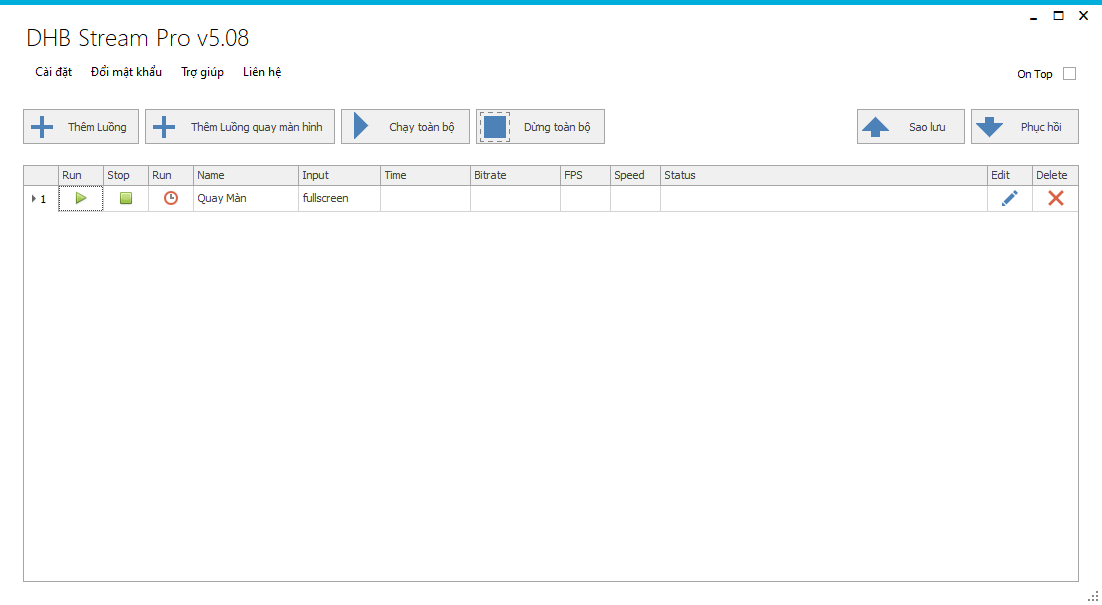
DHB Stream Pro - Hướng dẫn sử dụng chức năng quay màn hình
Xin chào tất cả các bạn! Bài viết này sẽ hướng dẫn các bạn sử dụng chức năng quay màn hình trong tool DHB Stream Pro Trước tiên để quay màn hình các bác cần cài phần mềm "Screen-recorder-devices.e
Read more →Hướng dẫn sử dụng DHB Stream Pro
Ở bài viết này mình sẽ hướng dẫn các bạn sử dụng tool DHB Stream Pro Version 5 (phiên bản mới nhất hiện tại. Các phiên bản sau cũng tương tự). DHB Stream Pro là phần mềm Livestream video lên Youtube,
Read more →