

In this guide, I’ll show you how to switch your TikTok account to a Pro account so you can use the scheduling feature when using the Upload Tiktok tool to upload videos to TikTok. Let’s get started
Switch your TikTok account to a Pro account
Step 1: Open Account management and switch to a Pro account
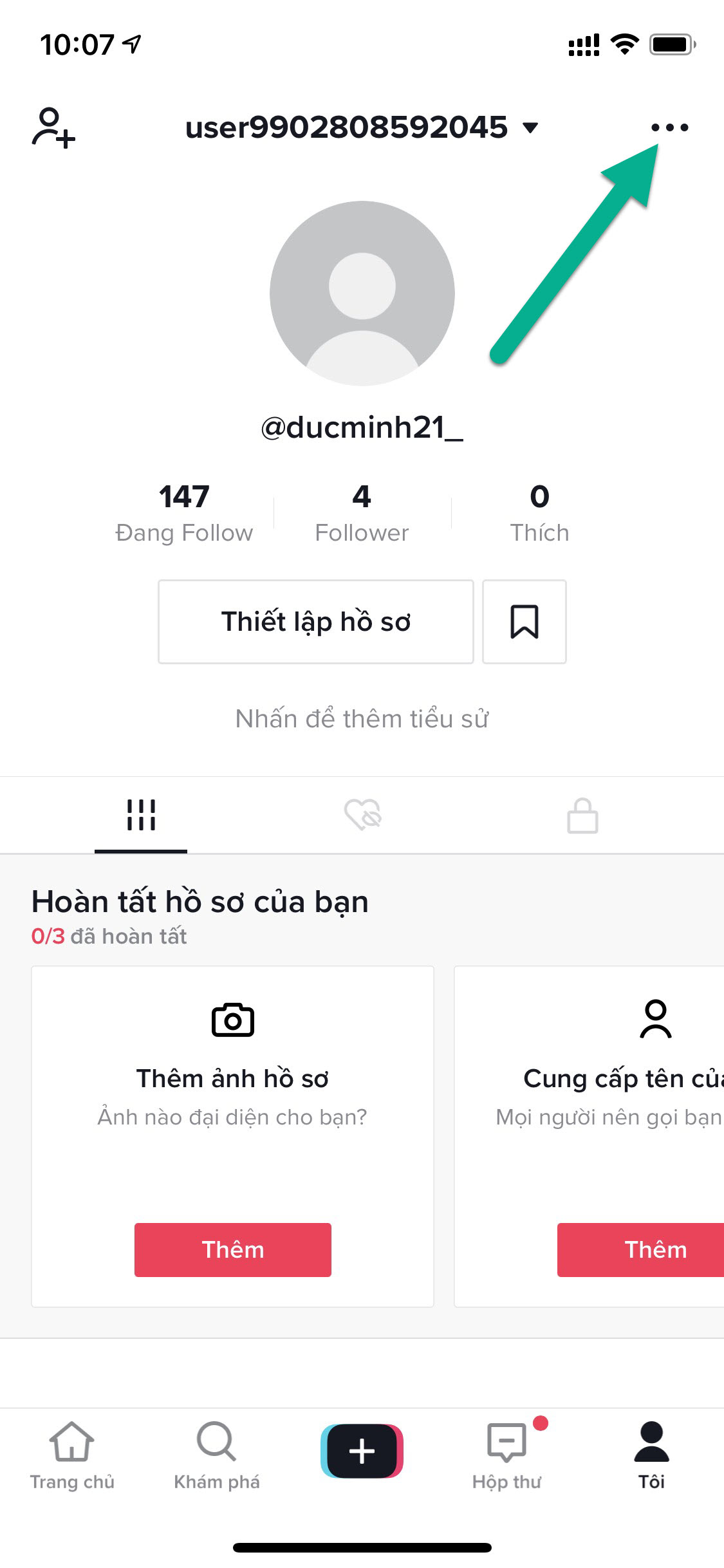
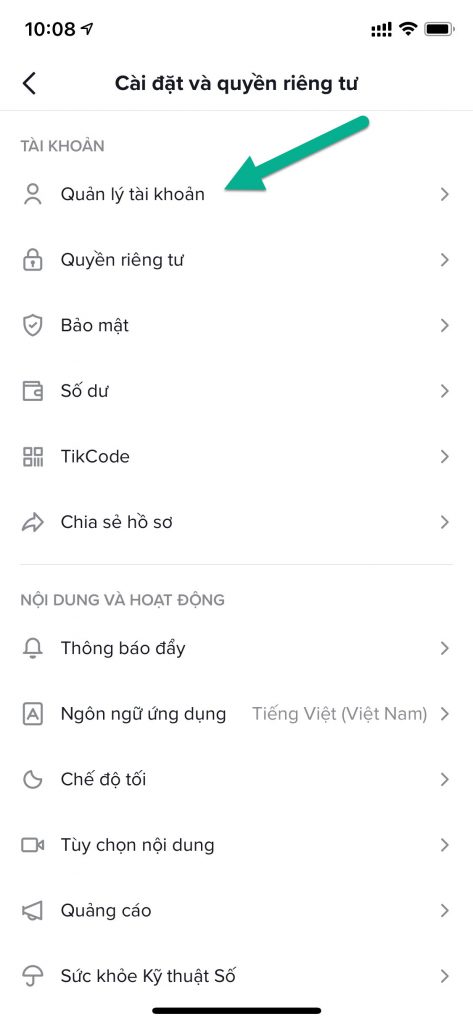
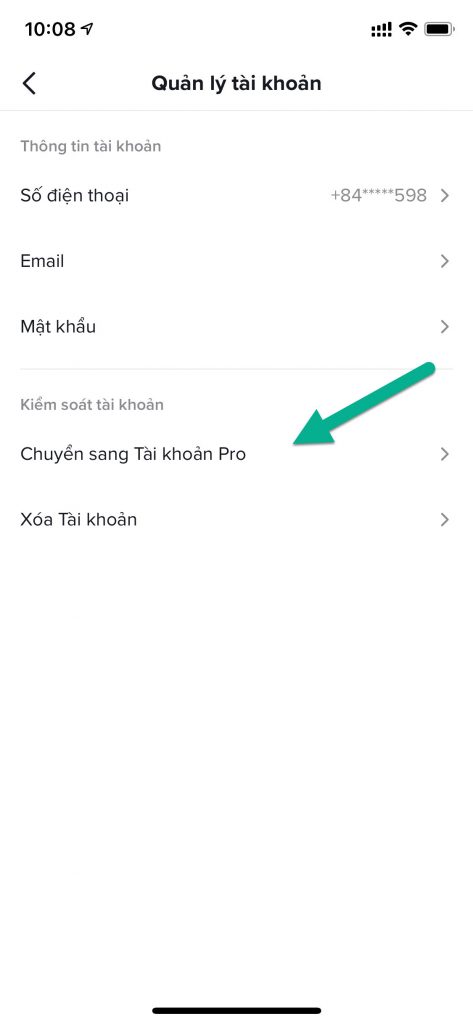
In the TikTok interface, tap the profile icon at the bottom right of the screen > select the three-dot icon … at the top right > Select Account management > Switch to Pro account.

Step 2: Choose a category and gender
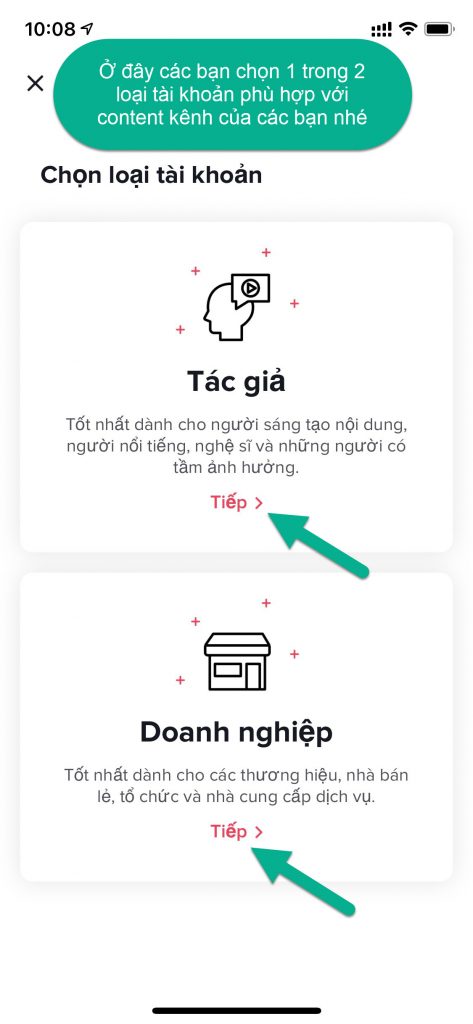
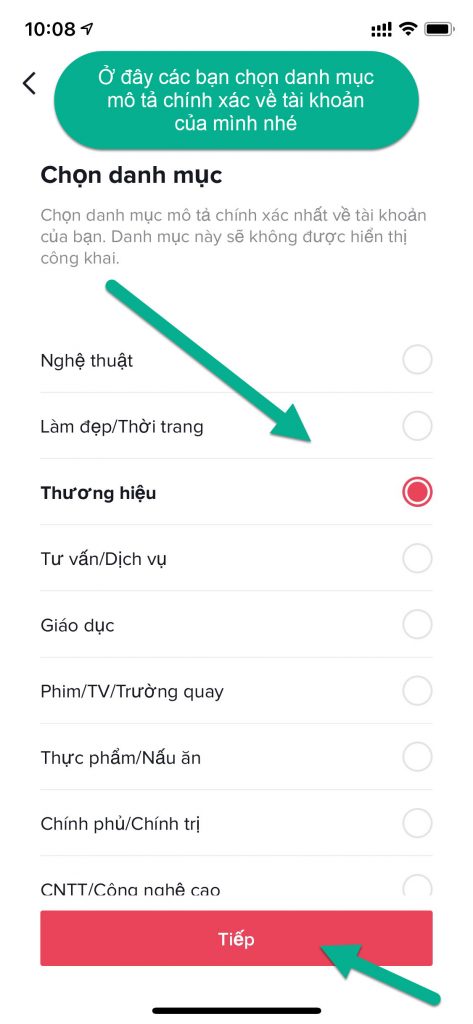
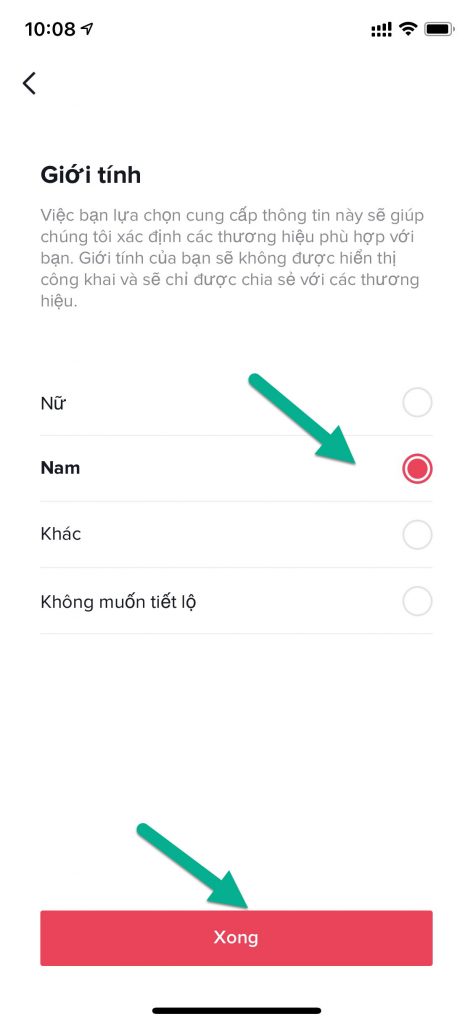
Tap Continue > Choose a category for your TikTok account > select your gender. In this example, I choose the Brand category and Male as the gender.
Step 3: Finish switching to a creator account
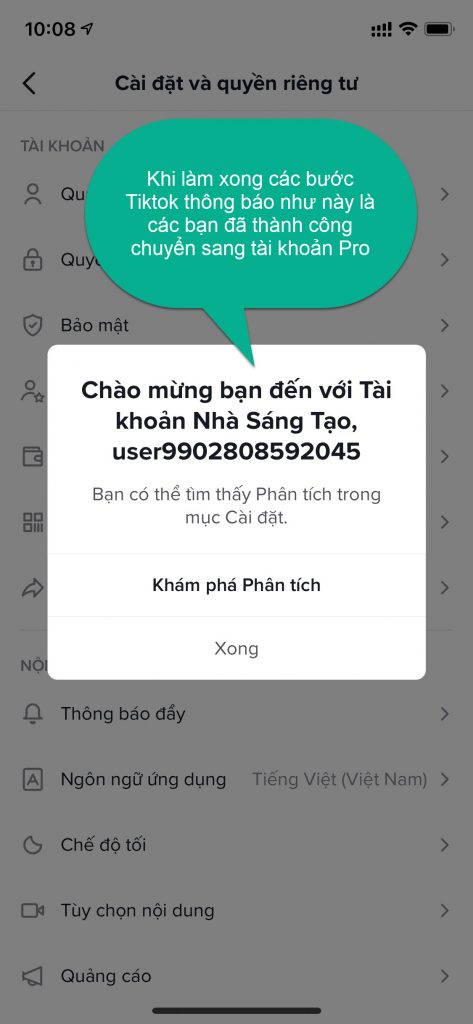
After completing the steps, TikTok will show a Welcome to your creator account message. This means you have successfully switched to a Pro account.
Use the scheduling feature in Upload Tiktok
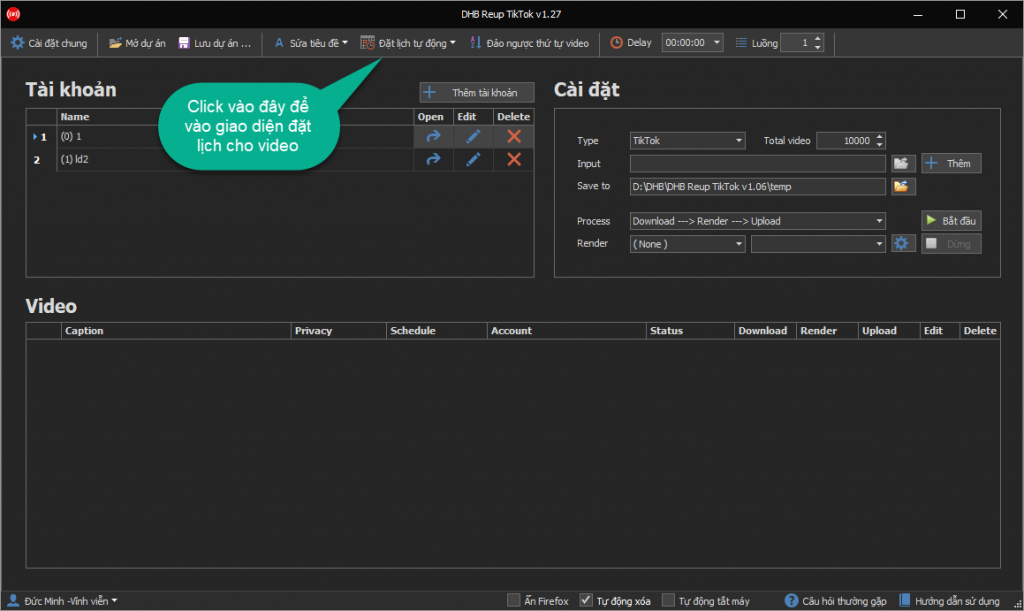
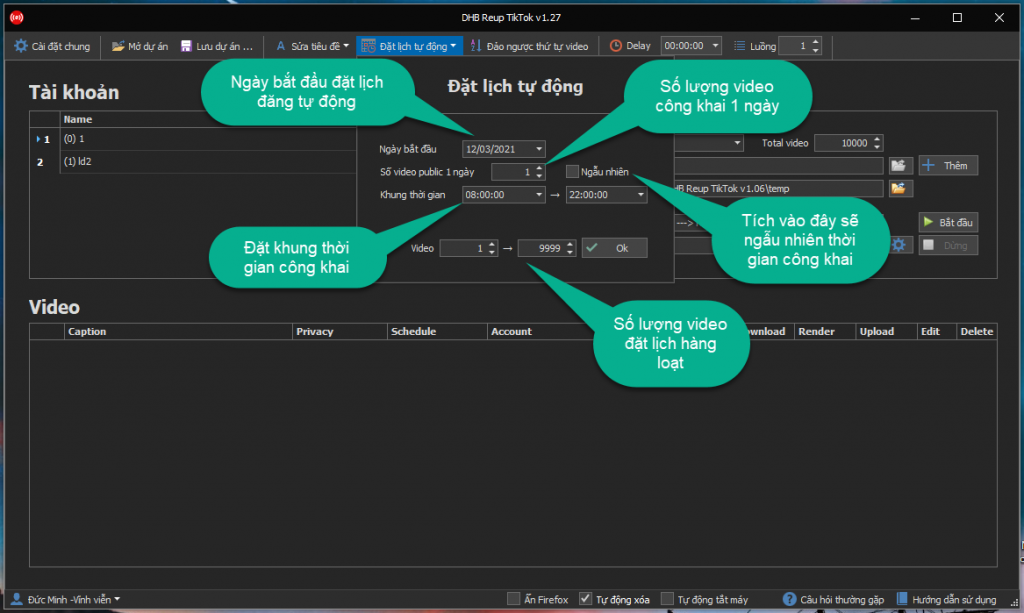
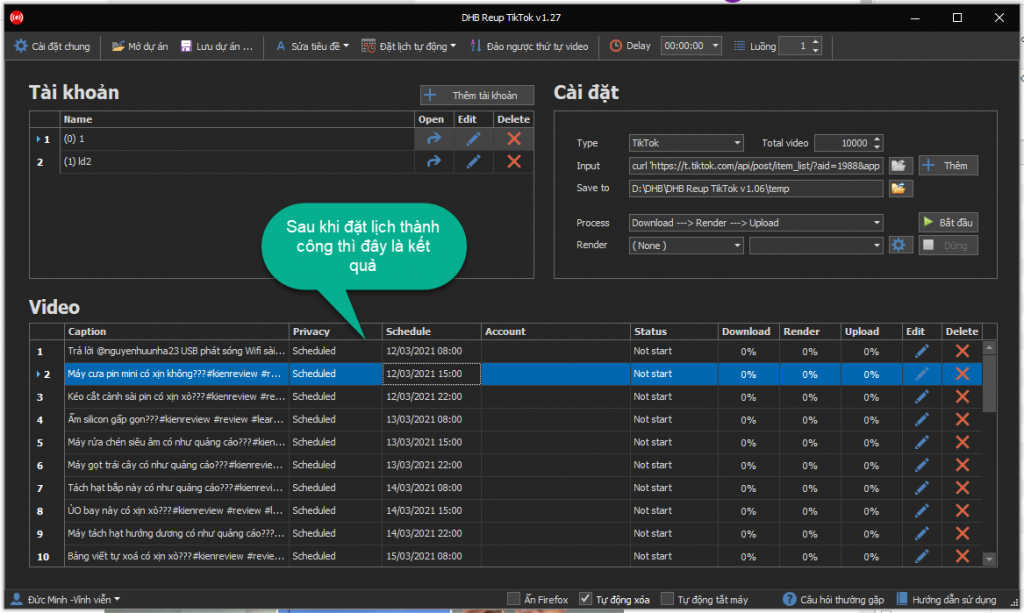
Next, I’ll show you how to use the scheduling feature in the Upload Tiktok tool. This only supports uploading through the Firefox emulator.
Please follow the steps shown in the images !!!
Good luck !!!
If you have any questions, please contact us through our website and fanpage
https://dhbtools.com/
http://m.me/dhbtools
https://www.facebook.com/dhbtools