

How to Download an Entire TikTok User with DHB Upload

Updated Đức Minh
Hướng dẫn tải cả user Tiktok bằng phần mềm DHB Upload

Hello everyone, this guide will show you how to get a link and add it to DHB Upload to download and upload.

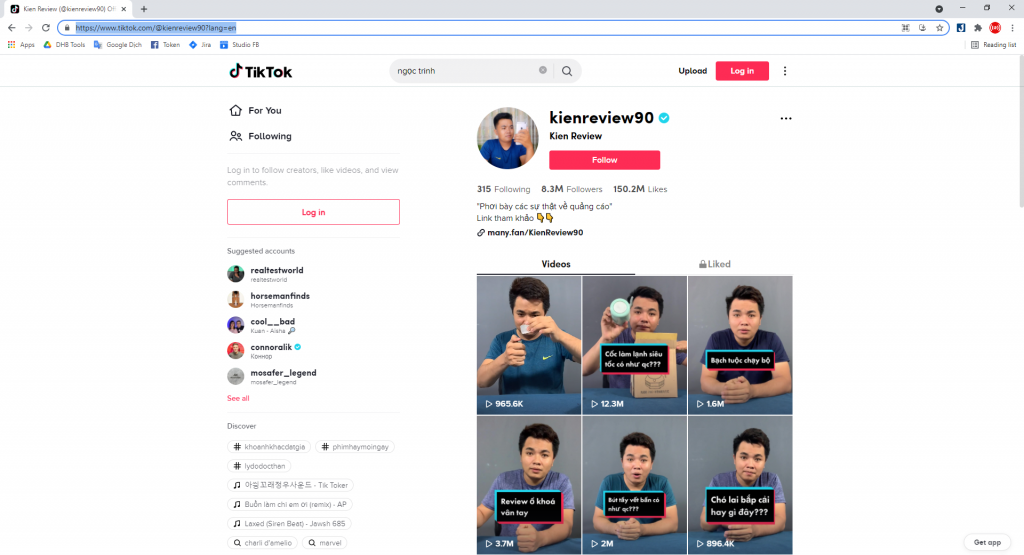
Step 1: Copy the TikTok user link.
Example: https://www.tiktok.com/@kienreview90?lang=en
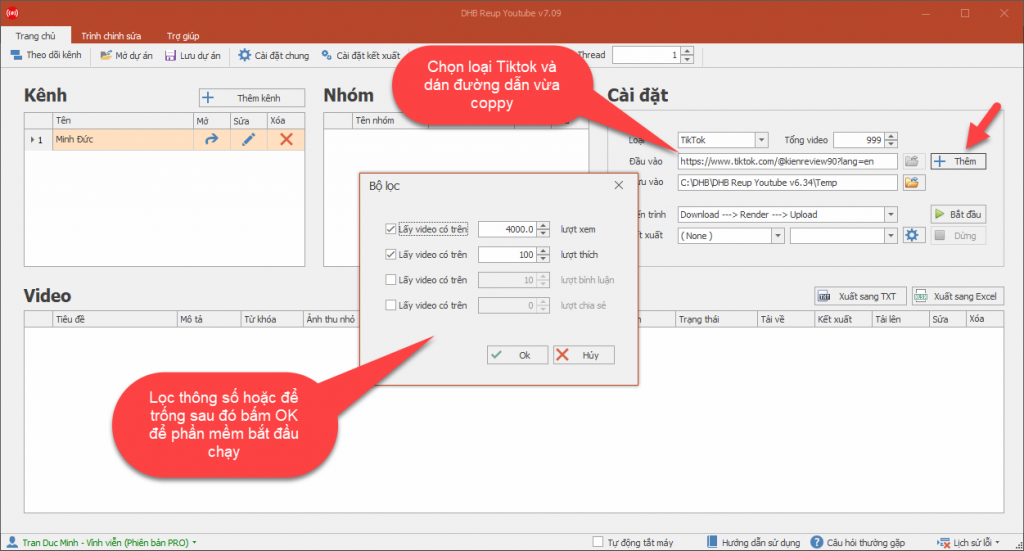
Step 2: Select TikTok as the type and paste the link.
Good luck !!!

If you have any questions, please contact us through our website and fanpage.
https://dhbtools.com/
http://m.me/dhbtools
https://www.facebook.com/dhbtools


Was this guide helpful?

Be the first to rate this guide.

Share this guide

Tags:DHB Upload Youtubedhbtoolsdouyintiktok
Hướng dẫn thêm Profile Upload Youtube
DHB Upload YouTube

How to Add a YouTube Upload Profile

Guide to adding a Profile for Upload Youtube V8 software to upload In previous versions, you had to complete steps such as creating a Profile through the Run dialog, logging in first, and so on. In this version,