
How to Fix YouTube Video Download Issues on DHB Tools
While using DHB Tools to download YouTube videos. This is a fairly common issue and is not caused by broken software, but is often related to the browser and system access permissions.
Install Mozilla Firefox Developer Edition
Download and install Mozilla Firefox Developer Edition from Mozilla’s official website. Download directly here
After installation is complete, open this browser to use it for the next steps.
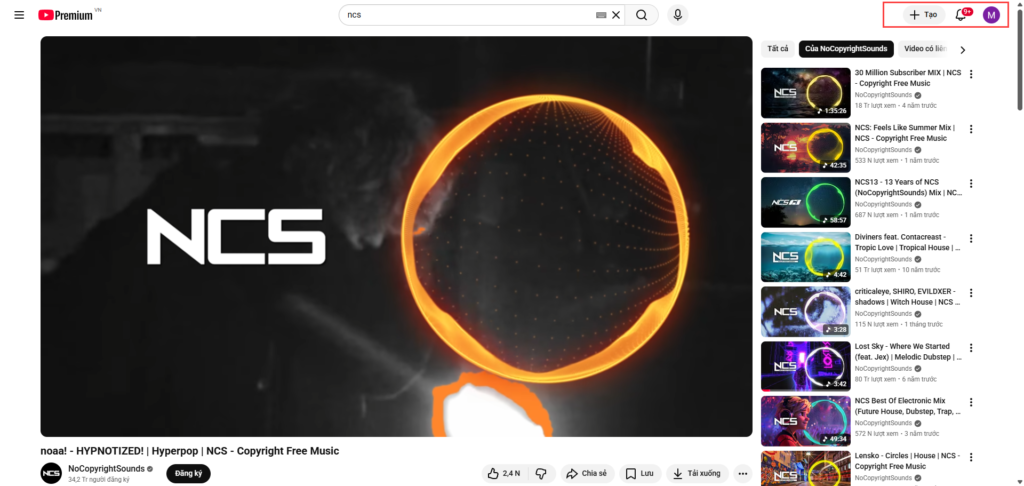
Log in to your YouTube account on Firefox Developer Edition
Open Firefox Developer Edition, go to YouTube, and log in to an account that can watch videos normally.
Make sure:
- You have logged in successfully
- You can watch YouTube videos
- Do not use incognito mode
Keep this login status active throughout your use of DHB Tools. You do not need to keep the browser open; just keep the account logged in.
Run DHB Tools with Administrator privileges
Close DHB Tools if it is currently open.
Right-click the DHB Tools icon and select Run as administrator.
After the software reopens, download and use it as usual
After completing the steps above, DHB Tools will download YouTube videos normally again.
If you have any questions, please contact us through our website and fanpage
https://dhbtools.com/
http://m.me/dhbtools
https://www.facebook.com/dhbtools
Bình luận
Chưa có bình luận nào. Hãy là người đầu tiên!

Hướng dẫn lấy cookie Youtube sử dụng cho DHB Upload Youtube
Cách lấy Cookie Youtube cũng giống như các bước ở các nền tảng trước mình hướng dẫn trước đó. Các bạn thưc hiện theo các bước sau nhé nếu ai đã tiếp cận và sử dụng cookie facebook, ixigua từ hướng dẫ
Read more →
Hướng dẫn chuyển Profile Upload Youtube V8
Hướng dẫn chuyển Profile Firefox đã đăng nhập sang nhiều khác nhau mà không cần đăng nhập lại (hoạt động tương tự Firefox Protable) để sử dụng phần mềm Upload Youtube V8. Ở các phiên bản trước đối v
Read more →
Hướng dẫn thêm Profile Upload Youtube
Hướng dẫn thêm Profile sử dụng cho phần mềm Upload Youtube V8 để upload Ở các phiên bản trước các bạn cần làm các bước như tạo Profile với hộp thoại run và đăng nhập trước v.v... ở phiên bản này thì
Read more →
Hướng dẫn thêm video từ kênh nguồn Tiktok bằng phần mềm DHB Upload
Xìn chào các bạn, bài viết này sẽ hướng dẫn mọi người lấy link và thêm vào phần mềm DHB Upload để tải về và upload Bước 1: Các bạn coppy link User Tiktok Ví dụ: https://www.tiktok.com/@kienreview90
Read more →