
How to Add a YouTube Upload Profile
Guide to adding a Profile for Upload Youtube V8 software to upload
In previous versions, you had to complete steps such as creating a Profile through the Run dialog, logging in first, and so on. In this version, you can now log in directly through the software. Or if you already have an old Firefox profile, you can sync it without having to log in again.
You can also copy this Profile elsewhere for use without needing to log in again. View the guide here.
If you do not want to use a Profile, you can add a channel with Cookie. View the guide here.
Steps to add a Profile to the software
Step 1: On the software interface, select Add channel
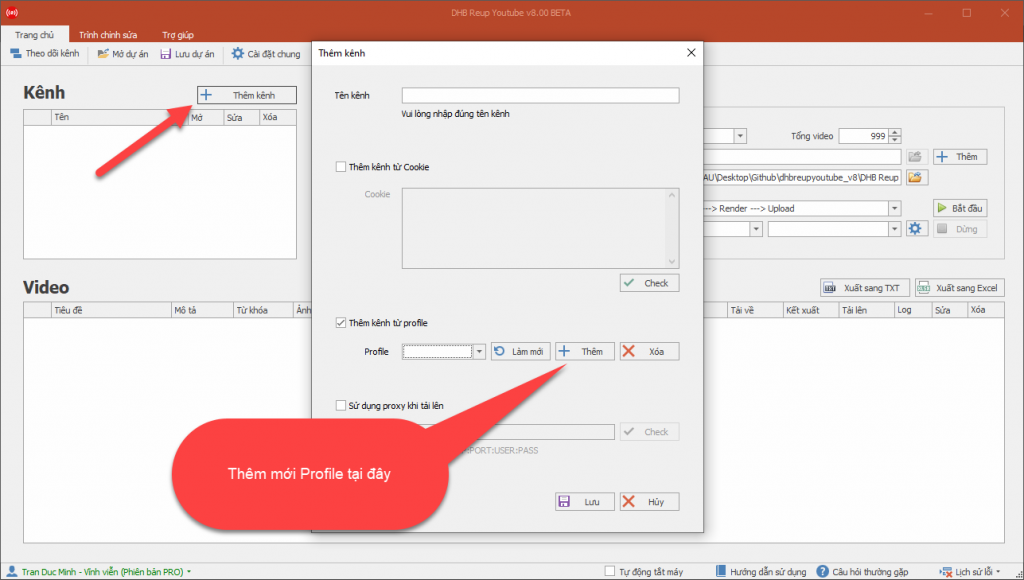
Method 1: Add a new Firefox Profile with the software
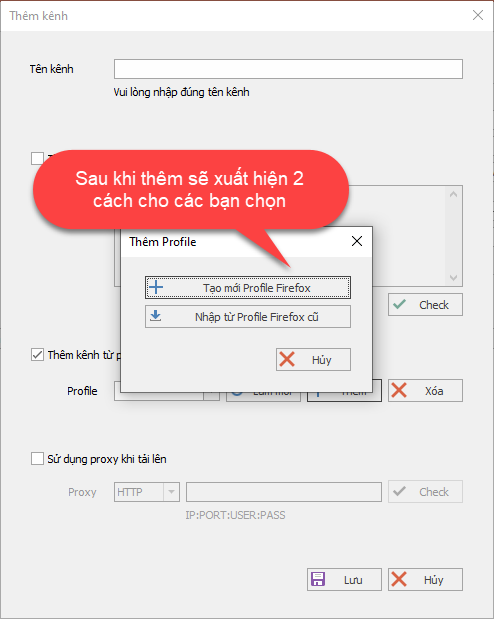
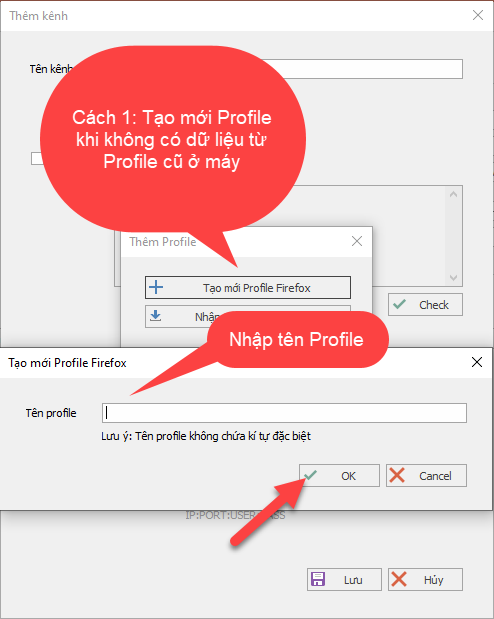
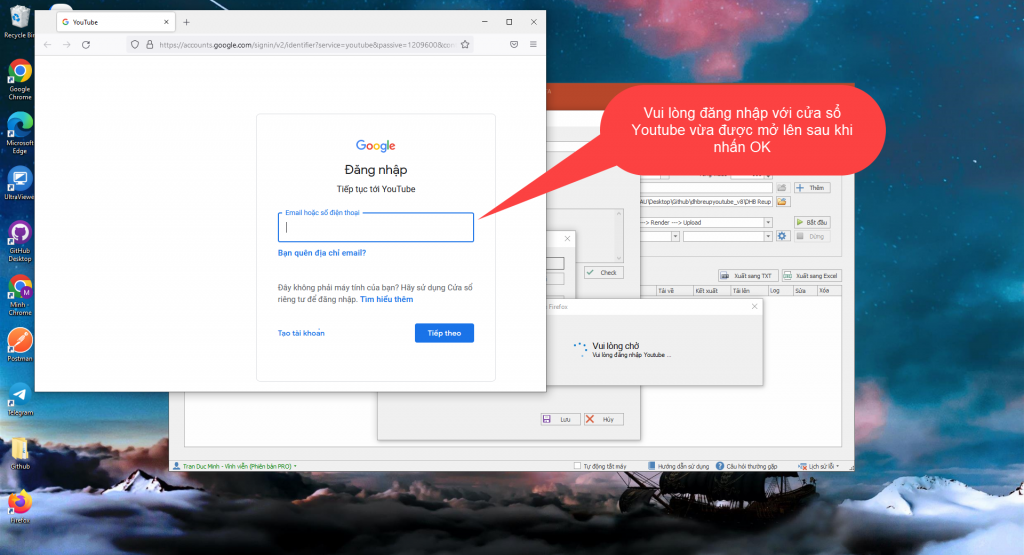
After selecting Add new, follow the steps shown in the image
Method 1: Add a new Firefox Profile with the software. If you already have an old Firefox Profile on your computer that is logged in to the channel, please skip this step and scroll down to Step 2 to follow the instructions.
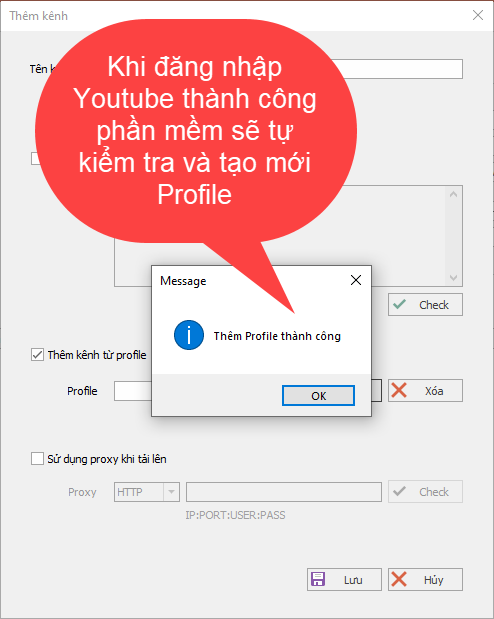
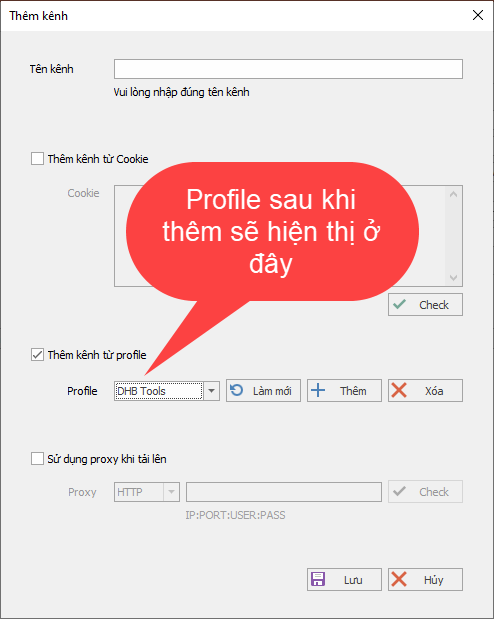
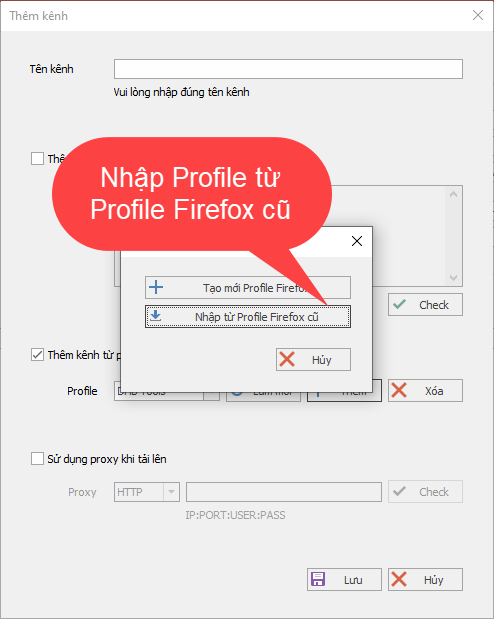
Method 2: Add a Firefox Profile already logged in to the channel
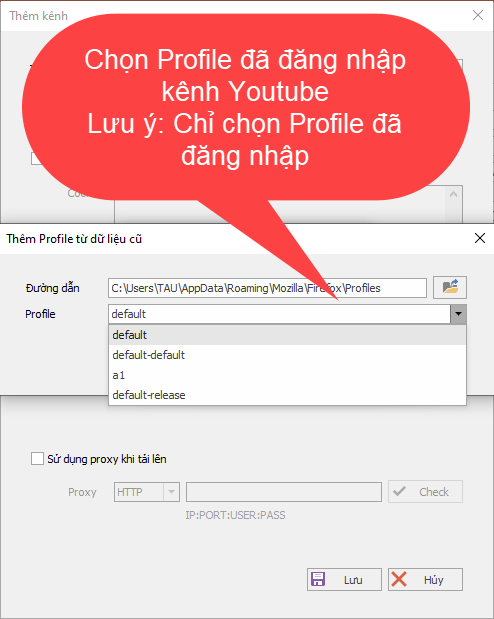
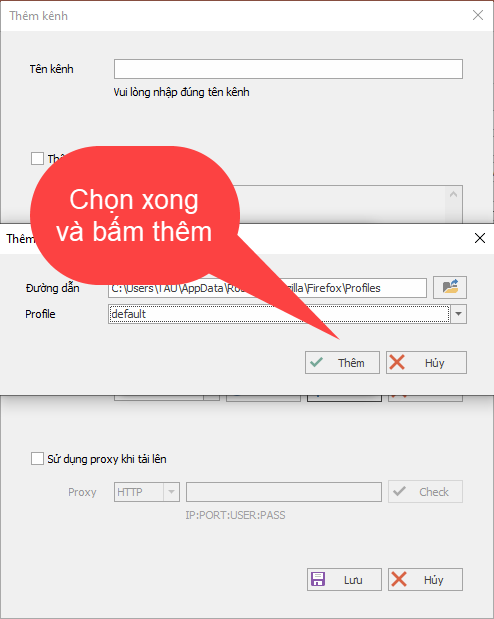
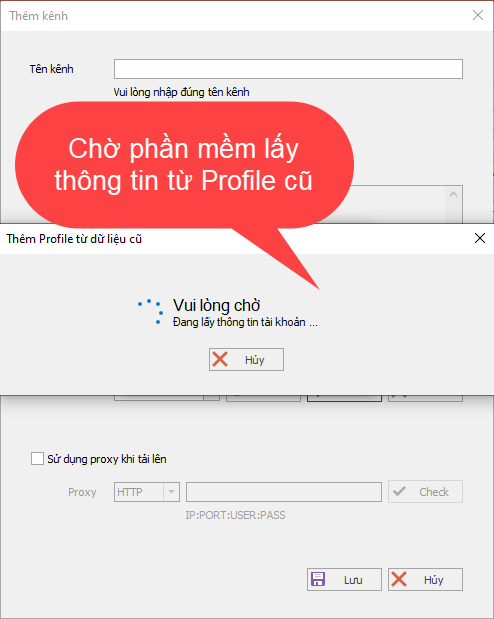
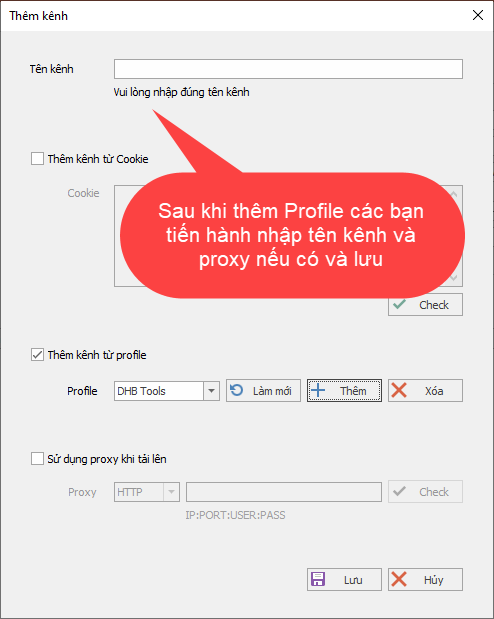
That’s it — you have successfully added the Profile to the software without going through the complicated steps from before!!!
Good luck!!!
If you have any questions, please contact us through our website and fanpage
https://dhbtools.com/
http://m.me/dhbtools
https://www.facebook.com/dhbtools
Bình luận
Chưa có bình luận nào. Hãy là người đầu tiên!

Hướng dẫn khắc phục lỗi không tải được video YouTube trên DHB Tools
Trong quá trình sử dụng DHB Tools để thêm video vào dự án. Đây là lỗi khá phổ biến và không phải do phần mềm bị hỏng, mà thường liên quan đến trình duyệt và quyền truy cập hệ thống. Cài đặt Mozilla F
Read more →
Hướng dẫn lấy cookie Youtube sử dụng cho DHB Upload Youtube
Cách lấy Cookie Youtube cũng giống như các bước ở các nền tảng trước mình hướng dẫn trước đó. Các bạn thưc hiện theo các bước sau nhé nếu ai đã tiếp cận và sử dụng cookie facebook, ixigua từ hướng dẫ
Read more →
Hướng dẫn chuyển Profile Upload Youtube V8
Hướng dẫn chuyển Profile Firefox đã đăng nhập sang nhiều khác nhau mà không cần đăng nhập lại (hoạt động tương tự Firefox Protable) để sử dụng phần mềm Upload Youtube V8. Ở các phiên bản trước đối v
Read more →
Hướng dẫn thêm video từ kênh nguồn Tiktok bằng phần mềm DHB Upload
Xìn chào các bạn, bài viết này sẽ hướng dẫn mọi người lấy link và thêm vào phần mềm DHB Upload để tải về và upload Bước 1: Các bạn coppy link User Tiktok Ví dụ: https://www.tiktok.com/@kienreview90
Read more →