
Common Issues in DHB Upload Pro v4 and Later
1. Unable to add videos from a Youtube link
- Check whether the API Key has been entered correctly
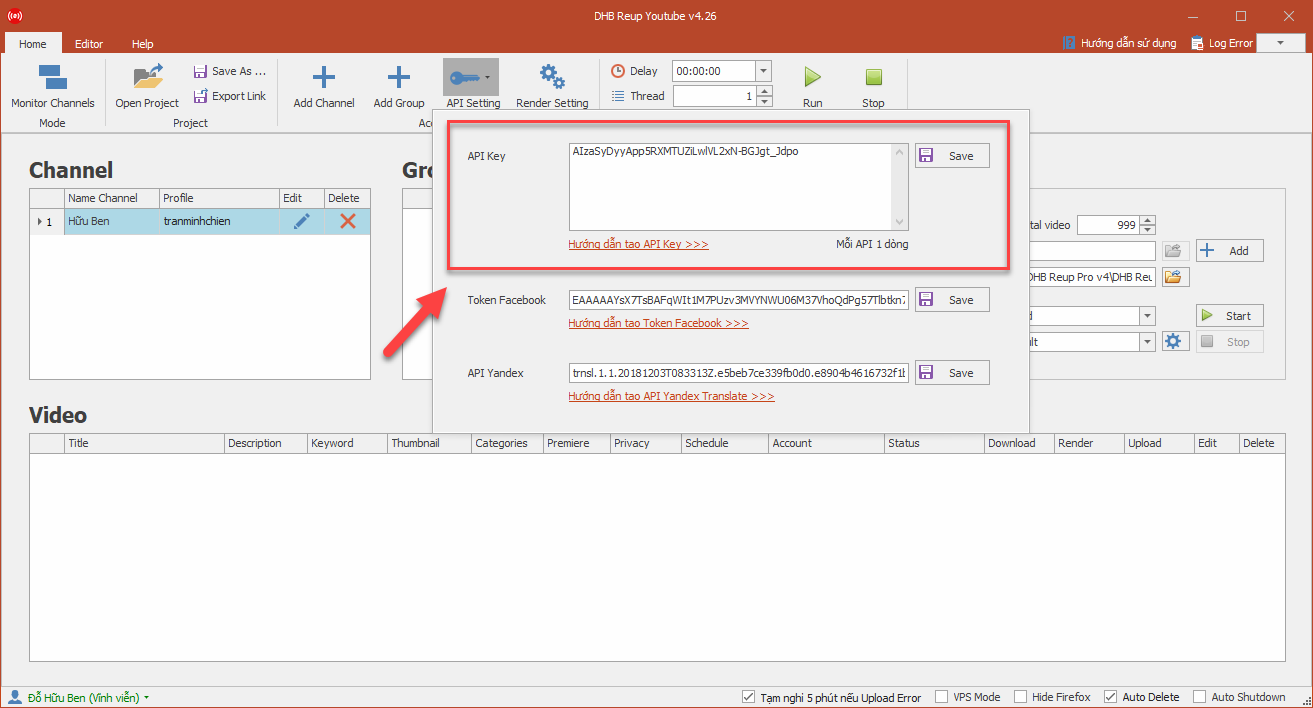
- Note: Each API you create has its own quota and can only scan a certain number of videos. You should create 3-4 APIs for use and enter one API per line.
2. Unable to add videos from a Facebook link
- Check again that the Token has been entered correctly
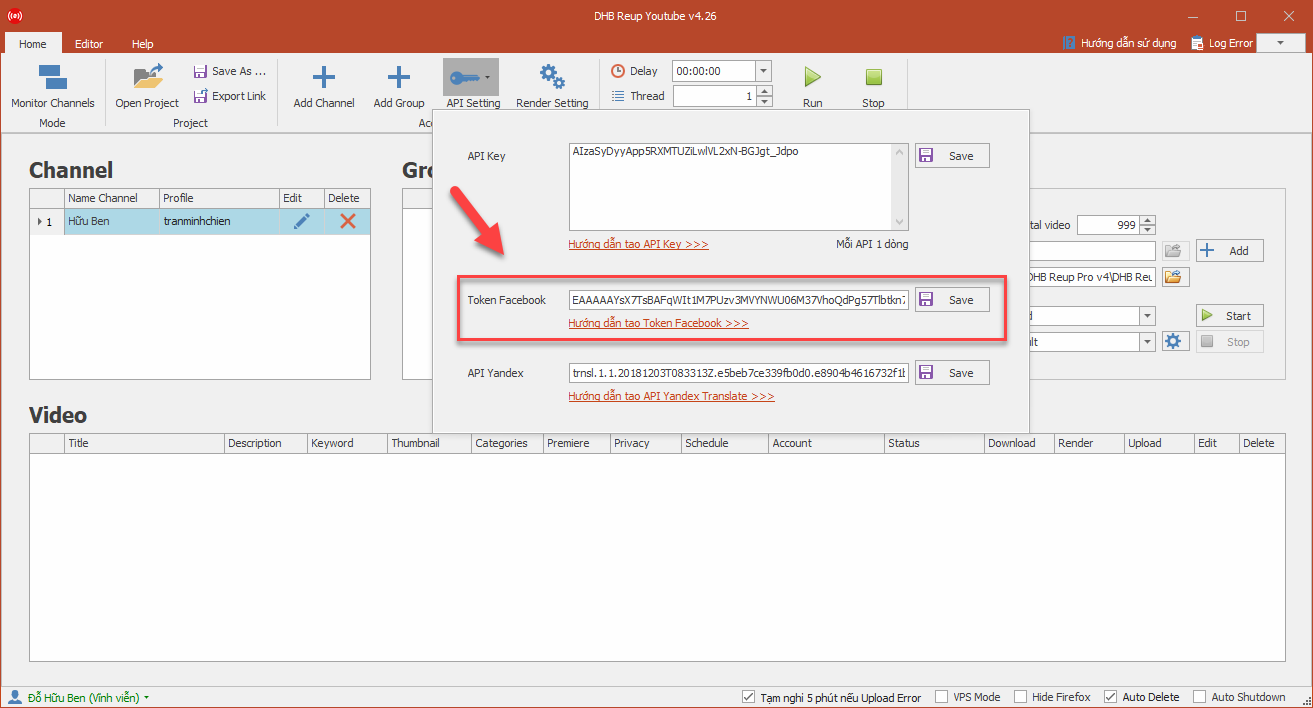
- Check whether the Token is dead. If it is dead, create it again.
See also:
Guide to checking whether a Facebook Token is still active or dead
Guide to getting the latest full-permission Token in 2019
3. The tool shows "Download Error"
- Check whether the computer version you are using is 32-bit or 64-bit. Note that the tool can only be used on 64-bit computers.
- Check whether your hard drive still has free space.
- Check whether the tool has permission to write to the Output folder. Try running the tool with Admin rights.
Guide to running the tool with Admin rights:
4 ways to run software with administrator rights in Windows
What is Run as administrator? How to set it as default and open files with admin rights
4. The tool shows "Render Error" and does not Upload
- Check whether the tool version is 32-bit or 64-bit. If your computer is 32-bit but you use the 64-bit version, an error will occur and the Upload will fail.
- If you imported the video from a file, try another video. If there is no error, the issue is caused by that video's codec.
- Check in Task Manager to see whether RAM is still available before rendering.
- Check the config settings for scaled-down rendering, full screen, only audio, ffmpeg code, and 16:9 conversion.
- Check whether the drive containing the Output folder still has free space.
5. The tool shows "Upload Error"
- Check how many firefox browsers are installed on the computer. If there is more than one, remove one and keep the latest version.
- Check whether the firefox browser is the English version. If not, switch it to English.
- Check whether the profile and channel name entered in the tool are correct. If they are not correct, edit the channel name accordingly.
Bình luận
Chưa có bình luận nào. Hãy là người đầu tiên!

Hướng dẫn khắc phục lỗi không tải được video YouTube trên DHB Tools
Trong quá trình sử dụng DHB Tools để thêm video vào dự án. Đây là lỗi khá phổ biến và không phải do phần mềm bị hỏng, mà thường liên quan đến trình duyệt và quyền truy cập hệ thống. Cài đặt Mozilla F
Read more →
Hướng dẫn lấy cookie Youtube sử dụng cho DHB Upload Youtube
Cách lấy Cookie Youtube cũng giống như các bước ở các nền tảng trước mình hướng dẫn trước đó. Các bạn thưc hiện theo các bước sau nhé nếu ai đã tiếp cận và sử dụng cookie facebook, ixigua từ hướng dẫ
Read more →
Hướng dẫn chuyển Profile Upload Youtube V8
Hướng dẫn chuyển Profile Firefox đã đăng nhập sang nhiều khác nhau mà không cần đăng nhập lại (hoạt động tương tự Firefox Protable) để sử dụng phần mềm Upload Youtube V8. Ở các phiên bản trước đối v
Read more →
Hướng dẫn thêm Profile Upload Youtube
Hướng dẫn thêm Profile sử dụng cho phần mềm Upload Youtube V8 để upload Ở các phiên bản trước các bạn cần làm các bước như tạo Profile với hộp thoại run và đăng nhập trước v.v... ở phiên bản này thì
Read more →