
Basic Guide to Using the DHB Upload Youtube Tool
Hello everyone, in this article I’ll guide you through the basic features of the Upload Youtube tool.
After downloading the tools and logging in successfully, please also download Firefox here: https://www.mozilla.org/vi/firefox/download/thanks/ If you already installed it before, you can skip this step.
Step 1: Create a Firefox Profile and log in to Youtube
After installing Firefox, open the Windows Run dialog and type "Firefox.exe -p" to open profiles and create a new one.
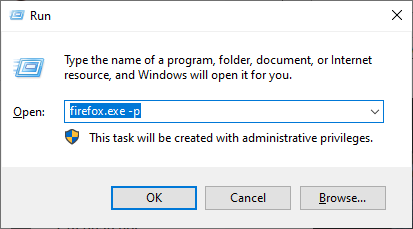
After completing the steps, the interface will appear as shown, and you can create a new Profile by following these steps:
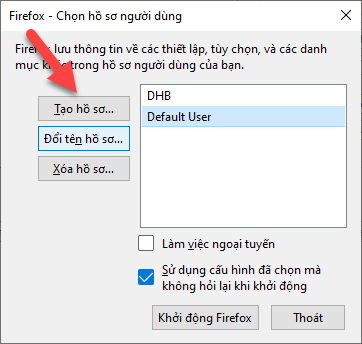
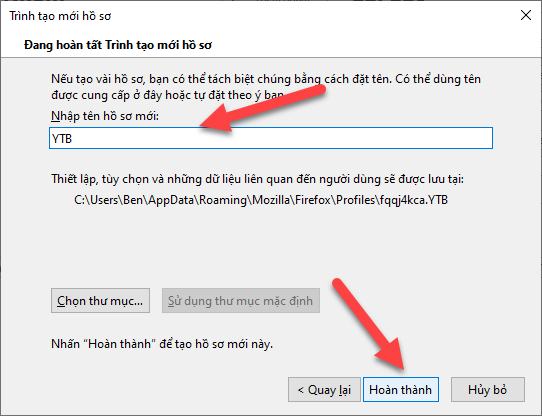
After creating the Profile, log in to your Youtube channel in the Profile you just created:
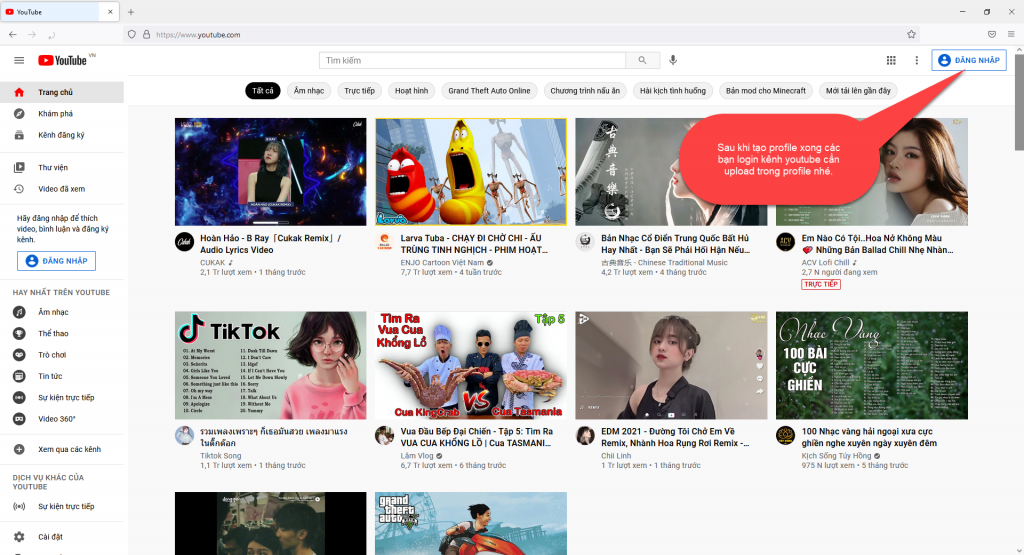
Step 2: Add the channel to the software
After logging in successfully, add the channel in the software.
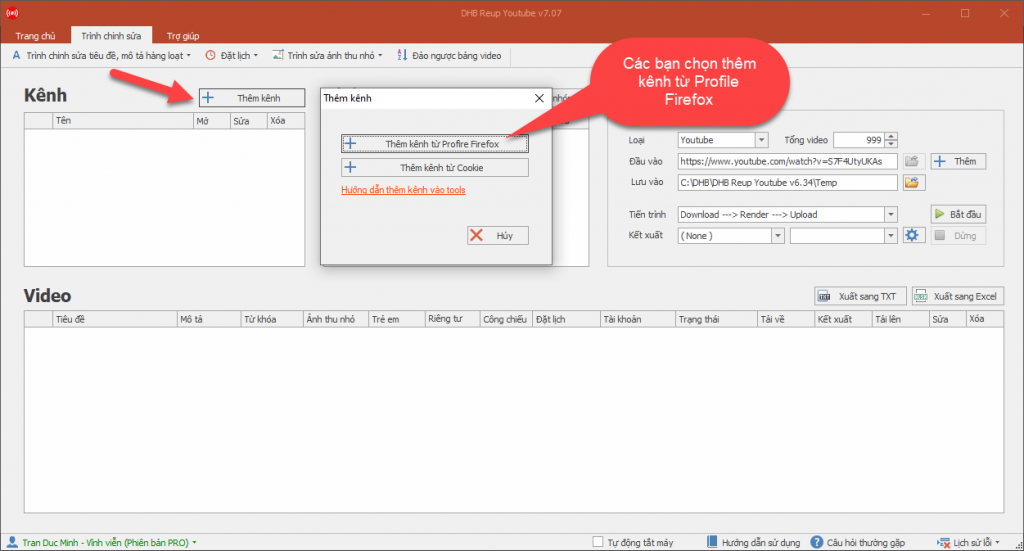
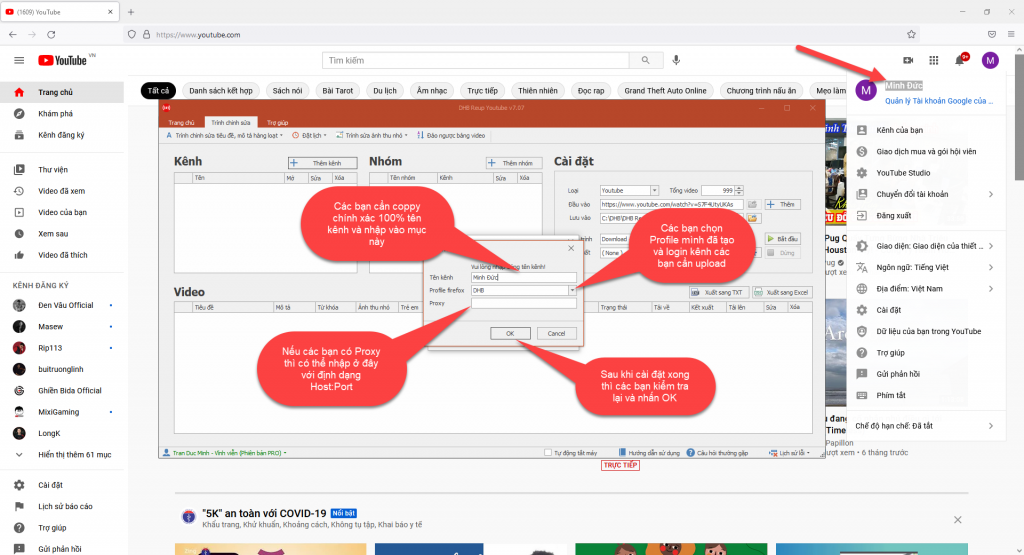
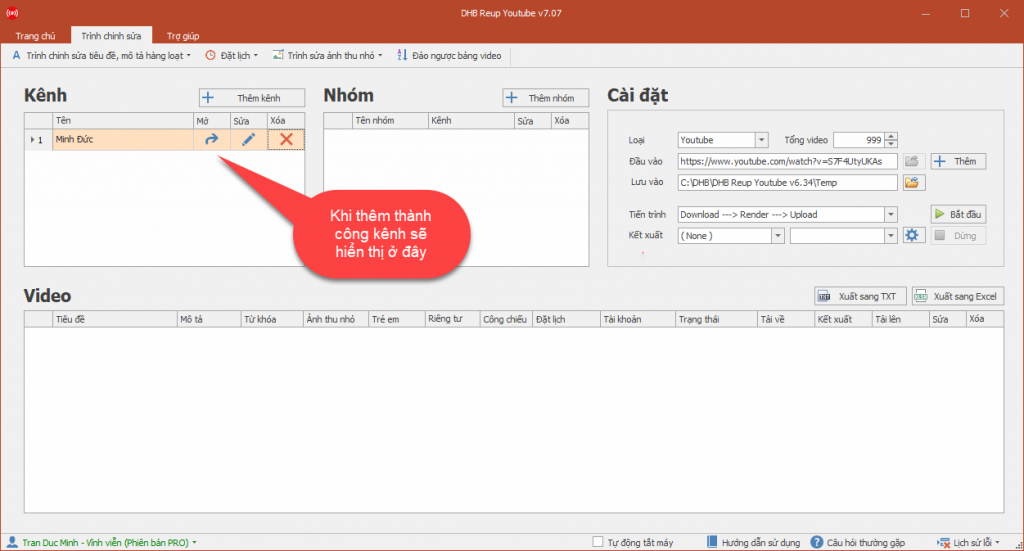
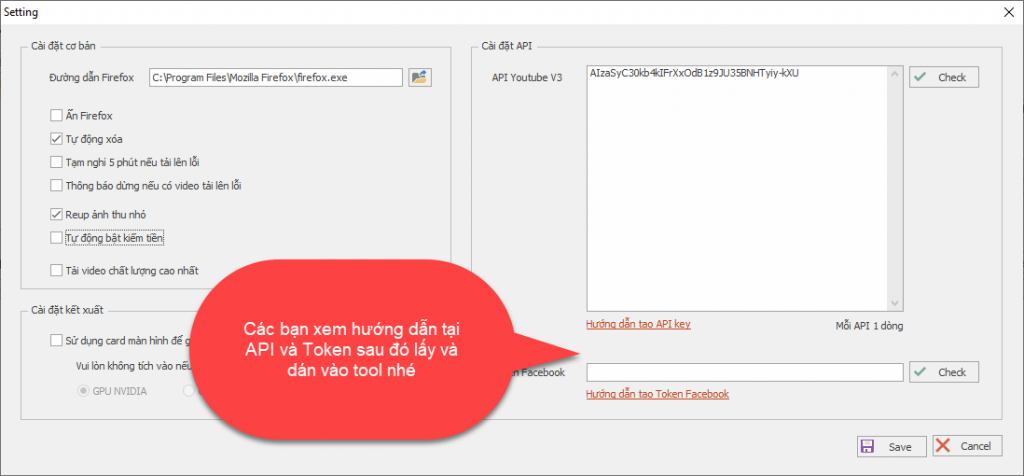
If you Upload videos from Youtube and Facebook sources, add the API and Token in the general settings section.
Step 3: Add videos and set up the upload
After adding the channel successfully, we will add videos to upload.
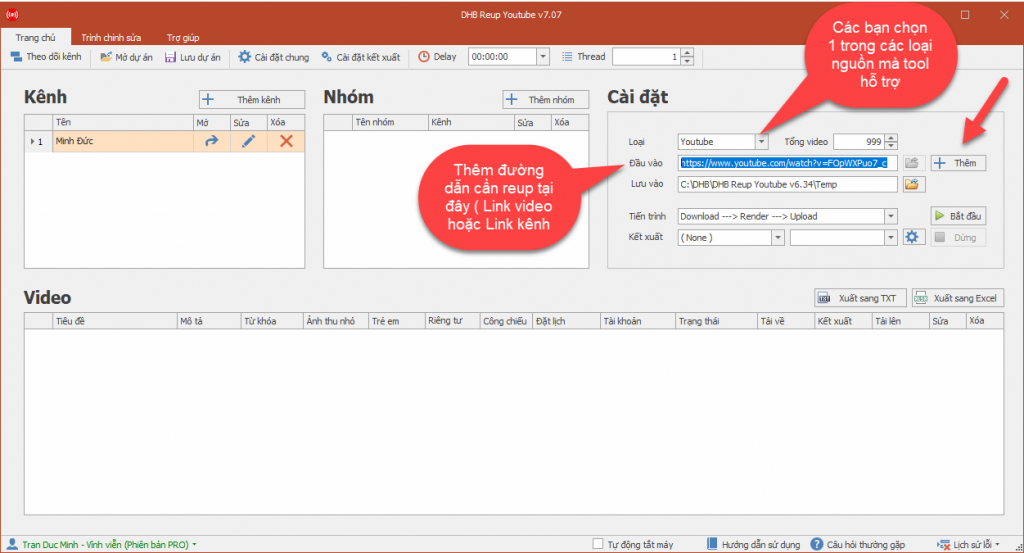
After adding them, set up the videos by adding, editing, or deleting titles and descriptions to match your needs, choose whether to render or not, and then run.
Basic guide to using render: https://www.youtube.com/watch?v=f5zCNCjT_nE
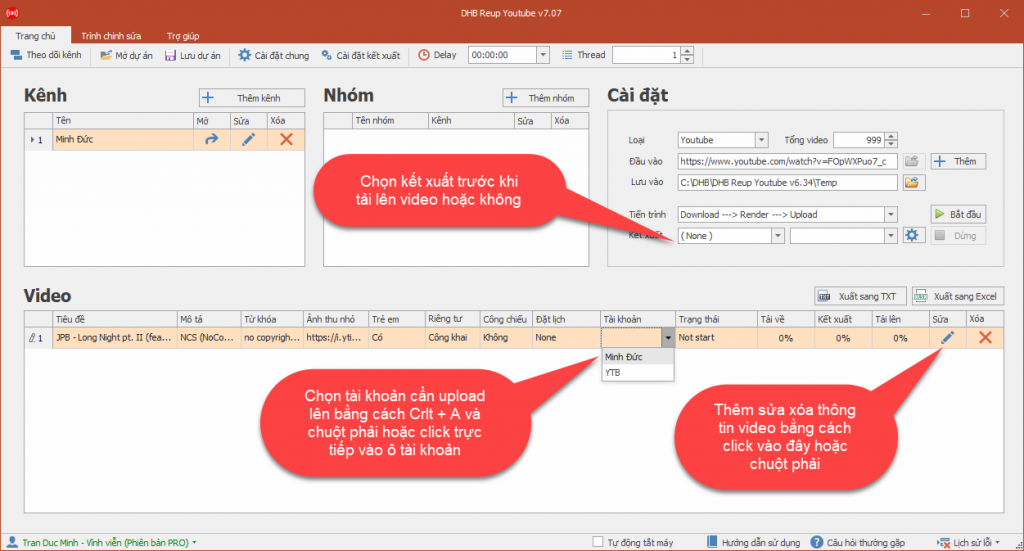
Step 4: Start uploading
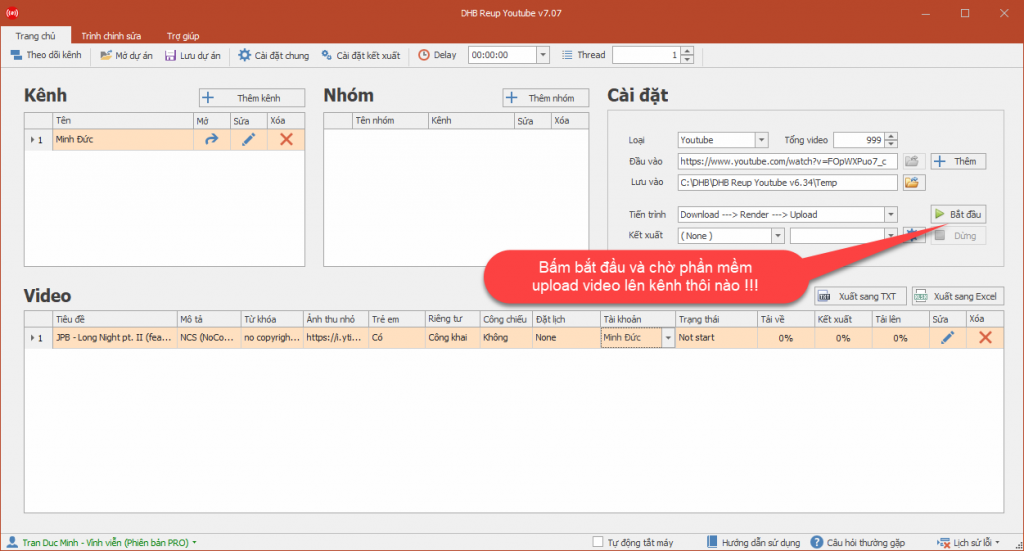
After setting up the videos for upload, check everything again and click the Start button. The software will now run fully automatically, so you can do other work without worrying about the software taking over your mouse or interfering with your computer.
Wishing you success!!!
For any questions, please contact us through our website and fanpage.
https://dhbtools.com/
http://m.me/dhbtools
https://www.facebook.com/dhbtools
Bình luận
Chưa có bình luận nào. Hãy là người đầu tiên!

Hướng dẫn khắc phục lỗi không tải được video YouTube trên DHB Tools
Trong quá trình sử dụng DHB Tools để thêm video vào dự án. Đây là lỗi khá phổ biến và không phải do phần mềm bị hỏng, mà thường liên quan đến trình duyệt và quyền truy cập hệ thống. Cài đặt Mozilla F
Read more →
Hướng dẫn lấy cookie Youtube sử dụng cho DHB Upload Youtube
Cách lấy Cookie Youtube cũng giống như các bước ở các nền tảng trước mình hướng dẫn trước đó. Các bạn thưc hiện theo các bước sau nhé nếu ai đã tiếp cận và sử dụng cookie facebook, ixigua từ hướng dẫ
Read more →
Hướng dẫn chuyển Profile Upload Youtube V8
Hướng dẫn chuyển Profile Firefox đã đăng nhập sang nhiều khác nhau mà không cần đăng nhập lại (hoạt động tương tự Firefox Protable) để sử dụng phần mềm Upload Youtube V8. Ở các phiên bản trước đối v
Read more →
Hướng dẫn thêm Profile Upload Youtube
Hướng dẫn thêm Profile sử dụng cho phần mềm Upload Youtube V8 để upload Ở các phiên bản trước các bạn cần làm các bước như tạo Profile với hộp thoại run và đăng nhập trước v.v... ở phiên bản này thì
Read more →