
How to Get an EAAG-Format Token with Business Manager
This is currently the easiest way to manually get a Token Cookie. However, you need to use an account with 2FA enabled to get the Token on this page. If you have not enabled 2FA for your account yet, please enable it before getting the token to avoid interruptions!
Step 1: Open the link and verify your account
Click the link here
After clicking, you will be redirected to the verification page.
Please complete the verification according to Facebook’s instructions. In this example, I use SMS.
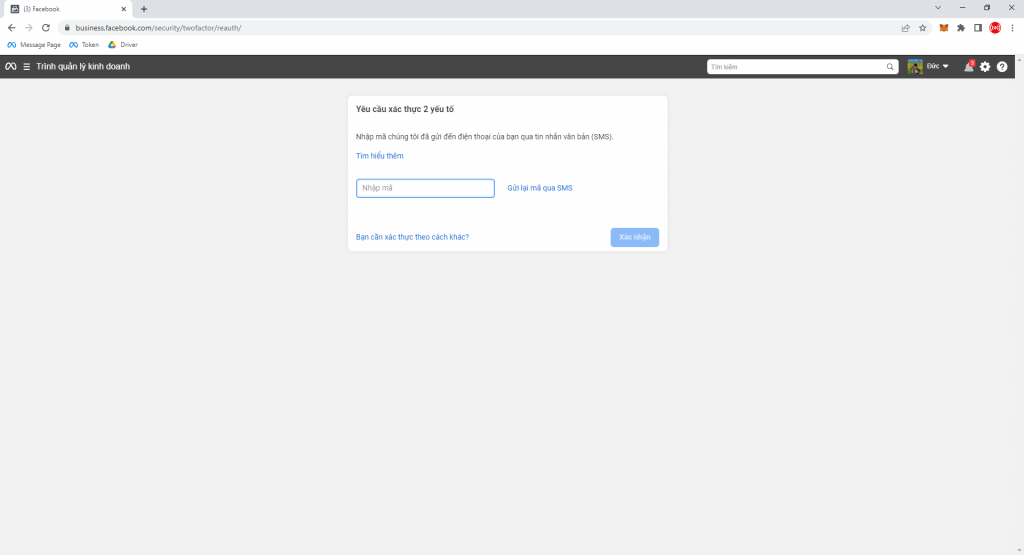
Step 2: Get the EAAG Token
After verification is complete, you will be redirected to: https://business.facebook.com/business_locations/
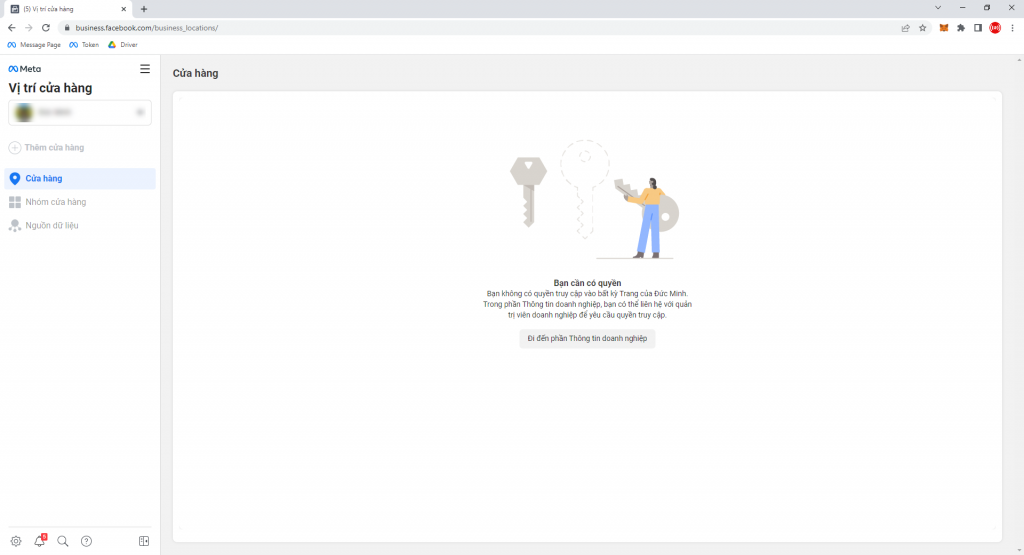
On this interface, press the key combination: CTRL + U
On the interface you have just been taken to, search for the keyword EAAG using the key combination: CTRL + F and enter EAAG as shown in the image.
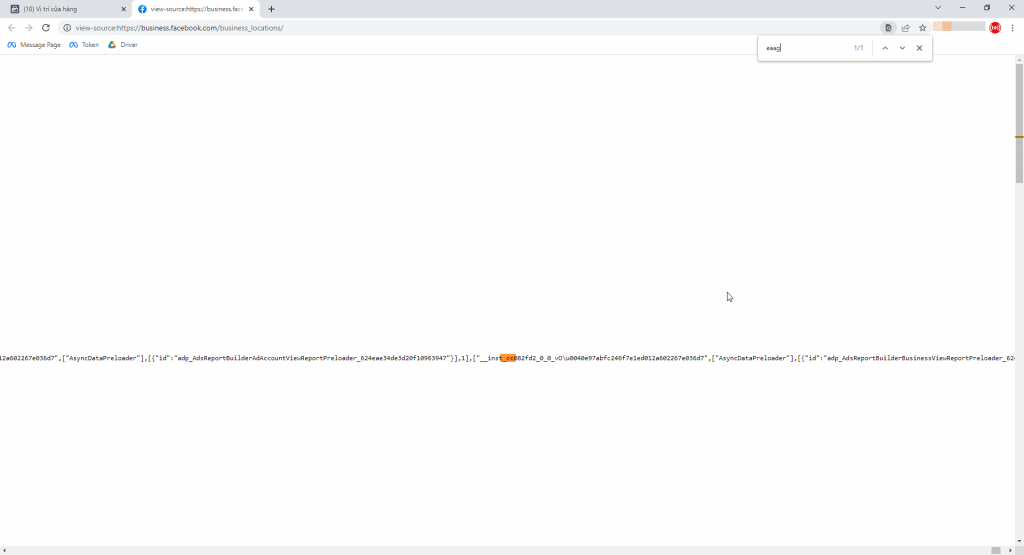
When searching, you will see the highlighted orange area. Double-click it, select the text, and copy it to get the token.
Step 3: Get the Cookie
After successfully getting the Token, proceed to get the Cookie.
On the page where you just got the Token, press F12 or choose Inspect.
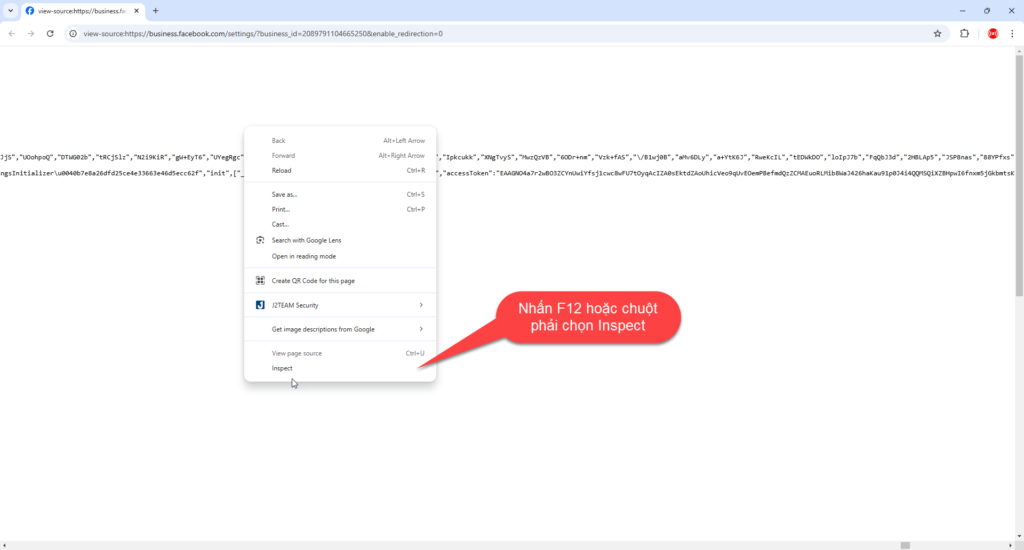
Then reload the website by pressing F5.
After the website has reloaded successfully, continue by selecting Network -> Doc -> Bussiess_user
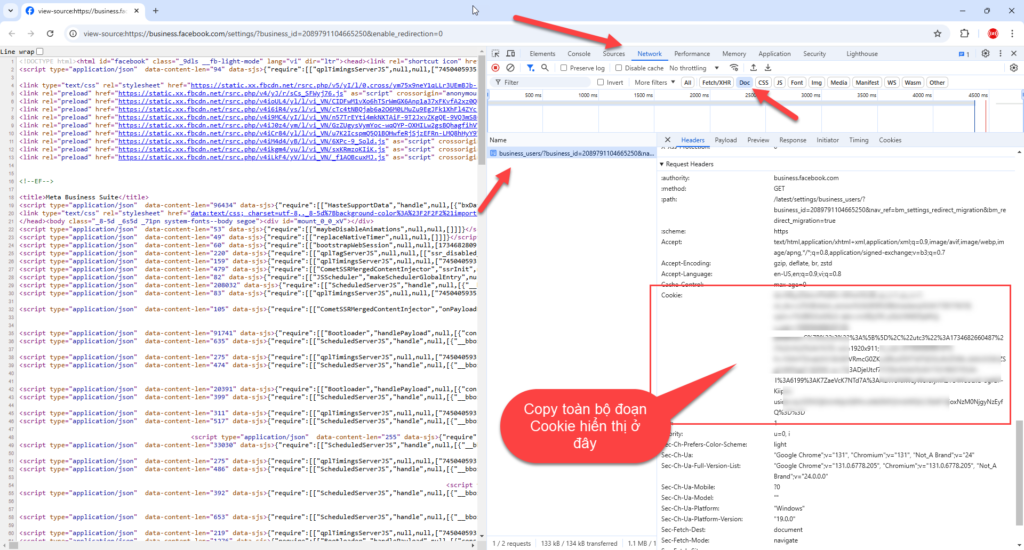
Scroll down and find the Cookie section, then copy the Cookie into the Cookie field in the software. That completes the steps to get the Token and Cookie for using the feature to fetch videos from Facebook!
Wishing you success!!!
If you have any questions, please contact us via our website and fanpage.
https://dhbtools.com/
http://m.me/dhbtools
https://www.facebook.com/dhbtools
Bình luận
Chưa có bình luận nào. Hãy là người đầu tiên!

Hướng dẫn sử dụng tính năng Tùy chọn tải lên
Để tối ưu hóa việc tải lên trong hệ thống mà không cần cài đặt quá nhiều bước, bạn có thể làm theo các bước dưới đây để cấu hình Tùy chọn tải lên một cách dễ dà
Read more →
Hướng dẫn chi tiết tính năng DHB Monitor trong phần mềm DHB Upload Facebook
Tính năng DHB Monitor giúp người dùng theo dõi kênh, trang mạng xã hội (TikTok, Facebook, YouTube…) và tự động đồng bộ và đăng nội dung. Đây là công cụ quan trọng để tiết kiệm thời gian,
Read more →
Cách đổi tài khoản Facebook sang tài khoản chuyên nghiệp và đặt lịch đăng Reels bằng DHB Upload Facebook
Nếu bạn đang xây dựng thương hiệu cá nhân, bán hàng online hoặc làm nội dung Reels, việc chuyển sang tài khoản Facebook chuyên nghiệp (Professional Mode) là bước quan trọng. Sau khi chuyển đổi, bạn c
Read more →
Hướng dẫn đăng Status kèm Link sản phẩm trên DHB Upload Facebook
Tính năng đăng Status kèm Link sản phẩm đặc biệt phù hợp với mô hình Affiliate Marketing (AFF), giúp bạn điều hướng traffic trực tiếp về link tiếp thị, gia tăng tỷ lệ click (CTR) và tối ưu doanh thu
Read more →