
How to Add the DHB Gologin Browser to DHB Upload
If you are using DHB Gologin but are not sure how to link Profiles to the DHB Upload browser, this guide is for you!
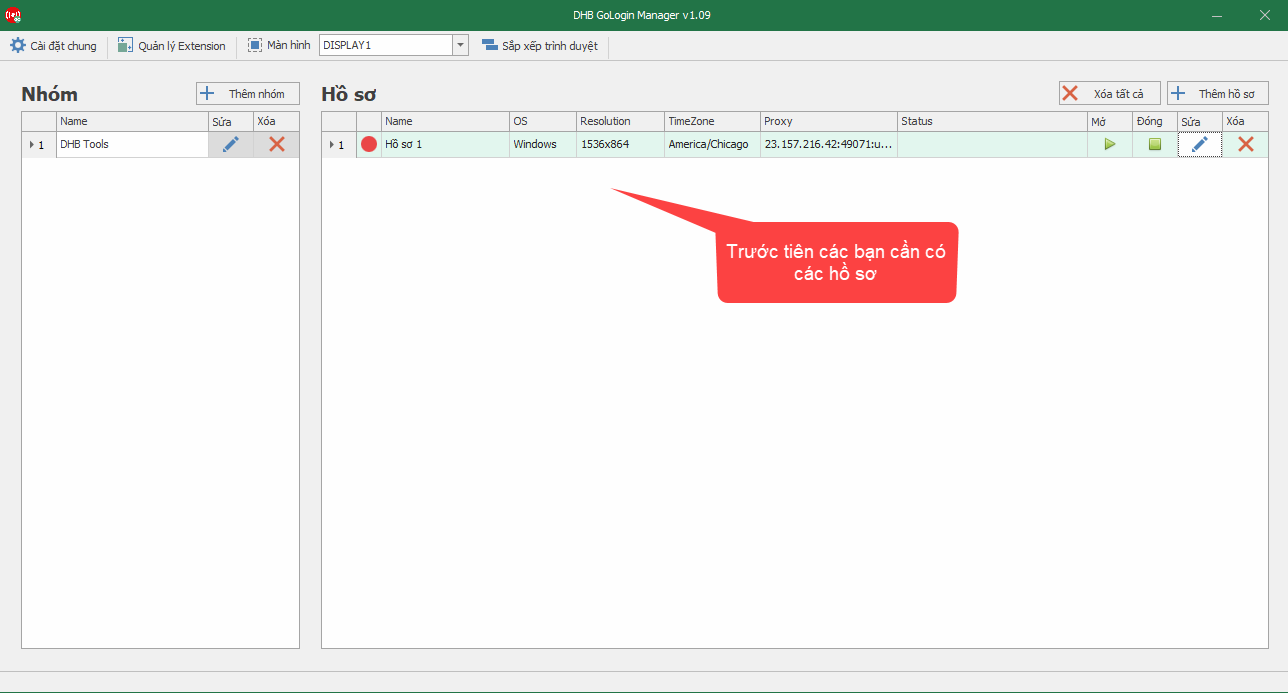
Step 1: Create Profiles in DHB Gologin
Create your Profiles in DHB Gologin. If you have not created them yet, review the guide here before continuing.
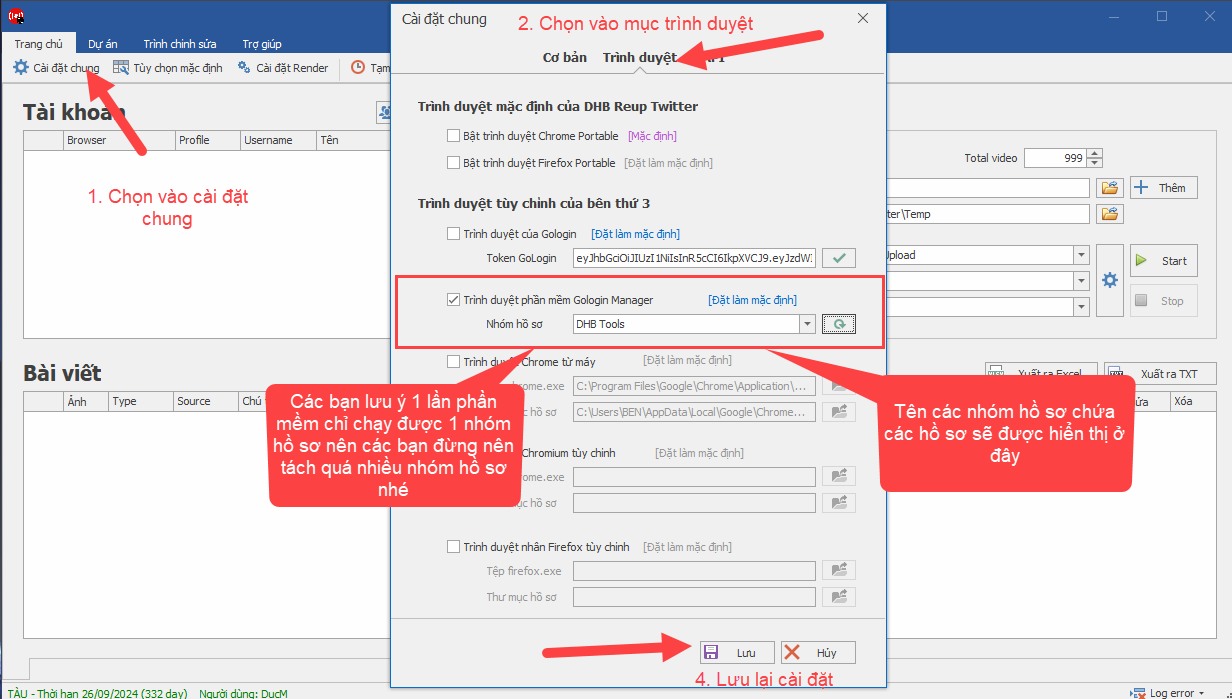
Step 2: Open DHB Upload and connect the profile group
After creating a profile group and adding profiles, open the Upload software. The screenshot shows DHB Upload Twitter, and the connection interface in other DHB Upload tools is similar, so just follow the steps!
To allow DHB Upload to display your profile groups, make sure you open both DHB Upload and DHB Gologin at the same time!
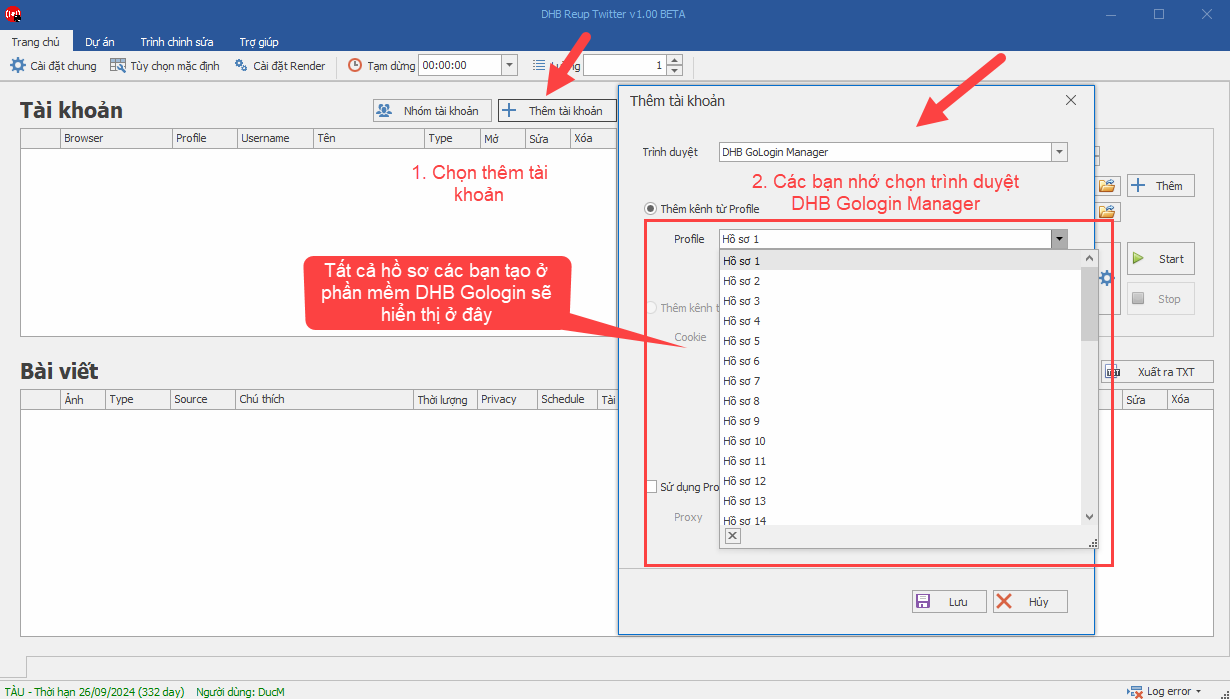
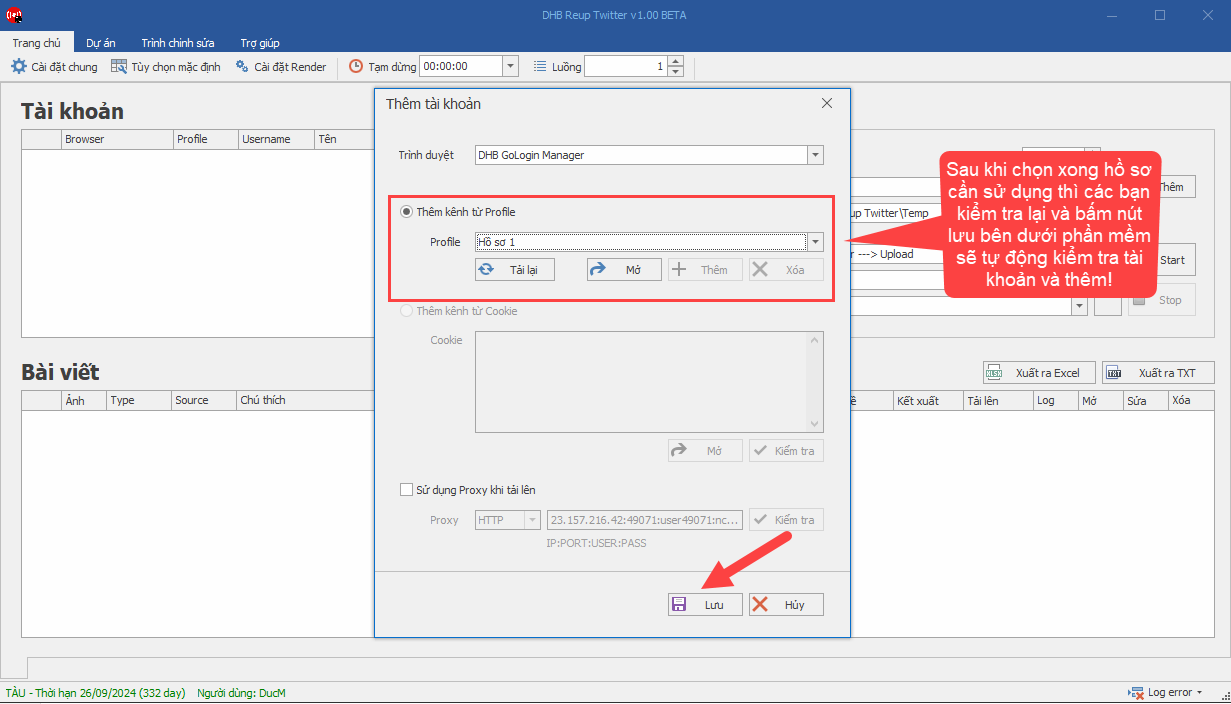
Step 3: Add profiles and link accounts
After successfully saving the profile group, add the profiles to the software and let it link the accounts that are already logged in.
If you have any questions, please contact us through our website and fanpage.
https://dhbtools.com/
http://m.me/dhbtools
https://www.facebook.com/dhbtools
Bình luận
Chưa có bình luận nào. Hãy là người đầu tiên!
Hướng dẫn thêm Extension cho hồ sơ DHB GoLogin Manager.
Để thêm Extension cho hồ sơ DHB GoLogin Manager các bạn cần lên Chrome Store và cài đặt ứng dụng CRX Extractor/Downloader vào trình duyệt. Ứng dụng này có chức năng tải Extension về máy. Sau khi cài
Read more →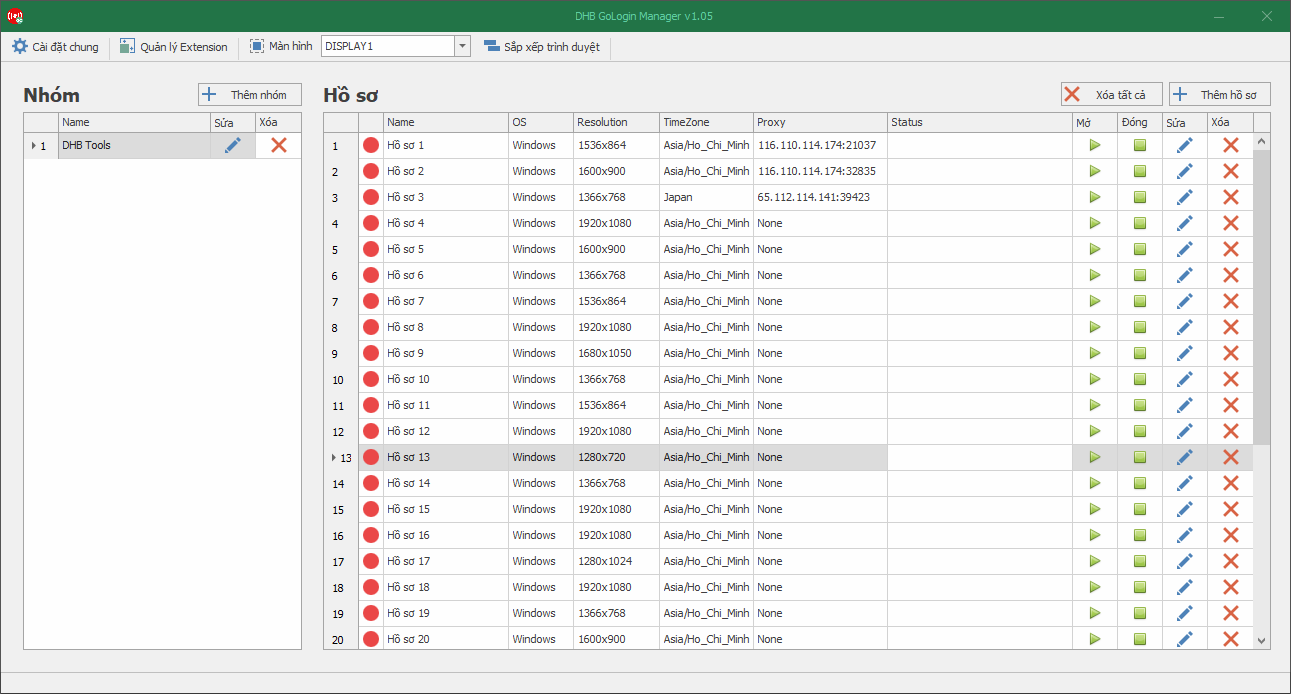
Hướng dẫn sử dụng cơ bản DHB GoLogin Manager
GoLogin là gì ? GoLogin là một trình duyệt Anti Detect được thiết kế đặc biệt để ẩn và thay đổi "vân tay" trình duyệt. Mục tiêu của nó là ngăn chặn việc truy cập hoặc nhận diện từ các trang w
Read more →
Hướng dẫn sử dụng DHB Gologin Manager
Phần mềm tạo và quản lý Profile Gologin cho người dùng DHB Upload.Trước tiên các bạn cần cài đặt Gologin bấm vào đây để tải về. Nếu các bạn đã cài đặt và có tài khoản Gologin thì bỏ qua bước này nhé!Sa
Read more →