
How to Use DHB Gologin Manager
Software for creating and managing Gologin Profiles for DHB Upload users.
First, you need to install Gologin click here to download it. If you have already installed Gologin and have an account, you can skip this step!
After installation, you will get a 7-day free trial. If you do not plan to renew, try to create as many Profiles as possible so you can save them for future needs.
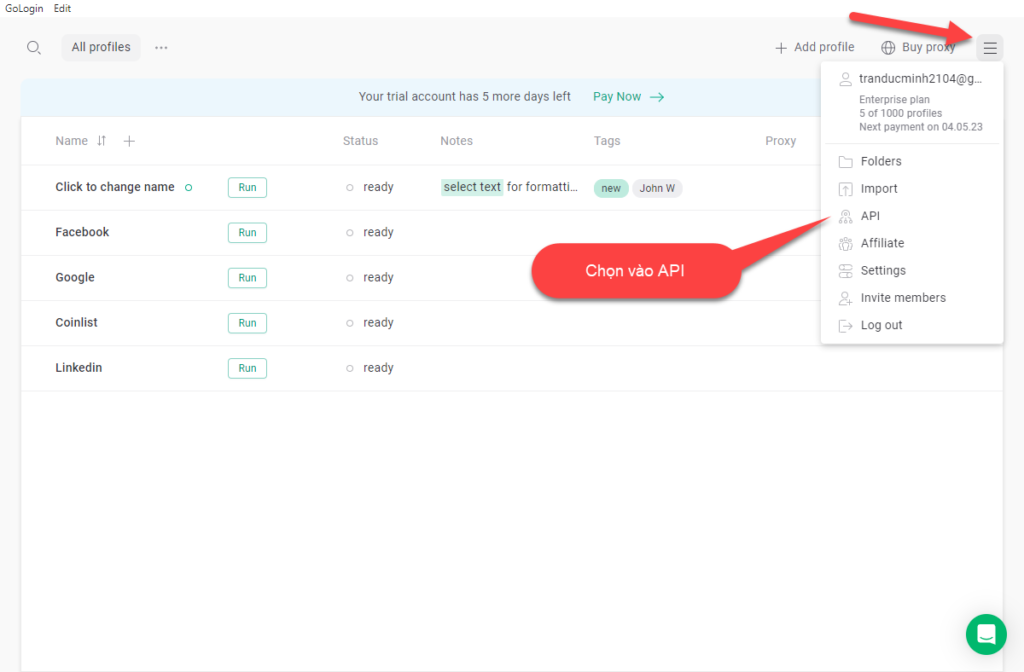
After installation is complete, in the software interface, open Gologin and proceed to get the API.
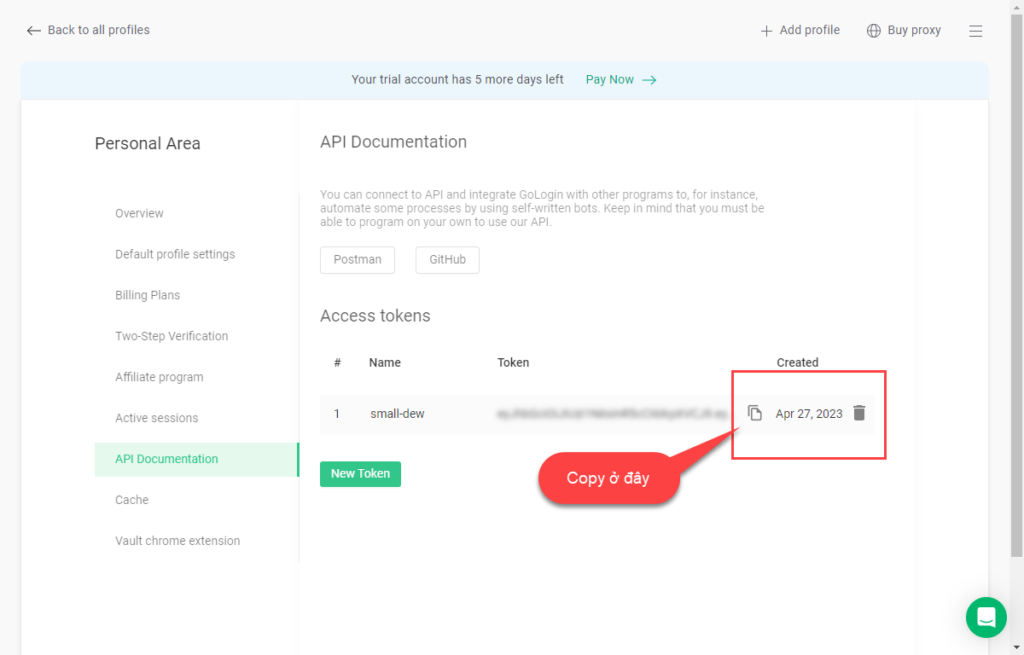
After switching to the API interface, copy the token to use with DHB Gologin software.
After copying the Token, we will continue with DHB Gologin Manager.
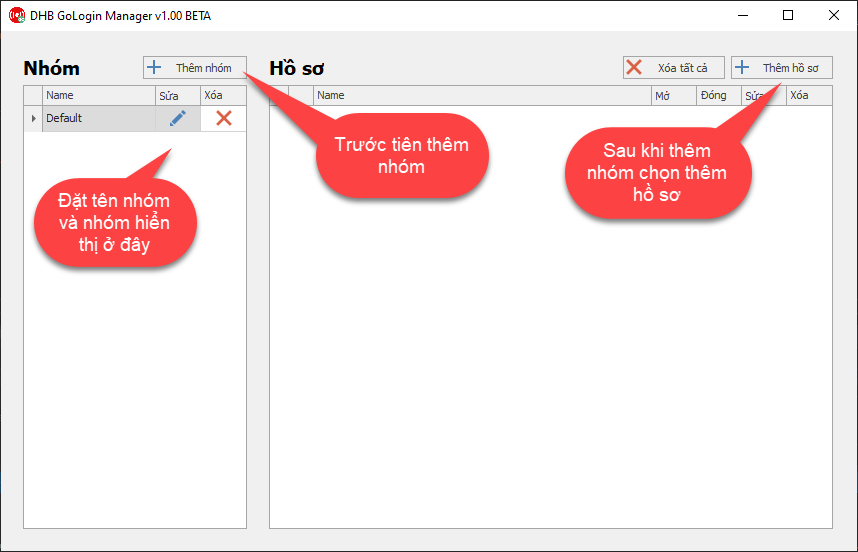
When the add-profile interface appears, paste in the Gologin Token you just copied.
After the Profiles are created successfully, they will appear in the main table.
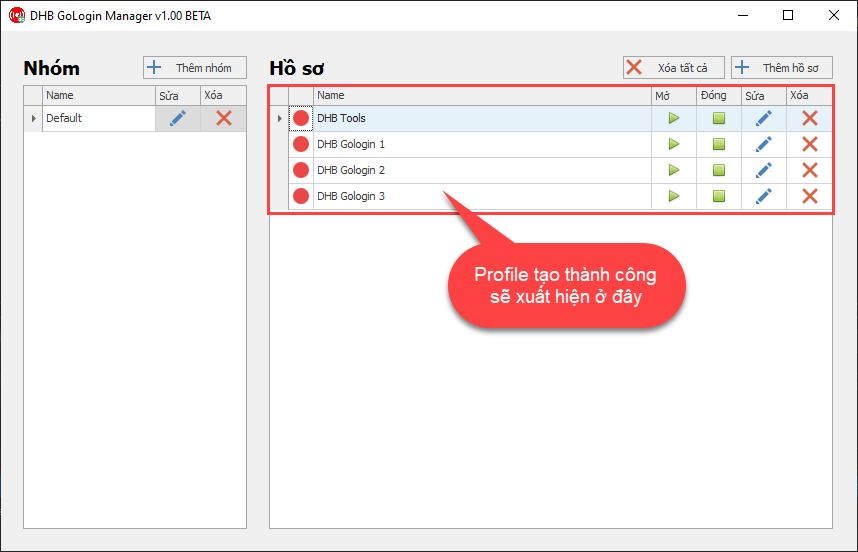
You can now combine profiles with the DHB Upload tool using Gologin Profiles. To connect them with DHB Upload software, see more in the sharing section.
If you have any questions, please contact us via our website and fanpage.
https://dhbtools.com/
http://m.me/dhbtools
https://www.facebook.com/dhbtools
Bình luận
Chưa có bình luận nào. Hãy là người đầu tiên!
Hướng dẫn thêm trình duyệt DHB Gologin vào phần mềm DHB Upload
Nếu các bạn đang sử dụng phần mềm DHB Gologin nhưng chưa biết liên kết các Profile vào trình duyệt DHB Upload thì đây là bài viết hữu ích dành cho bạn! Bước 1: Các bạn cần tạo các Profile ở phần mềm
Read more →
Hướng dẫn thêm Extension cho hồ sơ DHB GoLogin Manager.
Để thêm Extension cho hồ sơ DHB GoLogin Manager các bạn cần lên Chrome Store và cài đặt ứng dụng CRX Extractor/Downloader vào trình duyệt. Ứng dụng này có chức năng tải Extension về máy. Sau khi cài
Read more →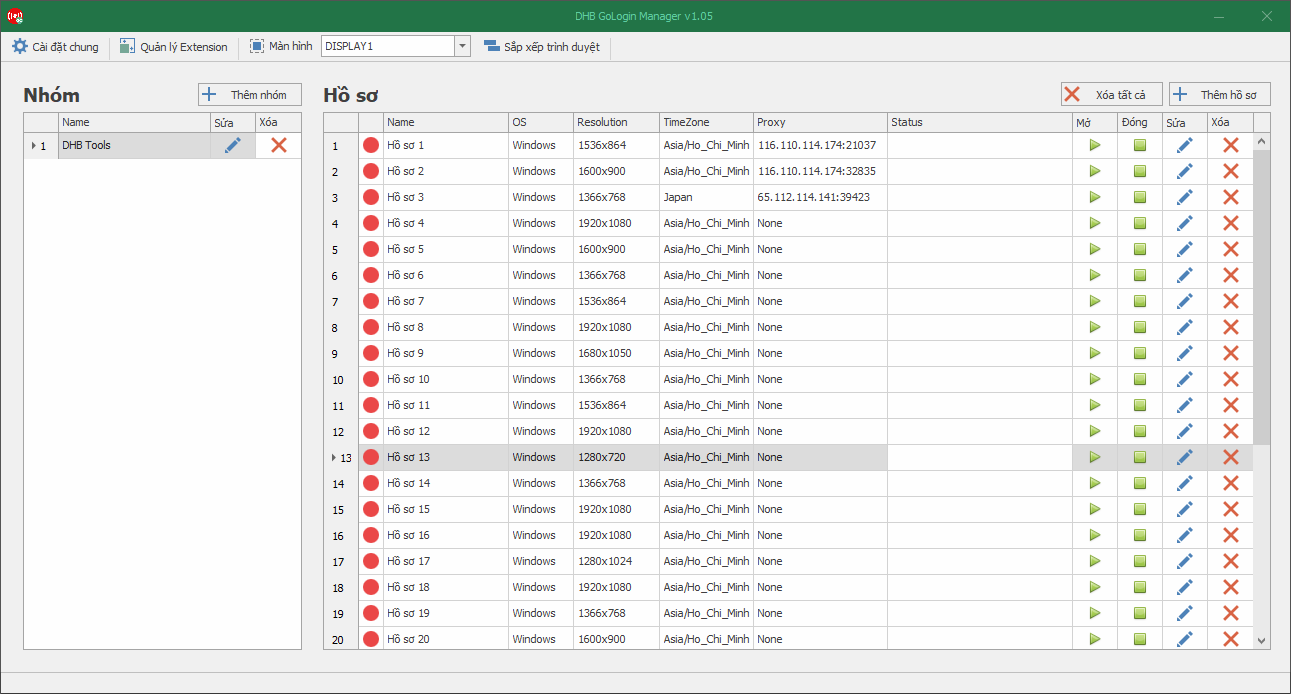
Hướng dẫn sử dụng cơ bản DHB GoLogin Manager
GoLogin là gì ? GoLogin là một trình duyệt Anti Detect được thiết kế đặc biệt để ẩn và thay đổi "vân tay" trình duyệt. Mục tiêu của nó là ngăn chặn việc truy cập hoặc nhận diện từ các trang w
Read more →