
How to Add an Instagram Account with Cookies in DHB Upload Instagram
To add an Instagram account using cookies in DHB Upload Instagram, follow these steps:
Step 1: Get the Instagram Cookie in your browser
Log in to your Instagram account in a web browser.
Open Instagram Developer Tools by pressing F12 on your keyboard, or right-click and select "Inspect" in your browser.
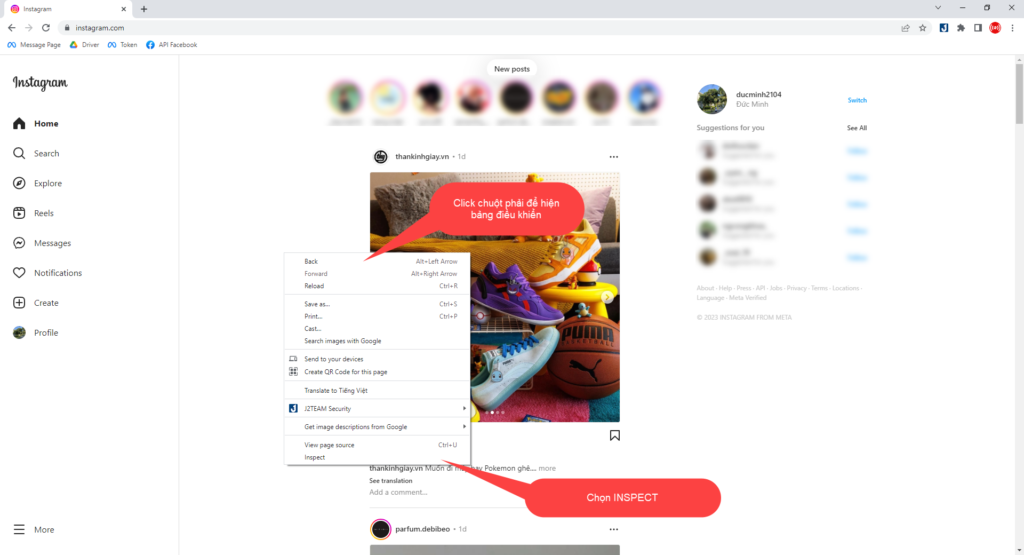
Next, in the newly opened interface, select NETWORK -> ALL.
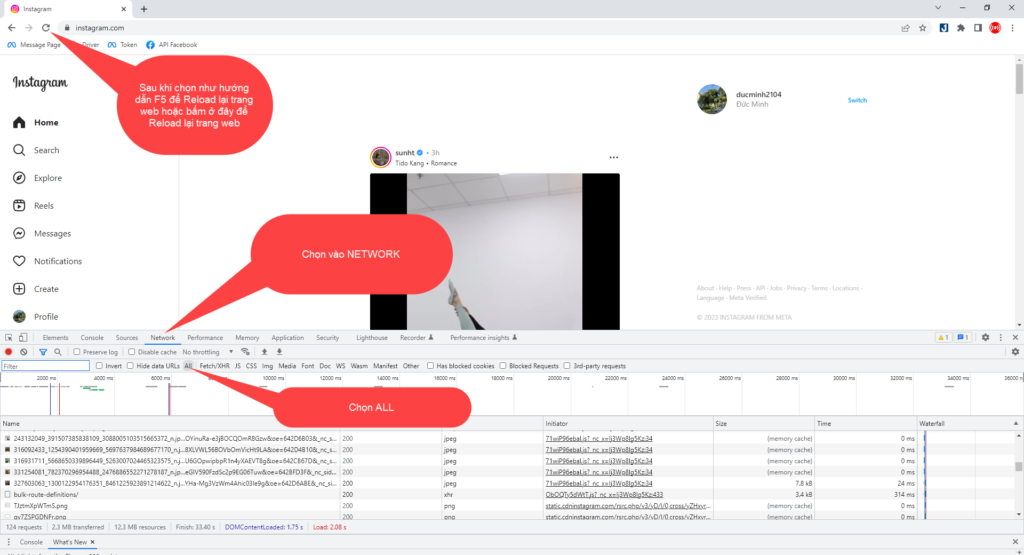
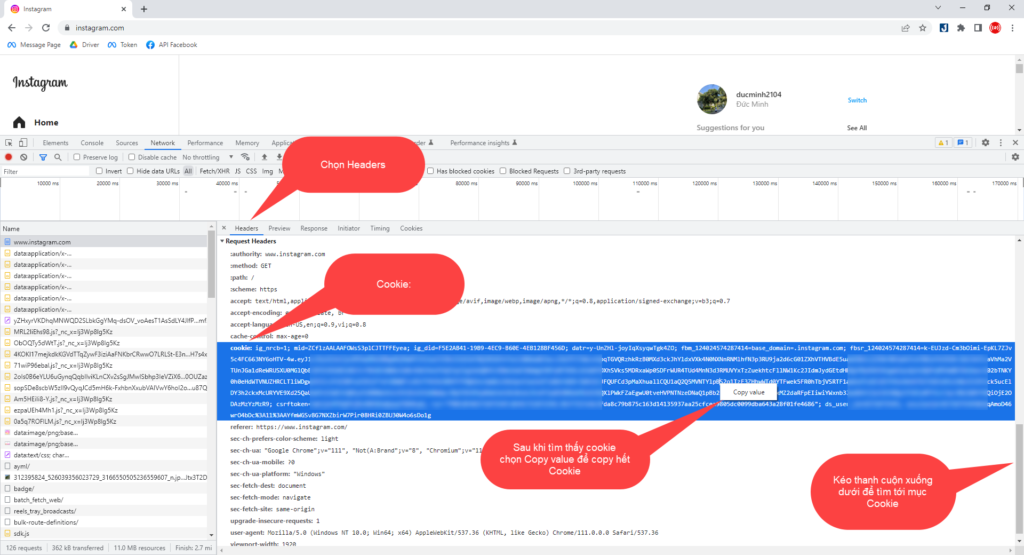
After RELOADing the page, continue searching for www.instagram.com as instructed.
Select HEADERS if it is not selected by default, then scroll down the page to find Cookie.
Step 2: Add the account from the Cookie in DHB Upload Instagram
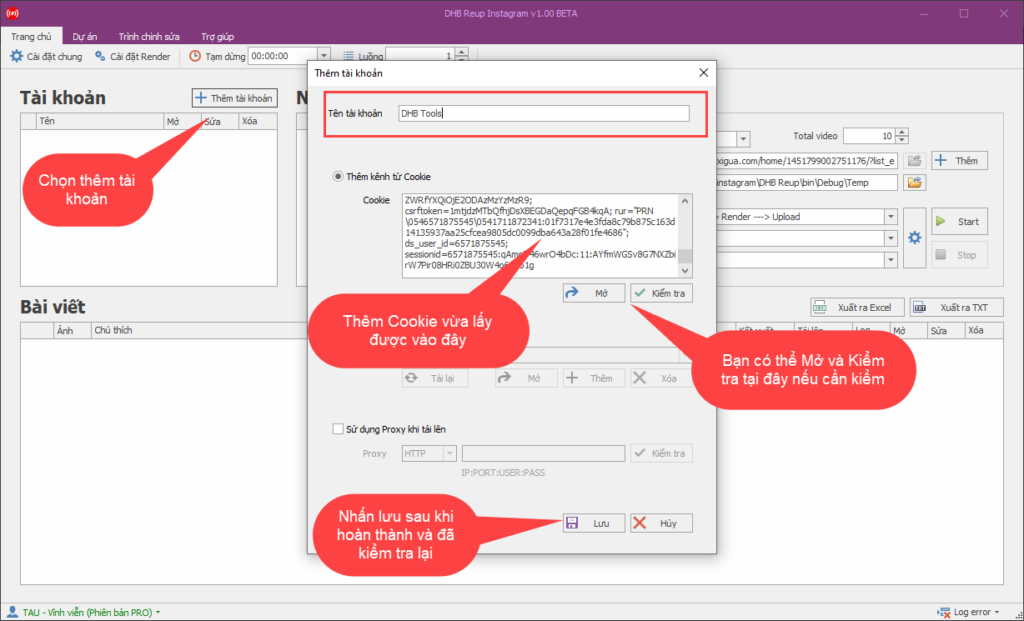
Once you have found the Cookie and copied it successfully, in the DHB Upload Instagram software interface, continue by selecting "Add account" -> "Add channel from Cookie".
Step 3: Check the account and replace an expired Cookie
After the account is added successfully, it will be displayed in the account table. You can click the "Open" button to check it and the "Edit" button to replace the Cookie if it expires.
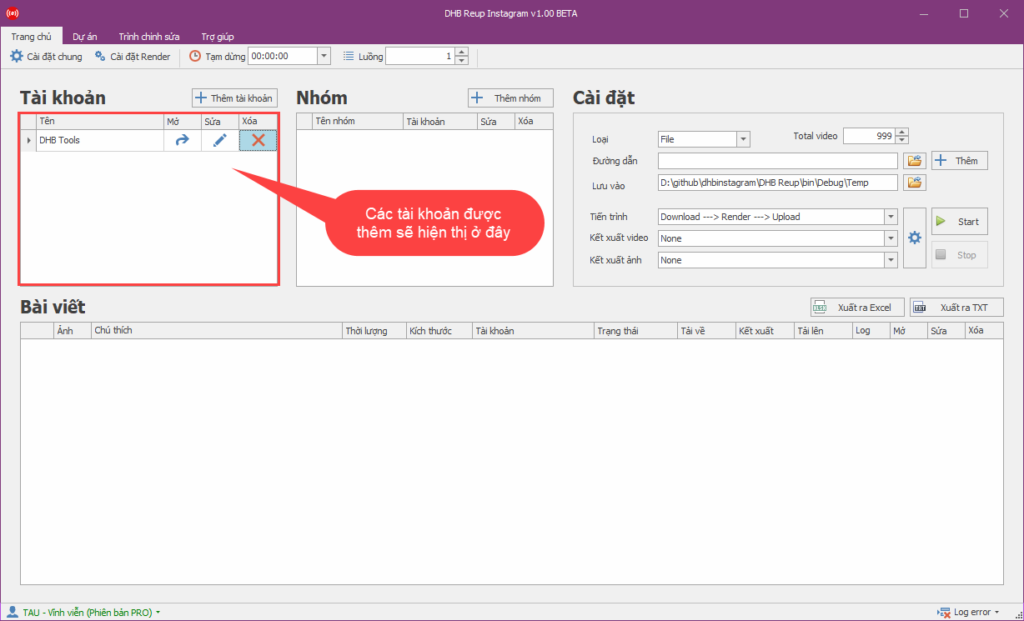
That completes the steps for getting an Instagram Cookie and adding it to the software.
See you in the next tutorial posts!
If you have any questions, please contact us via our website and fanpage
https://dhbtools.com/
http://m.me/dhbtools
https://www.facebook.com/dhbtools
Bình luận
Chưa có bình luận nào. Hãy là người đầu tiên!

Hướng dẫn thêm tài khoản Threads với DHB Upload Instagram & Threads
Từ phiên bản 1.30 trở lên phần mềm đã hỗ trợ tải lên từ nguồn Threads. Sau đây là các bước các bạn có thể thêm tài khoản Threads vào phần mềm để tải lên! Trường hợp 1: Nếu các bạn đã đăng nhập sẵn
Read more →
Hướng dẫn lấy Token liên kết Instagram sử dụng cho DHB Tools
Hiện tại các loại Token lấy từ BM và Trình quảng cáo rất dễ bị Checkpoint hoặc Spam. Bài viết này sẽ hướng dẫn các bạn lấy Token full quyền sử dụng cho phần mềm DHB Tools mà không gặp các vấn đề trên
Read more →
Hướng dẫn sử dụng chức năng lưu dự án DHB Upload Instagram
Chức năng lưu dự án của phần mềm cho phép bạn lưu lại bảng bài viết để sử dụng lại sau này. Các bạn chọn vào tab dự án ở trên cùng phần mềm để vào chức năng dự án. Để sử dụng chức năng
Read more →
Hướng dẫn thêm Profile Instagram sử dụng DHB Instagram
Để thêm tài khoản Instagram mới và tạo profile bằng phần mềm DHB Instagram, bạn có thể làm theo các bước sau đây: Tại giao diện phần mềm chọn thêm tài khoản. Tiếp tục tại giao diện vừa đư
Read more →