

After many requests to add downloads from Instagram sources, this guide will show you how to get Instagram Cookies to download videos to your computer.
Note: For accounts set to private, you need to get the Cookie from an account that already follows the account you want to download videos from in order to download those videos.
Step 1: Log in to Instagram and open Inspect
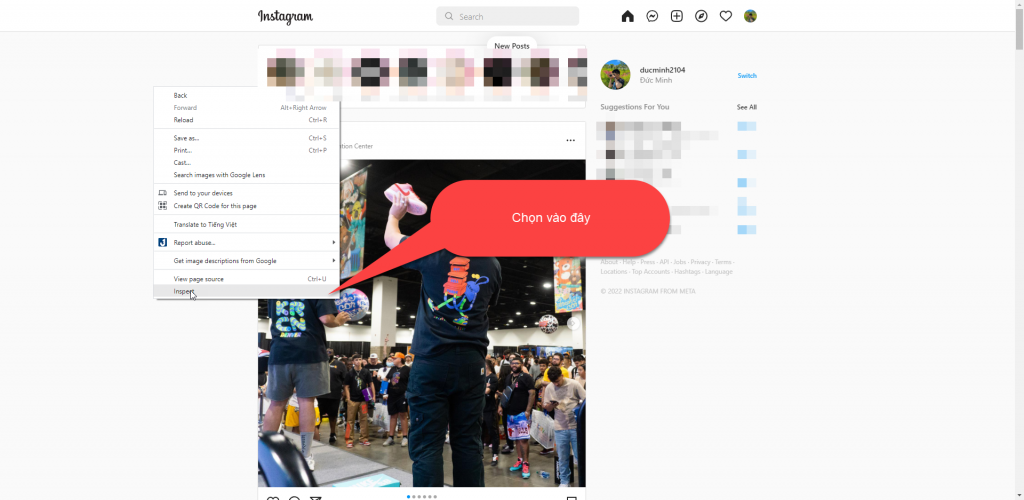
Log in to Instagram. After logging in on the homepage, right-click and select Inspect, or press F12.
Step 2: Find www.instagram.com in the Network tab
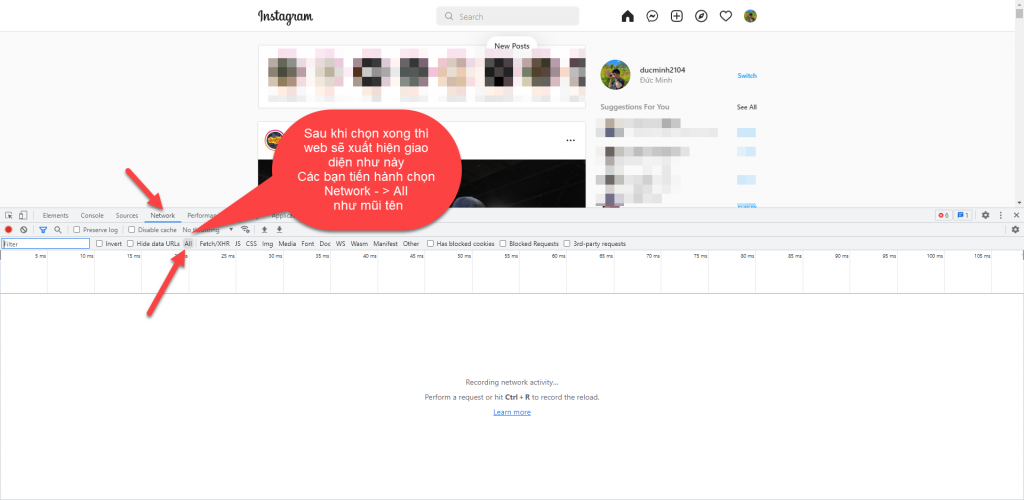
Next, select Network -> All in the panel that just appeared.
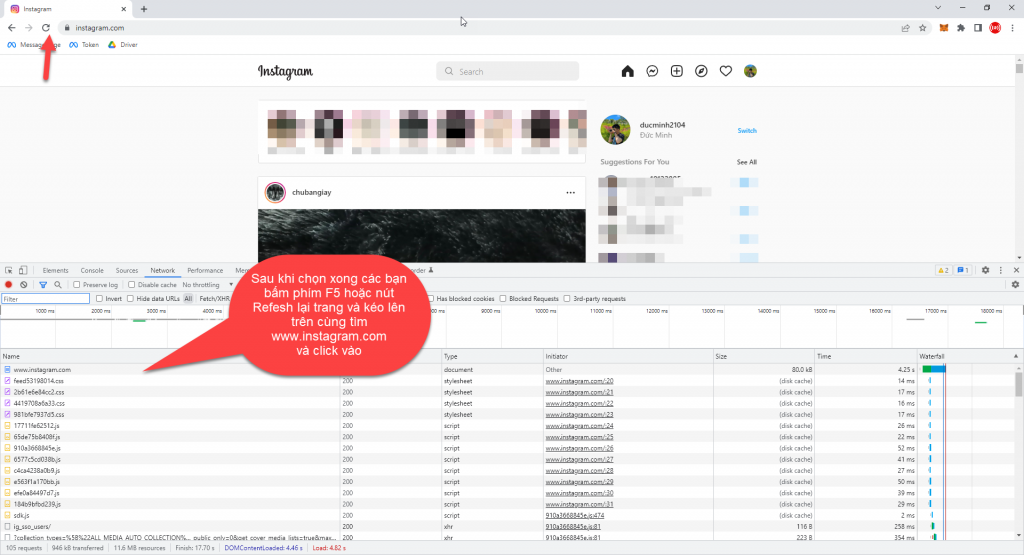
After selecting it, refresh the page and scroll to the top to find www.instagram.com.
Step 3: Copy the Cookie from the Headers section
Once you find it, click instagram.com.
In the Headers section, find the Cookie field.
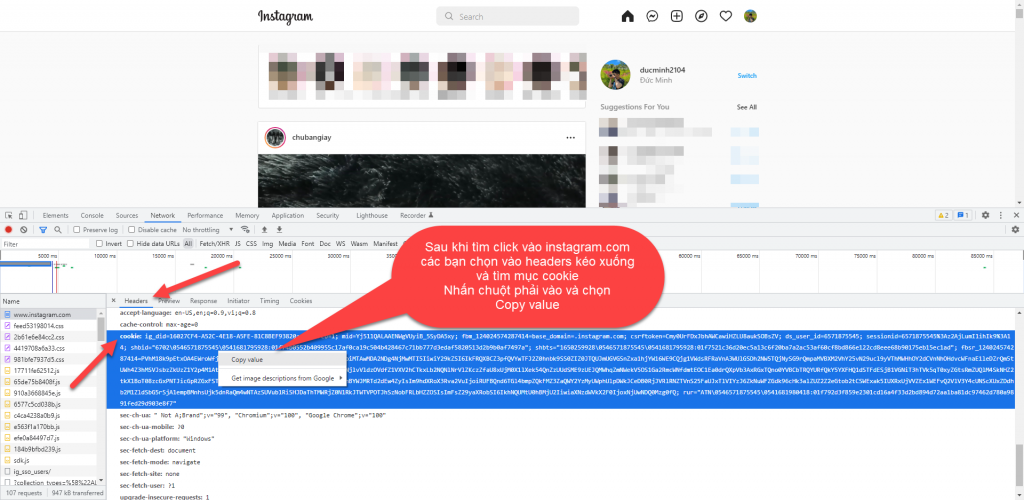
Once you find the Cookie, right-click it and select Copy value.
Step 4: Paste the Cookie into the software and download videos
After copying it, paste it into the software’s general settings, then check it and start using it.
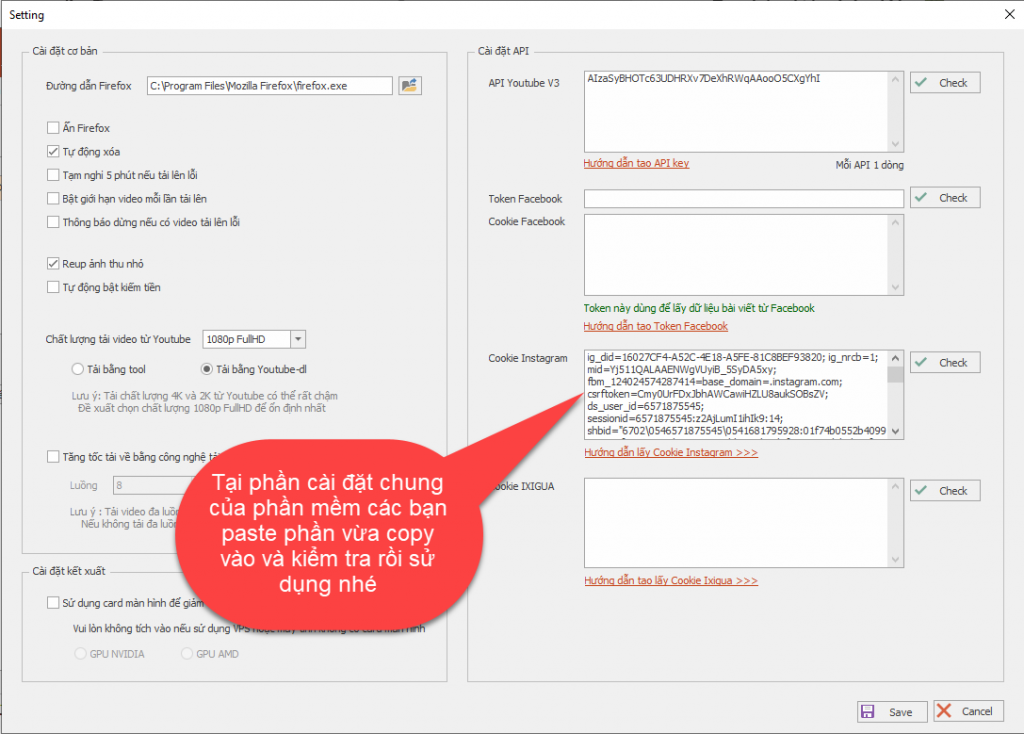
After pasting it, select Instagram as the type, then paste the link as usual.
Good luck !!!
If you have any questions, please contact us through our website & fanpage.
https://dhbtools.com/
http://m.me/dhbtools
https://www.facebook.com/dhbtools