
Download Camtasia Studio 9.0 Video Editing Software
If you are an amateur filmmaker or a YouTuber looking for video editing software that is simple, powerful, time-saving, and easy to use, Camtasia Studio 9.0 is likely a great fit for you because it offers an extremely simple video editing and cutting interface, so you can edit videos yourself even without learning how to use it first.
Minimum system requirements:
- Operating system: Microsoft Windows 7, Windows 8, and Windows 10
- CPU: minimum 2.0 GHz with a dual-core processor Core i5 or higher recommended
- RAM: minimum 2GB RAM 4GB or higher recommended
- Free disk space: 2 GB
- Screen resolution: 1024×768 or higher
- Microsoft Netframework: .NET 4.6.0 or higher
- Sound card: microphone, speakers recommended if you use audio recording
Key features of Camtasia Studio 9
- Record your computer screen.
- Edit video clips and images with an integrated video editor.
- Built-in online video sharing feature.
- Easy-to-use interface.
- Record PowerPoint presentations.
- Rich effects and animation system.
- Supports exporting videos in WMV, AVI, MPEG-2, MPEG-4, and Adobe Flash formats.
- Automatically add subtitles and captions.
- Automatically zoom in on images with the Smart Focus feature
Download Camtasia Studio 9 and Crack

Download Camtasia Studio 9 Mshare

Download Camtasia Studio 9 Fshare

Download Camtasia Studio 9 Google Drive
Installation Guide
After you Download the software from one of the three links above to your computer, please extract it.
Step 1: Extract the files, then run the “camtasia.exe” file to start the installation.
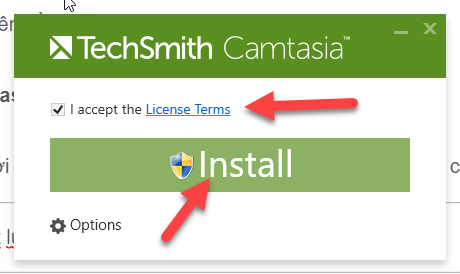
Step 2: When the dialog box appears as shown below, check the “I Accept the License Terms” box, then select Install
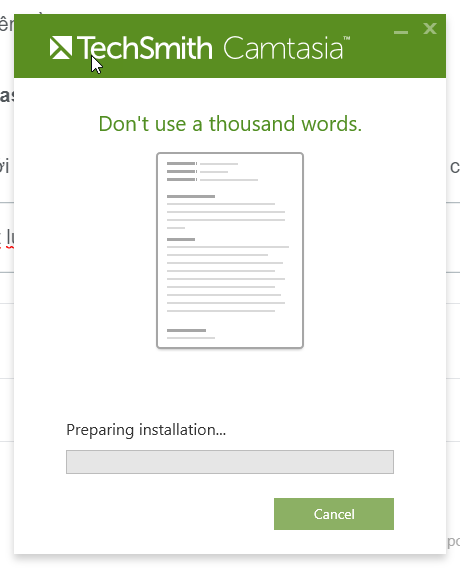
Step 3: The Camtasia 9 installation process will run for a while.
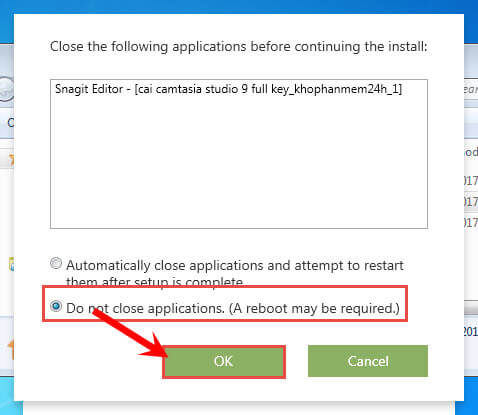
Step 4: During installation, if a dialog box appears as shown below, check the “Do not close applications. (A reboot may be required)” box, then select OK
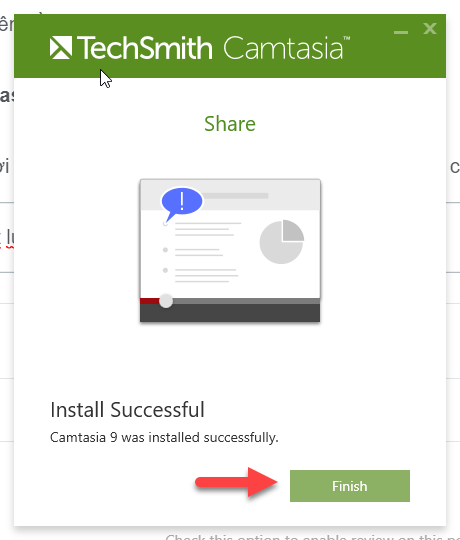
Step 5: After installation is complete, select Finish
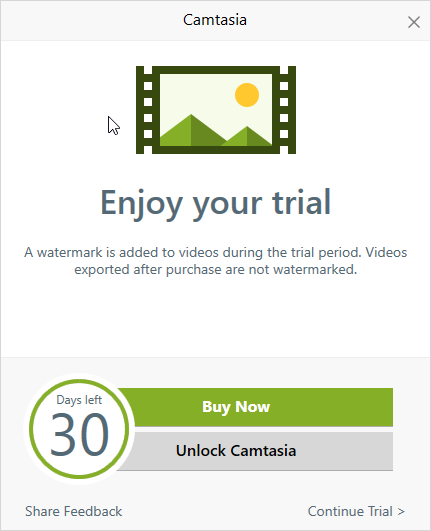
Step 6: When the screen appears as shown below, Camtasia is available for a 30-day trial
How to Activate Camtasia Studio 9
To activate it, copy the " RegInfo " file from the folder you extracted after downloading the tools.
Then paste it and overwrite the old file in the folder path below:
C:\ProgramData\TechSmith\Camtasia Studio 9
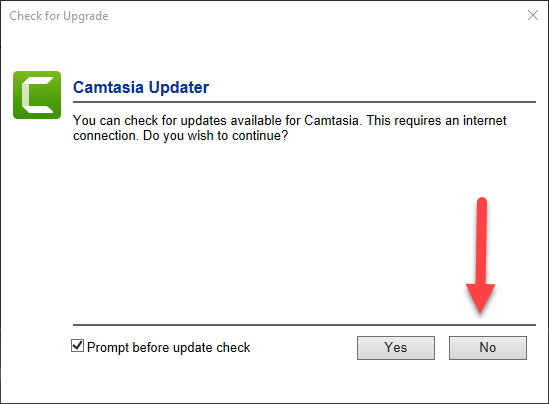
After overwriting successfully, open Camtasia Studio 9.0. If the dialog box below appears, select "No".
If you have followed the steps above, that means you have succeeded ^^
If you have any questions, please contact: https://www.facebook.com/dhbtools/ nhé ! Chúc các bạn thành công !
Bình luận
Chưa có bình luận nào. Hãy là người đầu tiên!

Hướng dẫn sử dụng DHB Comment Facebook
Nếu bạn đang tìm một công cụ hỗ trợ Affiliate số lượng lớn, quản lý nhiều Page hoặc triển khai nội dung quảng cáo trên Facebook, DHB Comment Facebook là một lựa chọn phù hợp để tối ưu quy trình và giảm bớt các thao tác thủ công lặp lại.
Read more →
Hướng dẫn tự soạn bình luận với AI trên DHB Comment Facebook
Tính năng Soạn bình luận với AI giúp tự động tạo nội dung bình luận dựa trên từng bài viết, thay vì phải viết thủ công từng comment. Bạn có thể tùy chỉnh độ dài, phong cách nội dung và xem lại kết quả trước khi gán vào bài viết.
Read more →
Hướng Dẫn Lấy API Google Drive v3
Google Drive API v3 giúp bạn kết nối ứng dụng, website hoặc phần mềm với Google Drive để lấy thông tin file, kiểm tra file, đọc danh sách file hoặc xử lý dữ liệu từ Drive.
Read more →
DHB Cookie Inspector – Extension miễn phí
DHB Cookie Inspector là một tiện ích mở rộng trình duyệt miễn phí, mã nguồn mở, được phát triển nhằm hỗ trợ người dùng kiểm tra nhanh cookie và một số token Facebook phục vụ mục đích học tập, kiểm thử, debug và quản lý phiên đăng nhập cá nhân.
Read more →