
How to Use DHB Youtube Manager
In this article, I’ll guide you through how to use DHB Youtube Manager v4.04 (the latest version at the moment. Later versions will work in a similar way).
Launch and log in to the software
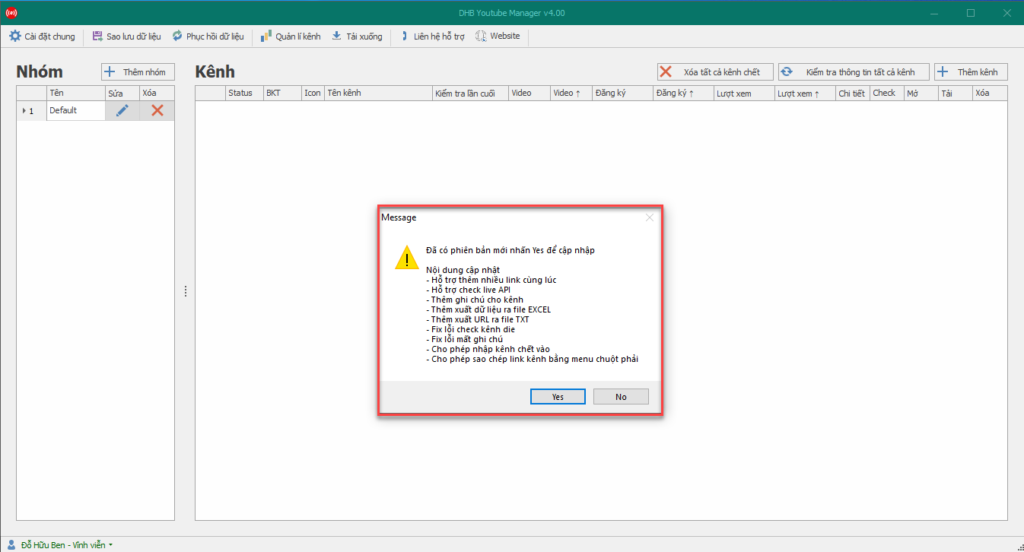
First, run the DHB Youtube Manager.exe file in the downloaded tool folder. If an update notification appears, click yes so the tool can update to the latest version. Once the update is complete, the tool will open the newest version. Enter the username and password sent to your email, then click login.
DHB Youtube Manager v4.04
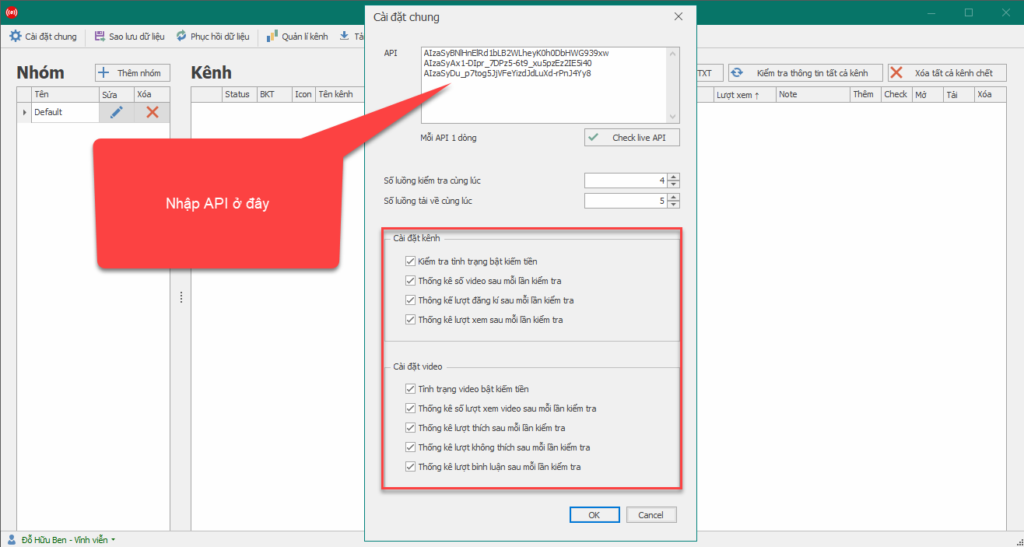
Enter the API Key
- To use Tool Manager Youtube, you must enter the API (the API is very important; the Tool can only work when an API is available).
- To enter the API, select API Setting, then the API Key panel will appear.
- Next, click the guide for getting an API Key, or view the tutorial on how to get an API Key Here .
Tool setting options
- Check the monetization status option to check whether the channel has monetization enabled.
- Check video statistics, subscribers, and views to see the difference in videos, subscribers, and views after 2 checks.
Create a management group
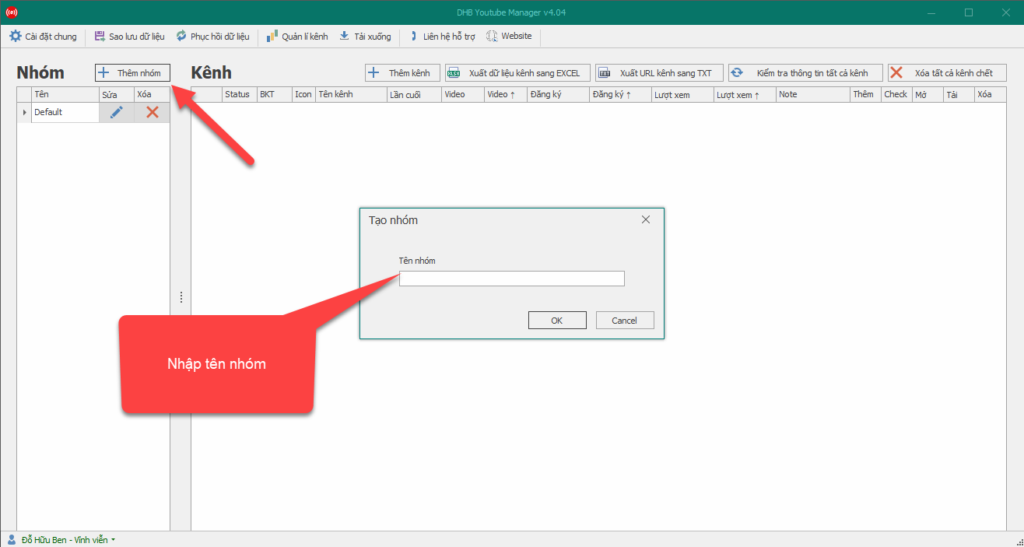
After you have the API Key, select "Add group" to create a management group as shown below, then enter the group name.
Add the YouTube channels to manage
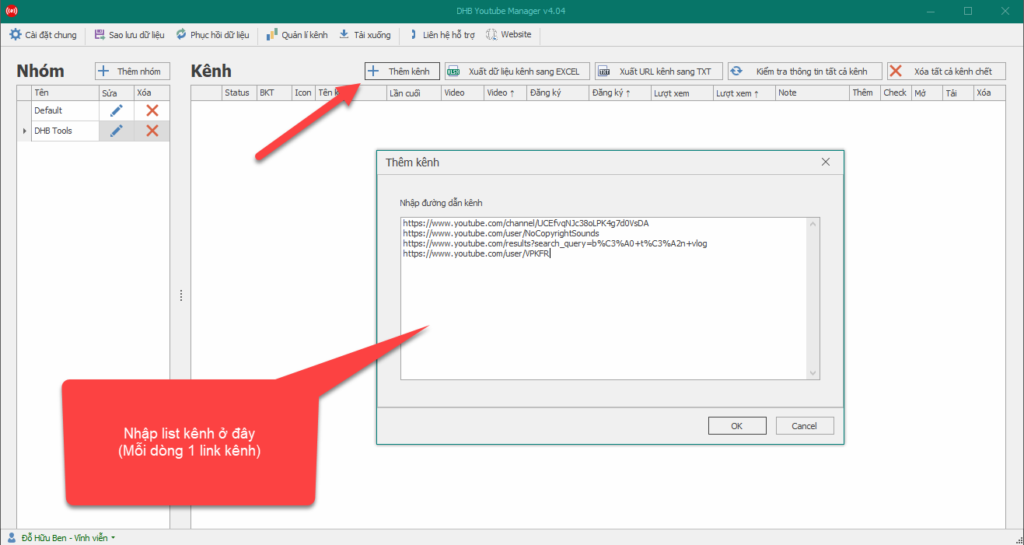
After creating the group, select "add channel" to add a channel. At this point, the "Add channel" panel will appear.
Next, paste the YouTube Channel link you want to manage into the "Add Channel" section. After adding channels, the channels you added will appear in the tool interface.
Manage the channel list
- Export channel data to EXCEL
- Export channel URL to TXT
- Check information for all channels
- Delete all dead channels
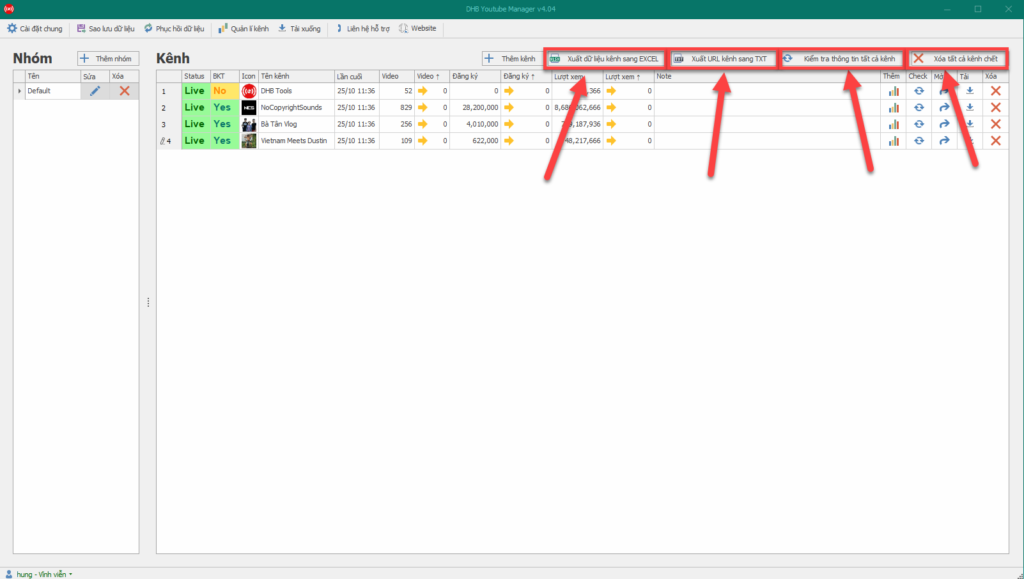
Check each channel's information
You can check the information of each channel in the channel list you added to the tool.
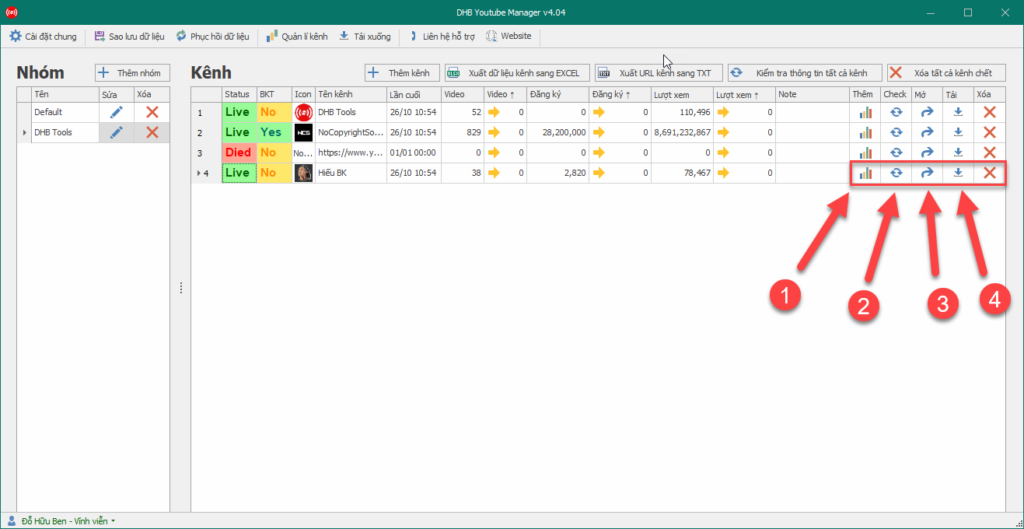
- Click " Add " (1): To check all videos in the channel.
- Click " Check " (2): To check increases or decreases in videos, subscribers, and views compared with the previous check.
- Click " Open " (3): To open the channel.
- Click " Download" (4): To download all videos in the channel.
Download the channel's videos
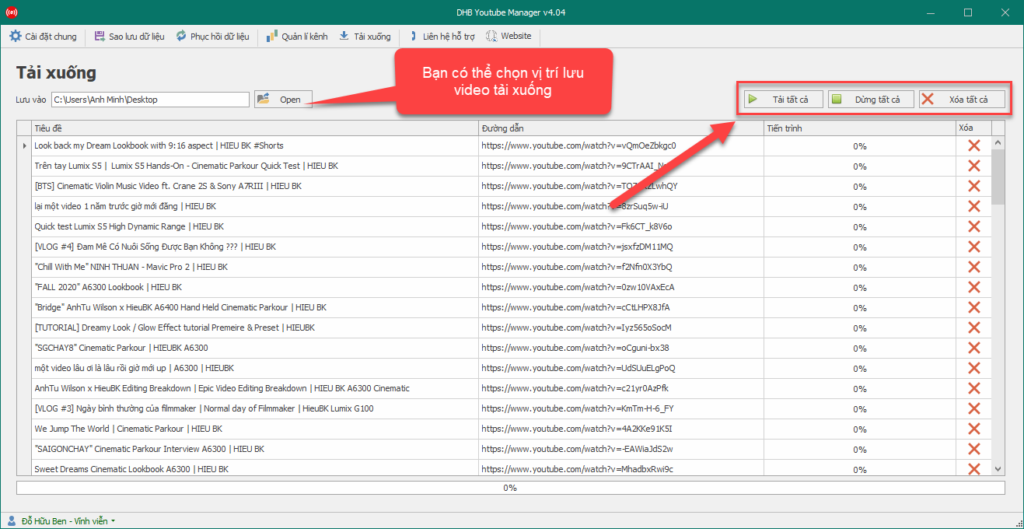
- You can choose to download all videos or delete all videos.
- Select the location to save downloaded videos.
Wish you success !!!
Bình luận
Chưa có bình luận nào. Hãy là người đầu tiên!
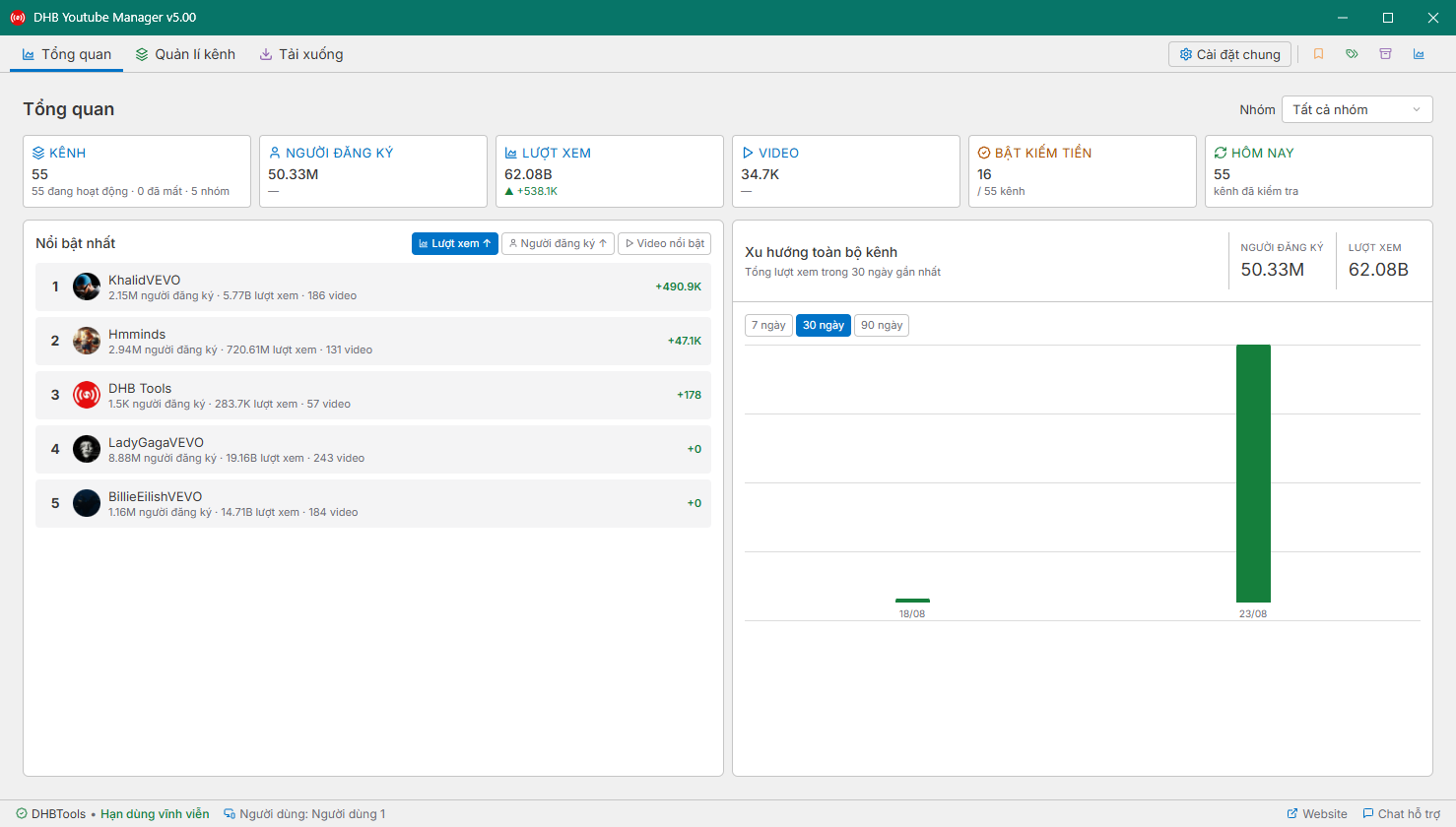
Hướng dẫn sử dụng DHB Youtube Manager V5
DHB YouTube Manager là công cụ hỗ trợ quản lý và theo dõi thông tin các kênh YouTube. Phần mềm cho phép người dùng kiểm tra các chỉ số của kênh, xem danh sách video và xuất dữ liệu để thuận tiện cho việc quản lý, phân tích.
Read more →