
Hi everyone! DHB Emulator TikTok is software for multi-threaded TikTok account engagement farming on an Android emulator. Engage with friends, browse the news feed, like, comment, and auto-like. Supports changing account information, converting accounts into pro accounts....
In this article, I will guide you through using the software
You can watch the video tutorial here or read the written guide below.
I. Install the LDPlayer emulator software
Step 1: Download LDPLayer here
Step 2: Once the download is complete, proceed to extract it
II. Install and use Emulator TikTok
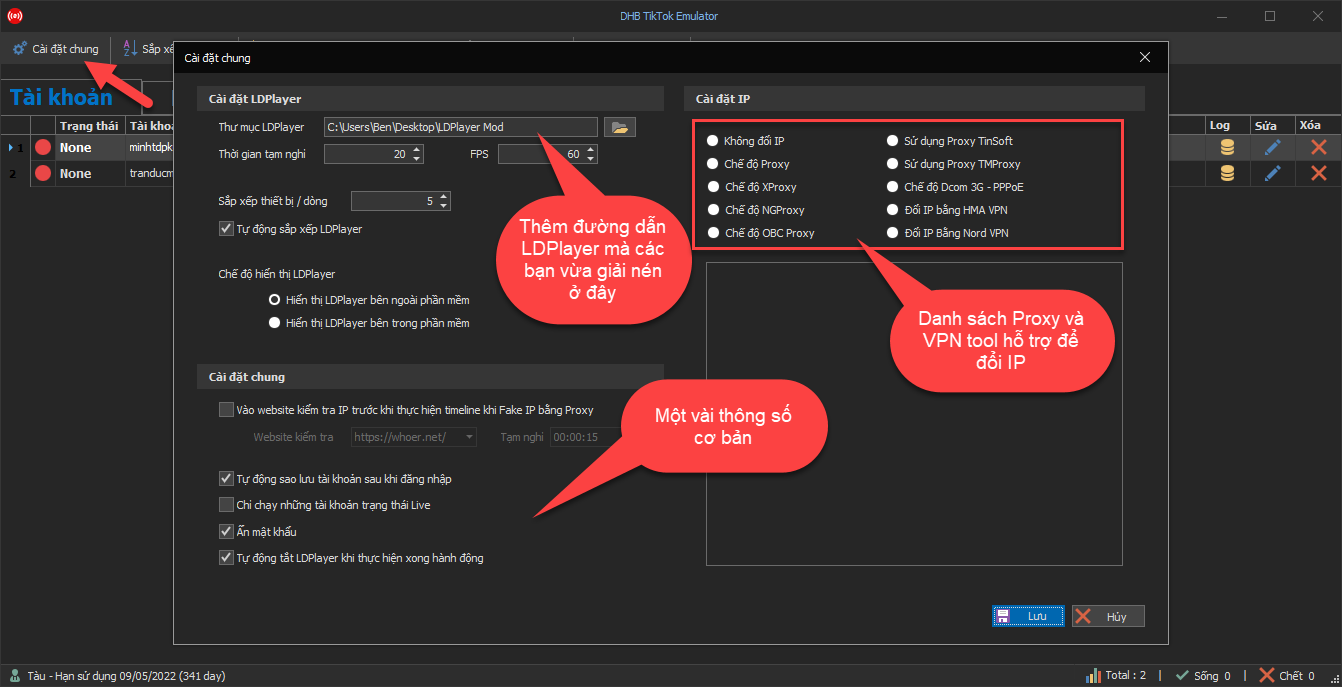
Step 1: Save general settings and proxy
In the general settings section, first save a few parameters and proxy settings if any so the software can run.
Step 2: Add existing TikTok accounts and LDPlayer to the software
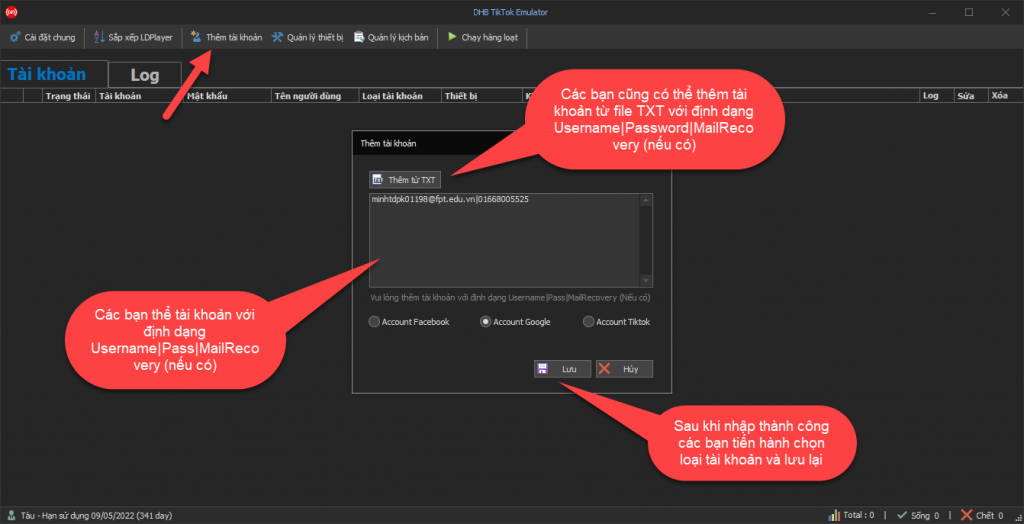
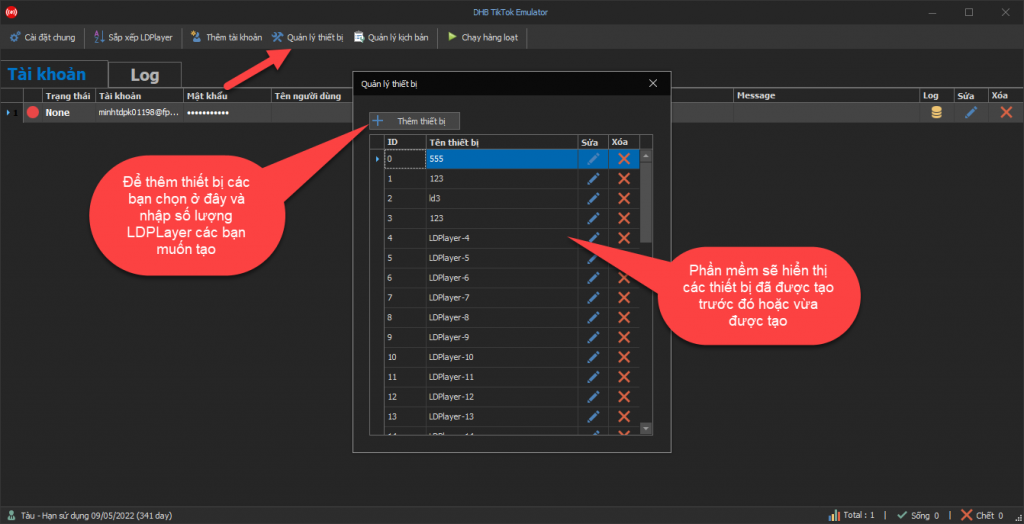
Step 3: Manage scripts and create actions
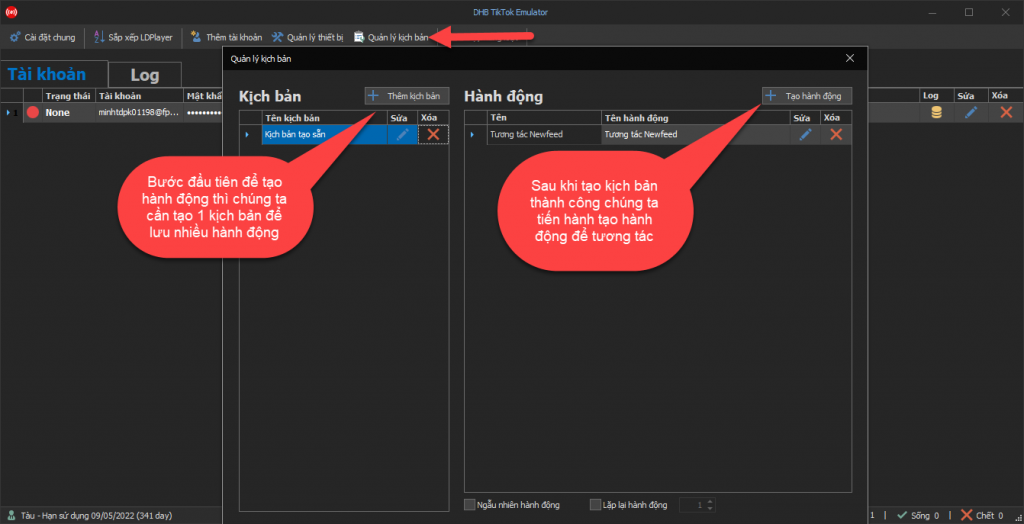
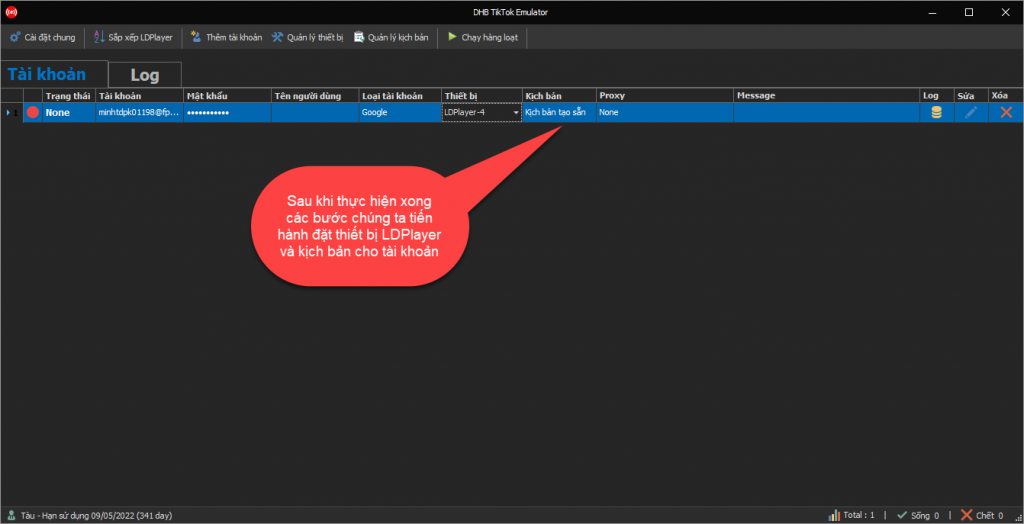
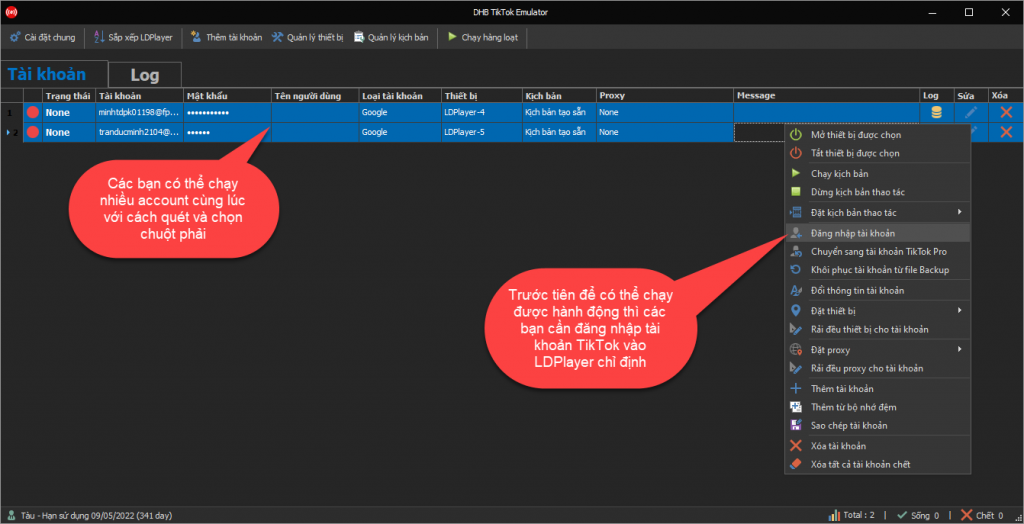
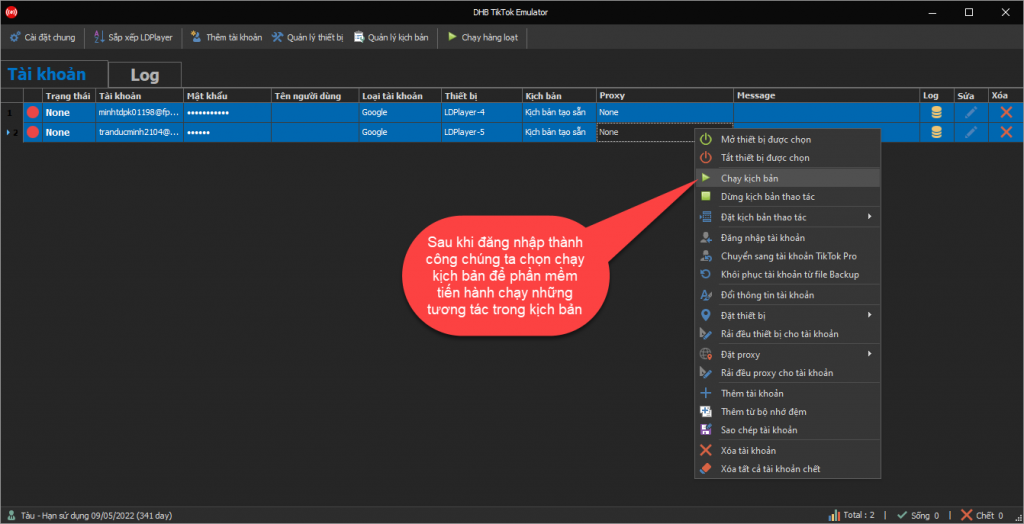
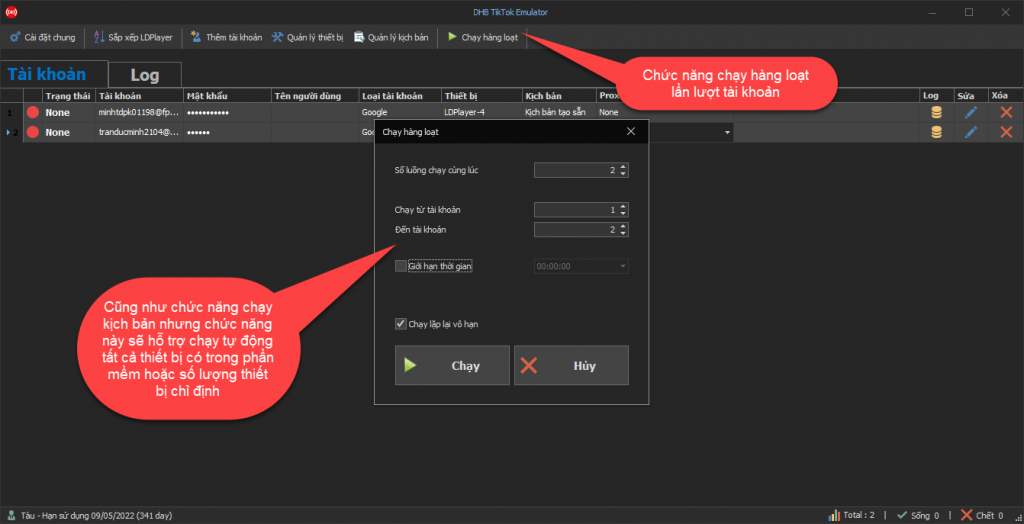
Step 4: Log in and run engagement actions
Wishing you success !!!
If you have any questions, please contact us via our website and fanpage
https://dhbtools.com/
http://m.me/dhbtools
https://www.facebook.com/dhbtools