DHB ToolsDHB ToolsMMO support software
Home
Guides
Sign inSign up
DHB ToolsDHB ToolsMMO support software

An MMO software ecosystem for upload, livestream, render and infrastructure management.

HỘ KINH DOANH ĐỖ HỮU BEN

MST: 066200019180

Cấp ngày 24/12/2025

Cấp bởi UBND Phường Tân An - Phòng Kinh Tế, Hạ Tầng và Đô Thị

Địa chỉ: 361 QL14, Phường Tân An, Tỉnh Đăk Lăk

Email: [email protected]

Products
  • DHB Upload Youtube
  • DHB Upload Facebook
  • DHB Upload Instagram & Threads
  • DHB Upload TikTok
  • DHB Upload X
  • DHB Youtube Manager
Support
  • FAQ
  • Terms of Use
  • Privacy Policy
  • Payment Policy
Community
  • Guides
  • Facebook Page
  • YouTube Channel

© 2026 DHB Tools. All rights reserved.

TermsThanh toánPrivacy
HomeGuidesBasic Guide to Using DHB Upload Twitter (X)
  • Bắt đầu sử dụng
  • Chia sẻ
  • Chưa được phân loại
  • Câu hỏi thường gặp
  • DHB Facebook Live
  • DHB GoLogin Manager
  • DHB Render
  • DHB Upload Facebook
  • DHB Upload Instagram
  • DHB Upload Twitter
  • DHB Upload Youtube
  • GoLogin Manager
  • Hướng dẫn theo phần mềm
  • Khắc phục lỗi
  • Render
  • Stream Pro – Livestream
  • Thủ thuật & Khác
  • Tính năng mới
  • Upload Facebook
  • Upload Instagram & Threads
  • Upload TikTok
  • Upload X (Twitter)
  • Upload YouTube
  • Video hướng dẫn
  • YouTube Manager
Upload X (Twitter)October 28, 2023· Đức Minh

Basic Guide to Using DHB Upload Twitter (X)

Before using the software, you should first get familiar with the interface. You can view the image below
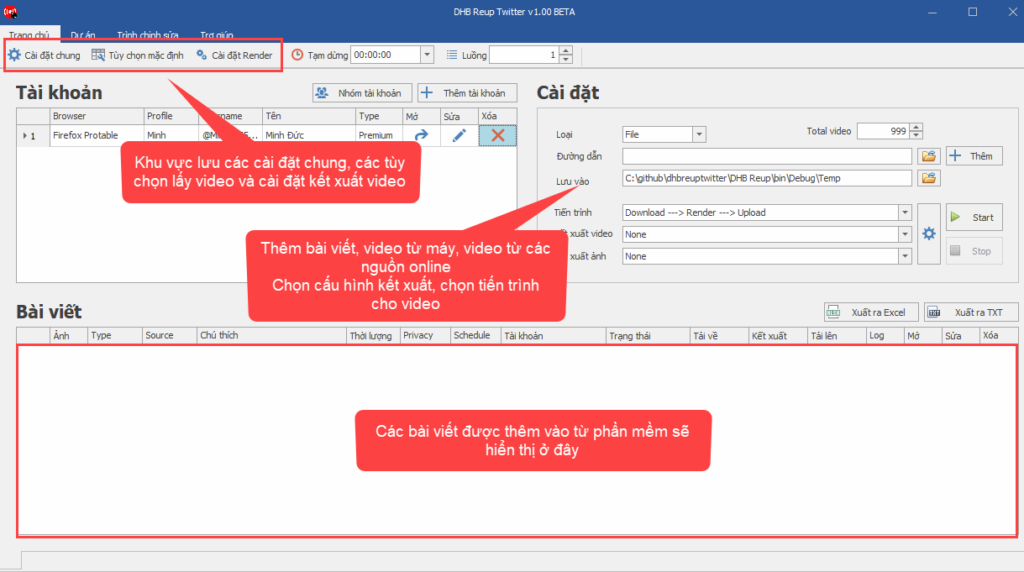
Software User Guide

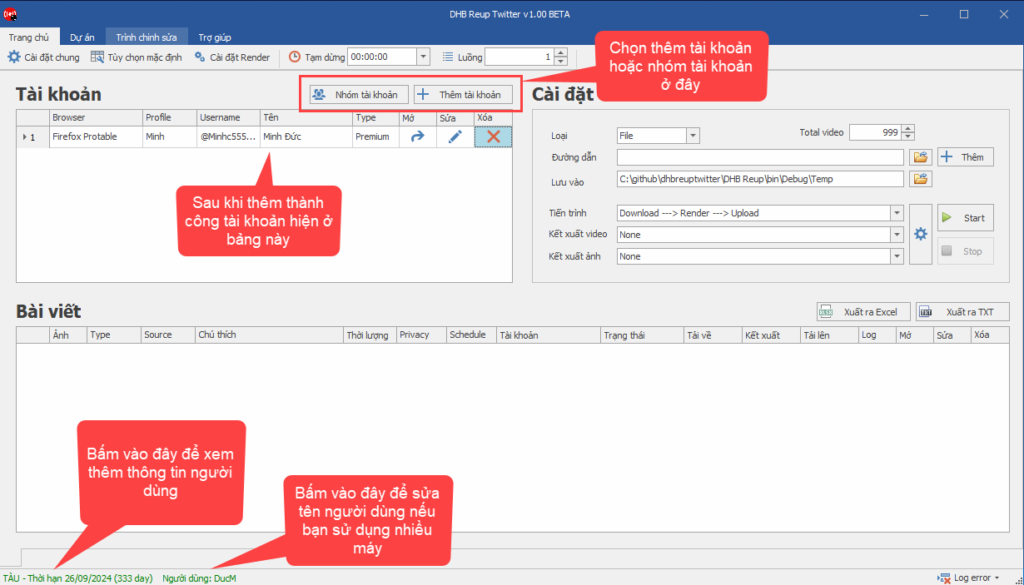
Step 1: Add an account to the software.

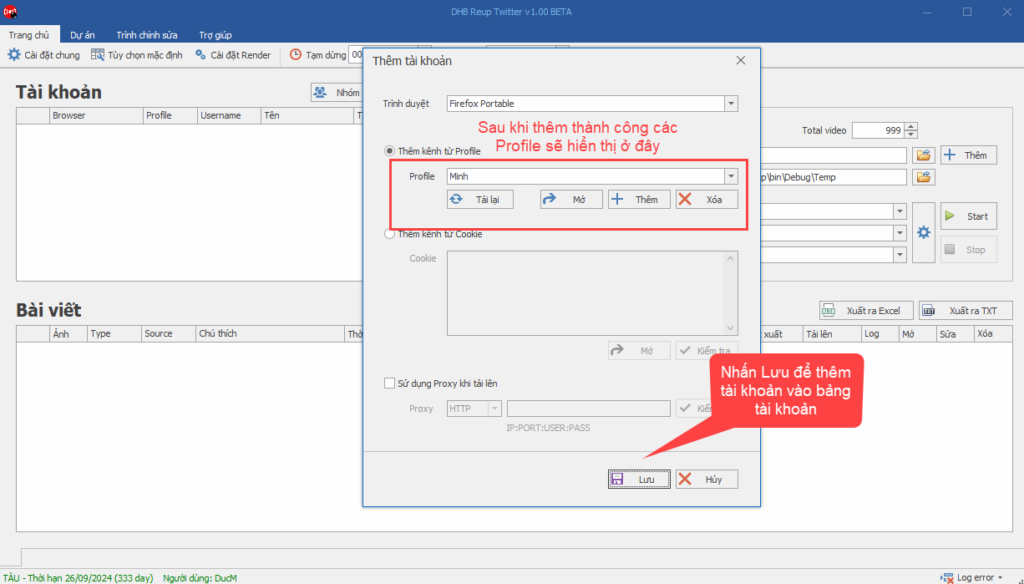
Follow the steps below to create a new profile and add the account from that profile to the software.
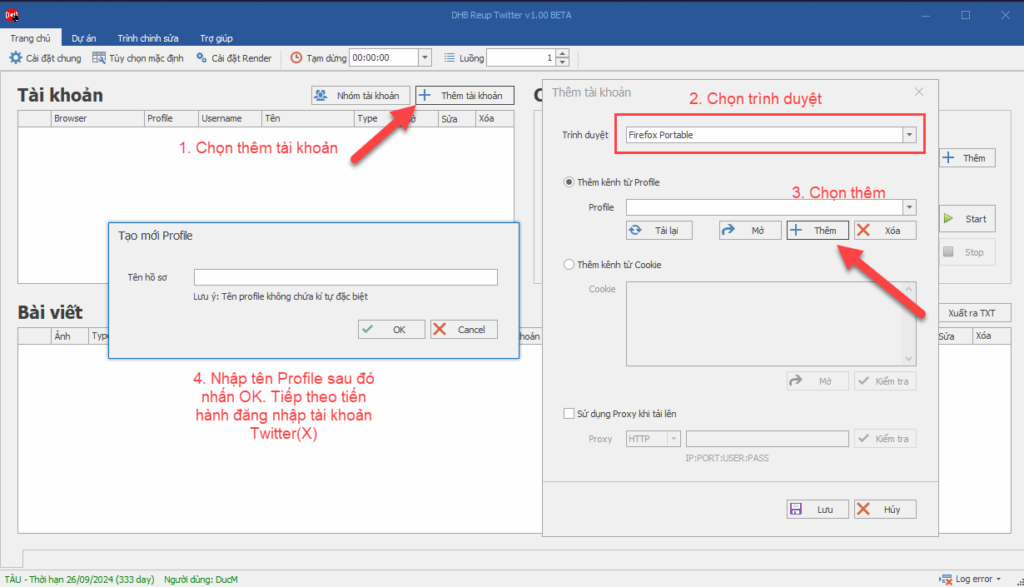
The software will open the browser. Log in to Twitter. After you log in successfully, the software will automatically detect and add it.
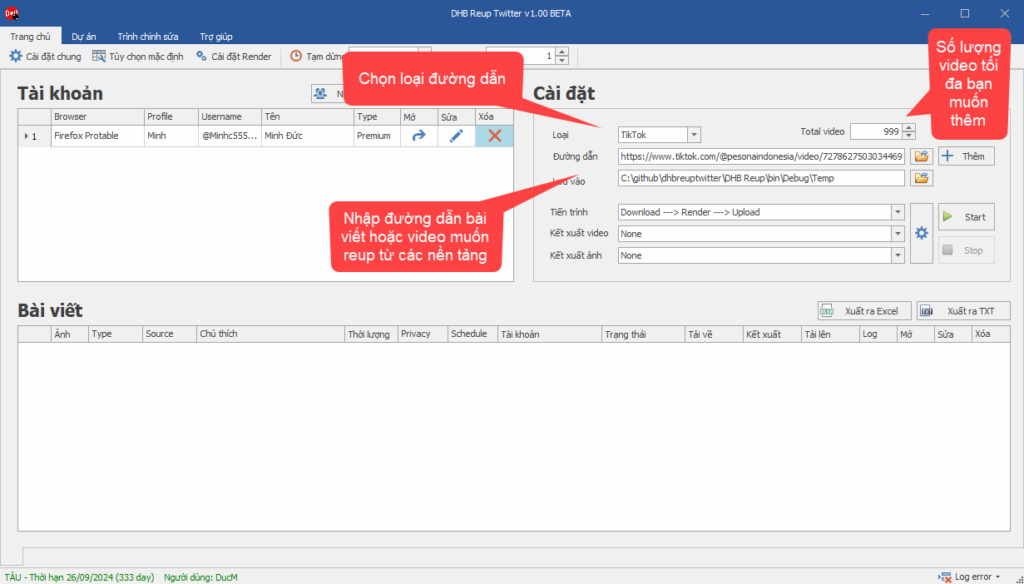
Step 2: Add a post or video to the software by selecting the type and pasting the post or video link into the URL field as shown in the image, then click Add

( To add posts from Youtube, Facebook, Instagram, or Ixigua, you need to enter an API or Cookie in General Settings first. View the guide here )

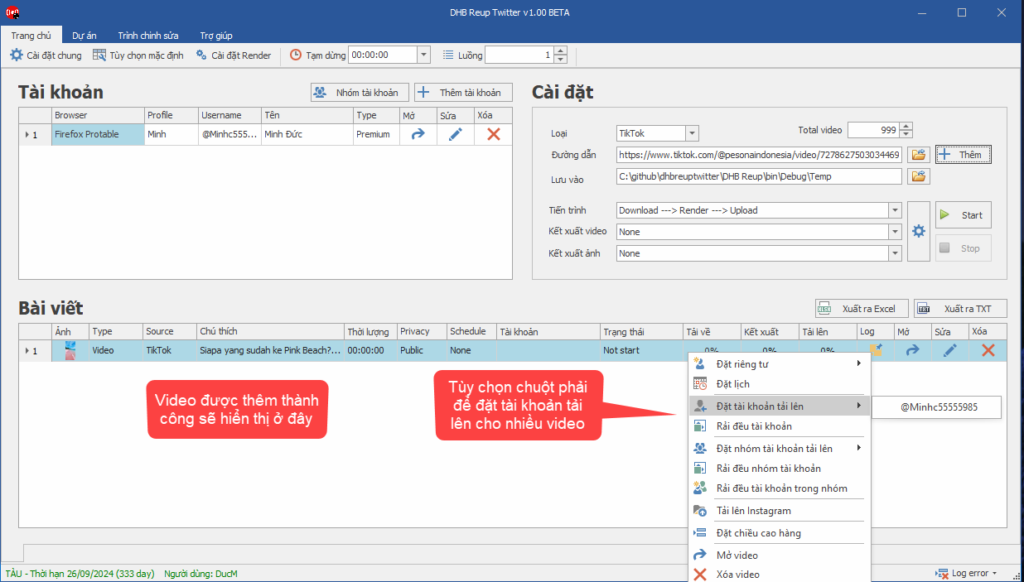
Here, I will add a video from Tiktok and post it to Twitter.
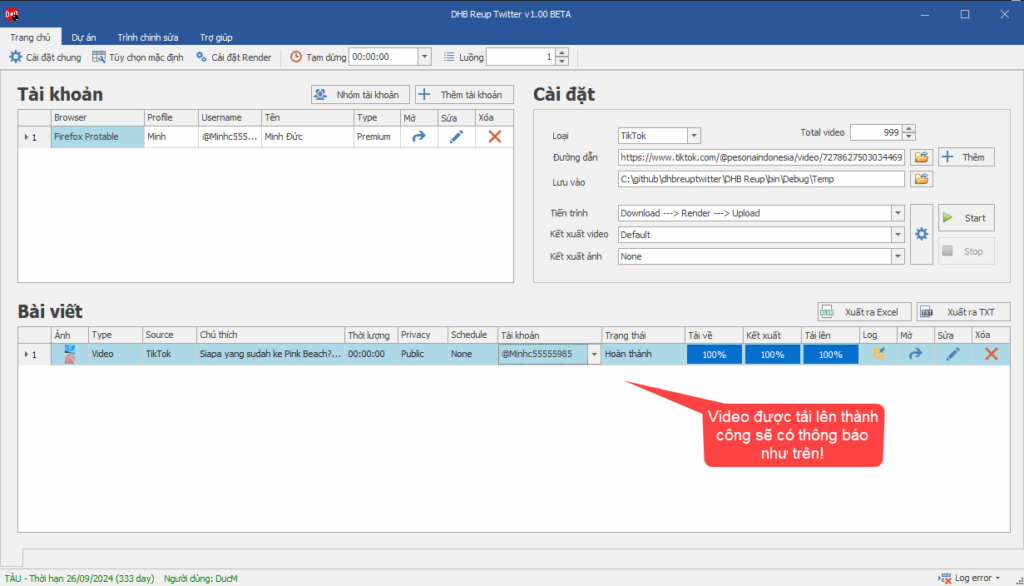
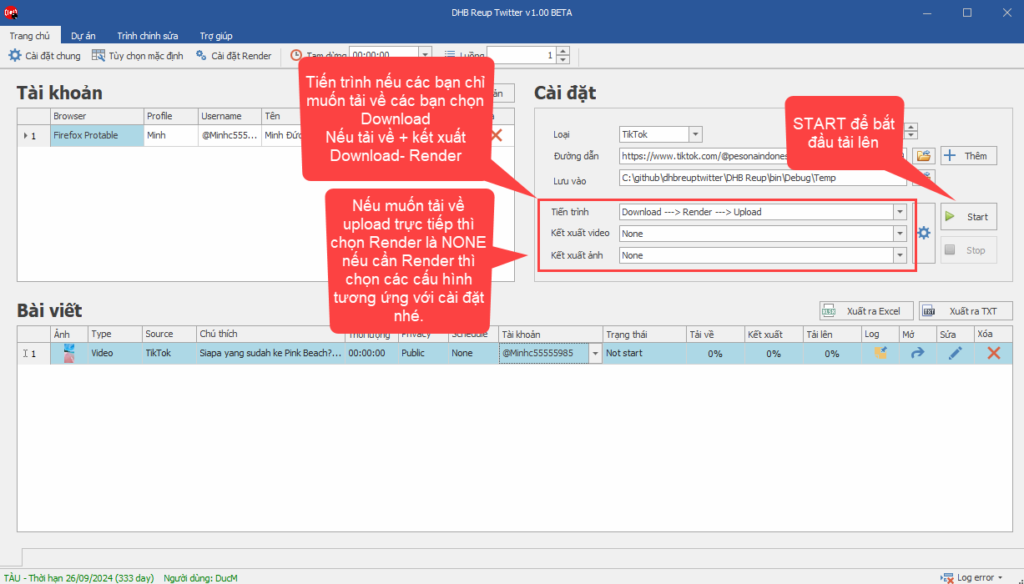
Step 4: Select the render configuration and start uploading
If you have any questions, please contact us via our website and fanpage
https://dhbtools.com/
http://m.me/dhbtools
https://www.facebook.com/dhbtools

Tags:autodhb toolsdhbtoolsuploadtwitteruploadvideo

Bình luận

Chưa có bình luận nào. Hãy là người đầu tiên!

← More posts in "Upload X (Twitter)"