
Guide to Getting Facebook Cookie and Token for DHB Tools
If you are having issues using a token to get videos or upload, please read this article to fix the problem.
Step 1: Get the Facebook token
Get an EAAGNO token here.
After being redirected to the Facebook Business page, follow the steps below to get the token for use.
Open business settings
Select Settings.
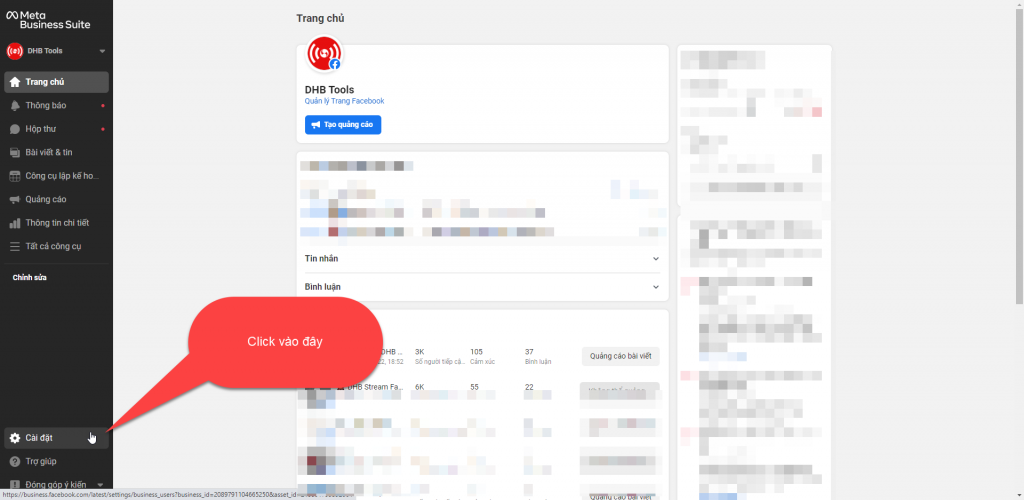
Select More business settings.
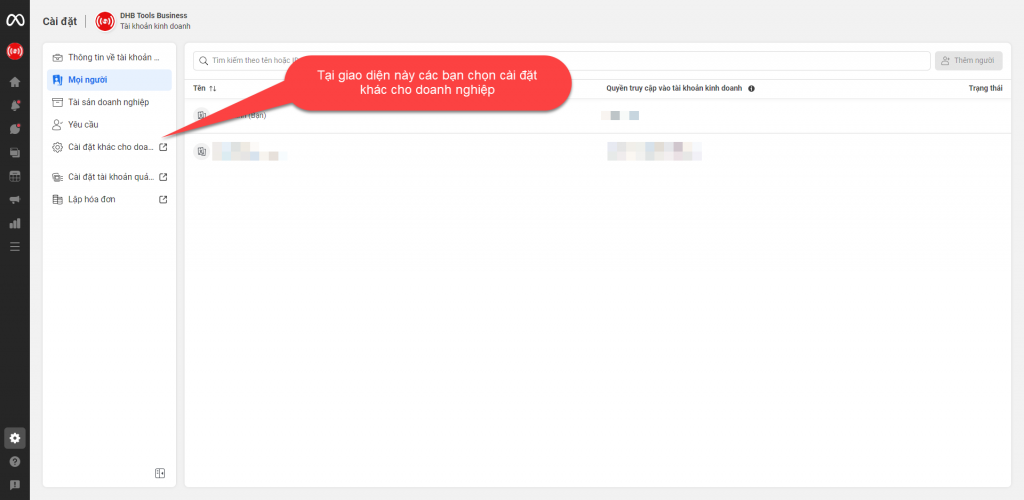
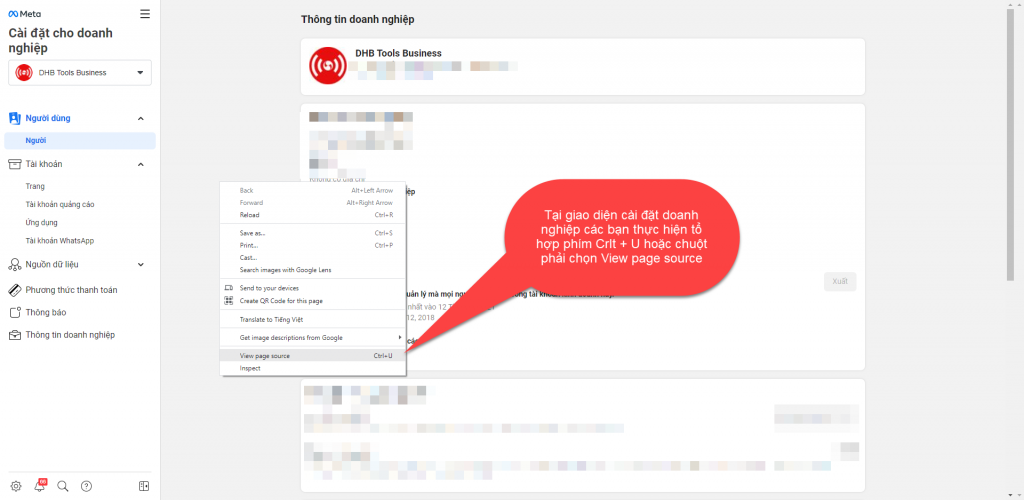
Find the token and enter it into the software
Press Ctrl+U, or right-click and select View page source.
Press Ctrl + F and enter EAAG to search for the token.
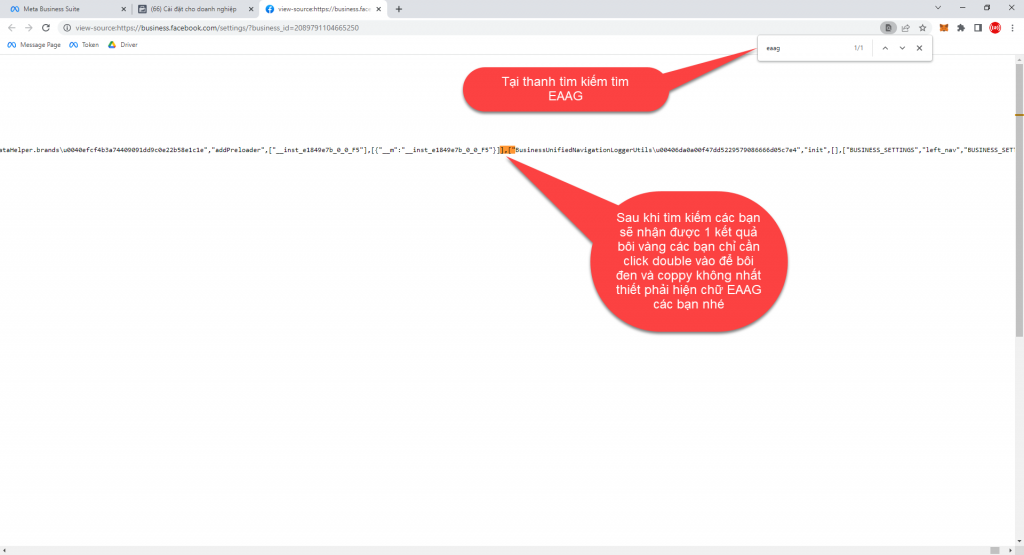
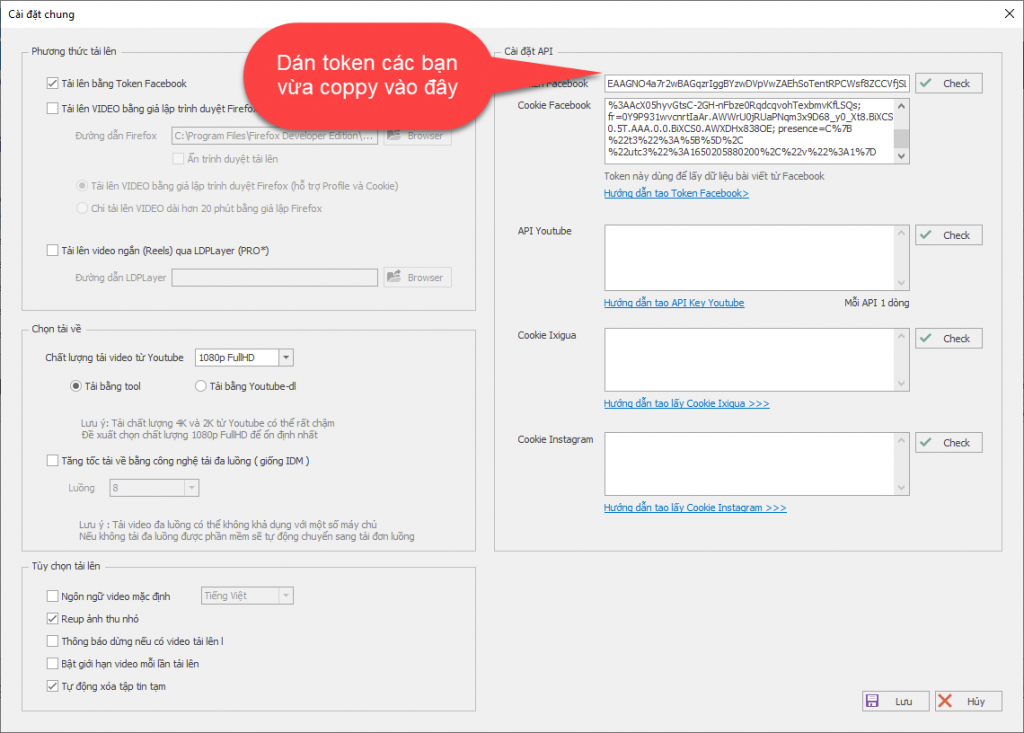
Enter the token into the software.
Step 2: Get the Facebook cookie
Get the Cookie from the Facebook homepage here.
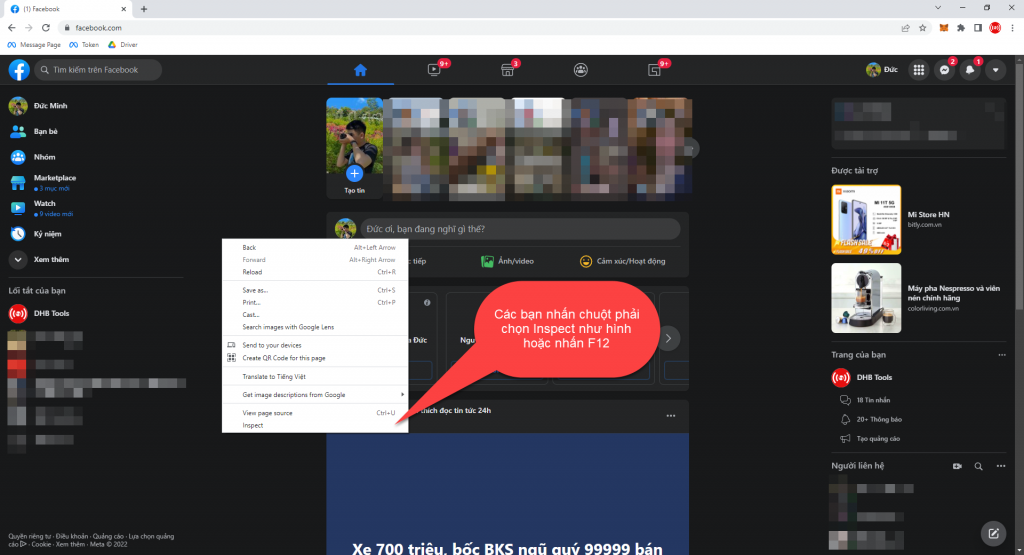
On the Facebook page, follow the steps shown in the image.
Open the Network tab in Inspect
Press F12, or right-click and select Inspect.
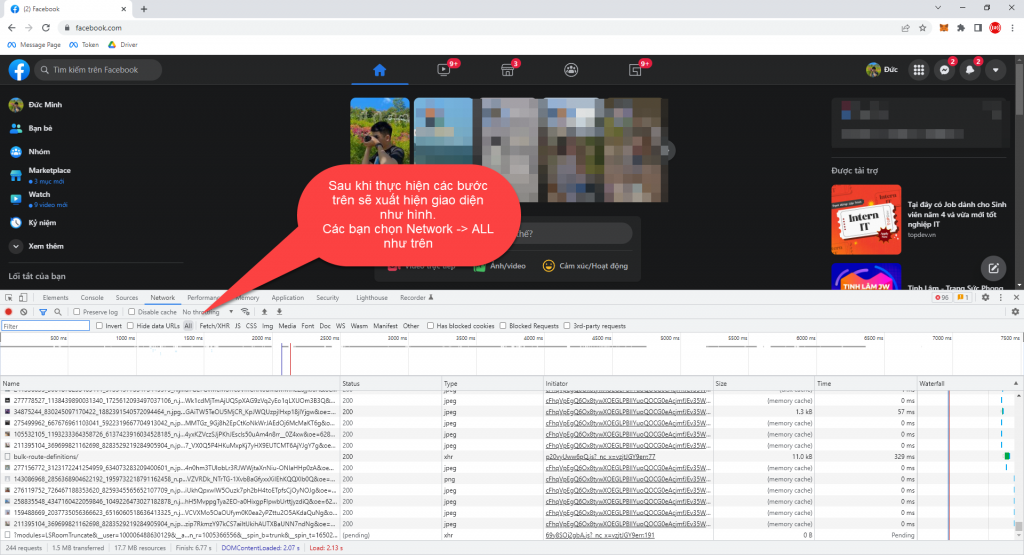
In the Inspect interface, select Network - All.
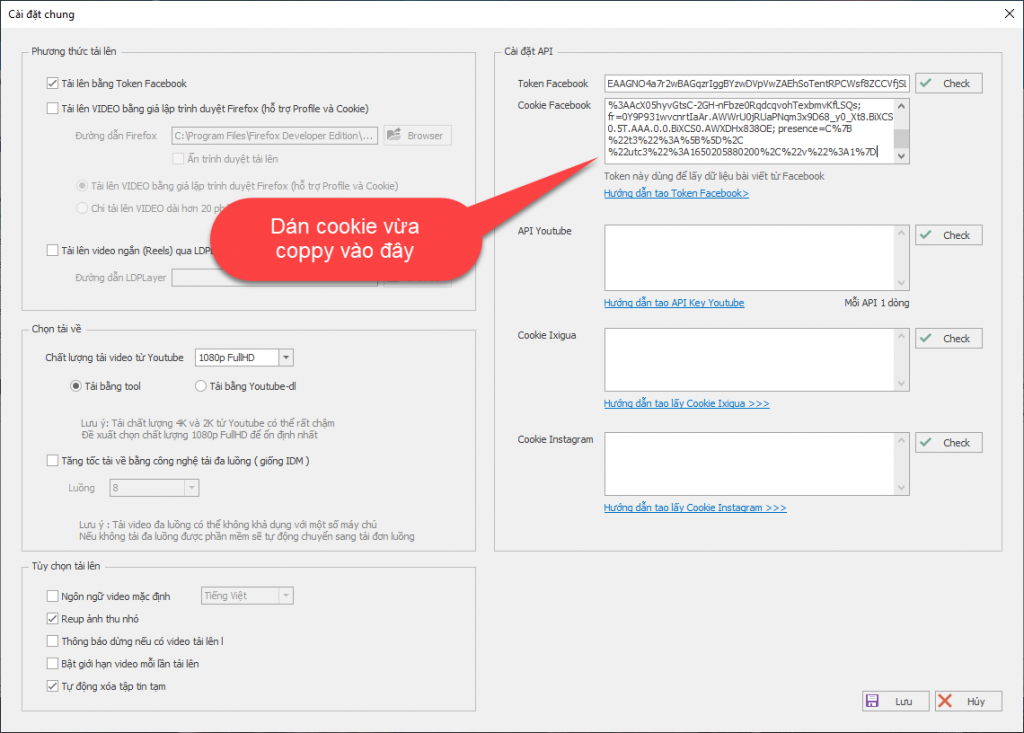
Copy the cookie and paste it into the software
After selecting it, press F5 or the reload button to reload the page, then scroll to the top and find www.facebook.com.
In Headers, find the cookie section and highlight it to copy.
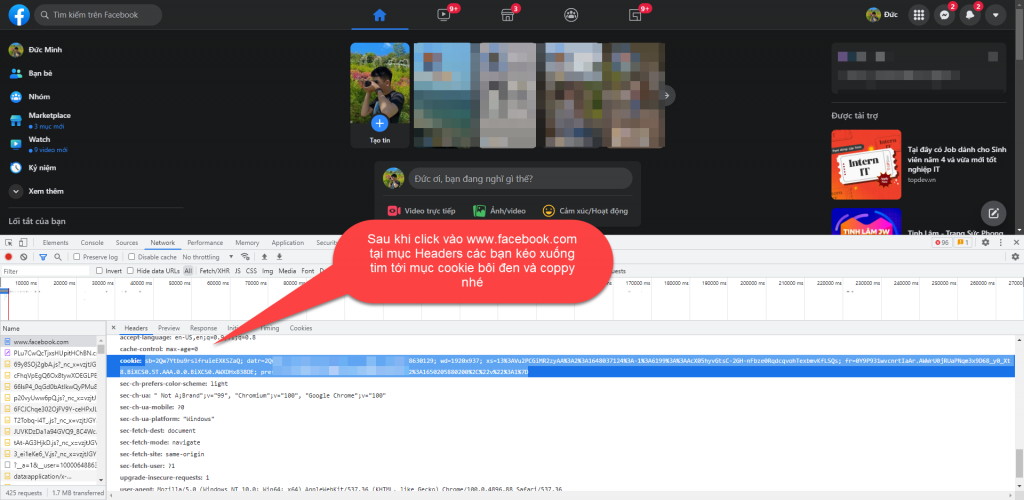
After copying, paste it into the software.
After completing the 2 steps to get the token and cookie, you can use the software normally.
Good luck!
If you have any questions, please contact us via our website and fanpage.
https://dhbtools.com/
http://m.me/dhbtools
https://www.facebook.com/dhbtools
Bình luận
Chưa có bình luận nào. Hãy là người đầu tiên!

Hướng dẫn tạo người dùng hệ thống quản lý Page trên BM sử dụng DHB Upload Facebook
Hiện tại Facebook đã hỗ trợ tải lên với tài khoản liên kết với Bussiness với tính năng "Người dùng hệ thống". Ưu điểm chính của tính năng này các bạn sẽ không cần đăng nhập tài khoản cầm Page và cũng không cần cấp quyền cho nhiều tài khoản cầm Page như trước nữa. Dưới đây sẽ là hướng dẫn chỉ tiết sử dụng tính năng này ở DHB Upload Facebook
Read more →
Hướng dẫn sử dụng DHB Comment Facebook
Nếu bạn đang tìm một công cụ hỗ trợ Affiliate số lượng lớn, quản lý nhiều Page hoặc triển khai nội dung quảng cáo trên Facebook, DHB Comment Facebook là một lựa chọn phù hợp để tối ưu quy trình và giảm bớt các thao tác thủ công lặp lại.
Read more →
Hướng dẫn tự soạn bình luận với AI trên DHB Comment Facebook
Tính năng Soạn bình luận với AI giúp tự động tạo nội dung bình luận dựa trên từng bài viết, thay vì phải viết thủ công từng comment. Bạn có thể tùy chỉnh độ dài, phong cách nội dung và xem lại kết quả trước khi gán vào bài viết.
Read more →
Hướng Dẫn Lấy API Google Drive v3
Google Drive API v3 giúp bạn kết nối ứng dụng, website hoặc phần mềm với Google Drive để lấy thông tin file, kiểm tra file, đọc danh sách file hoặc xử lý dữ liệu từ Drive.
Read more →